10 AI Image Hacks: These New Features Save Designers Hours




3. Element Replacement
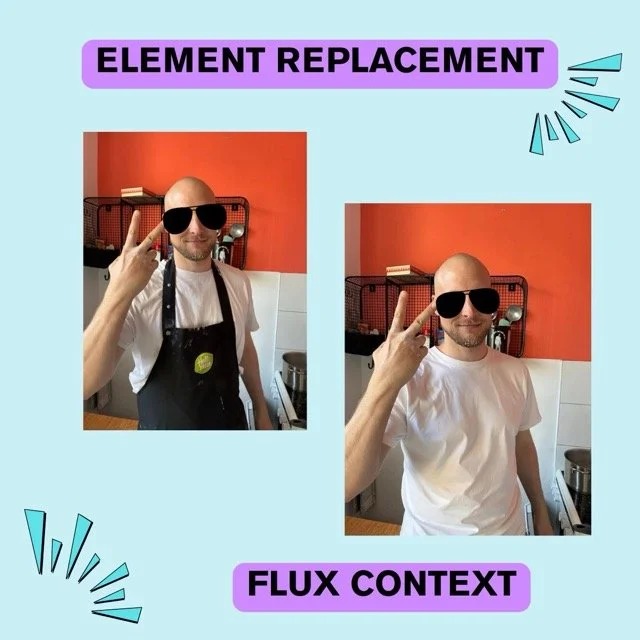
This ai image hack lets you swap out single objects or details inside any image. If you see an unwanted chair or plant, replace it instantly without having to redo your whole photo. Or if your boyfriend wears a silly-looking apron on his otherwise cool picture.
Look how well it has re-created the wrinkles on the shirt, you really wouldn’t guess that this was Flux’s element replacement feature’s work.
Of course, Flux in general, without the kontext feature, is awesome! But since this is pretty new and has slightly shaken the industry, we gave it it's extra stage. Flux is also one of my personal favorite apps to create stunning visuals of all styles. It seems to understand my prompts somehow better than others and brings me the best results. I just wish they would fix their little bugs and payment provider (more infos in the image generator comparison).
4. Image Upscaler
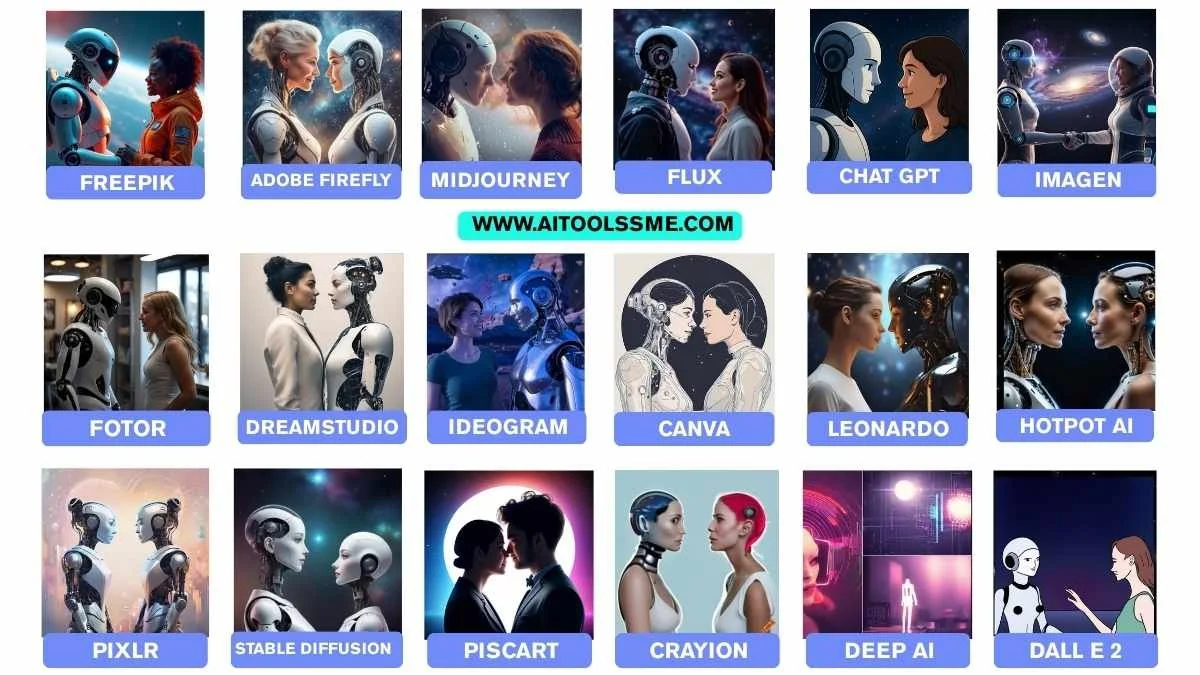
This ai image hack helps you boost image resolution and quality in one click. Old photos, ai art, or screenshots all become clear and sharp, which is perfect for sharing or printing. Maybe sometimes a bit too sharp, so go easy on the 4x or more upscalers, otherwise it will make you too artificial.
5. Background Change/Extension
If you need to replace or make your background bigger, use this ai image hack. Canva lets you extend or swap out backgrounds quickly, keeping every detail looking natural.
6. Magic Eraser & Magic Grab
Try this ai image hack if you want to remove unwanted objects fast. Magic Eraser finds objects and lets you erase them with one tap—Magic Grab can also lift parts out so you can move them around easily.
I'm not the biggest fan of their integrated AI image generation tools, but their features to edit images are just superb. I didn't even mention their background remover here, because I think the feature itself is a standard now. But it is so perfect and quick, I should still let you know that if this is a feature you use a lot, I think Canva is your girl.
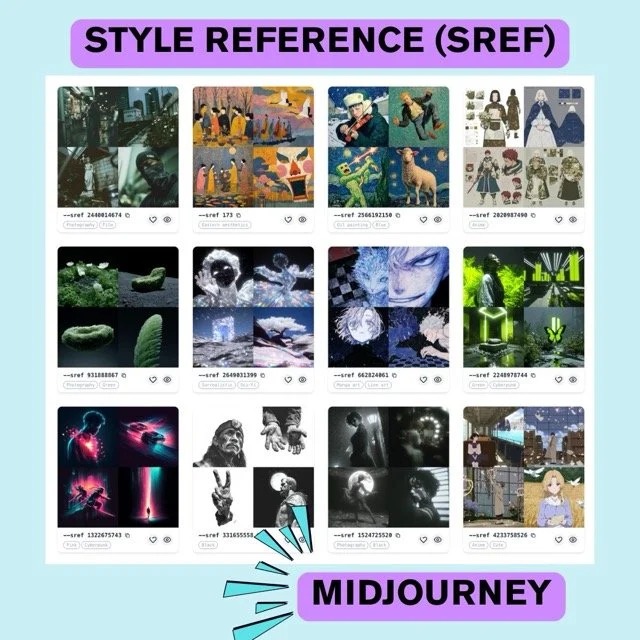
Check out the Midjourney Library to see all kinds of cool styles that you can try with seed numbers. This trick is one of the best for ai image prompts to keep your style consistent throughout various e.g. blogs pictures or social media posts.
Otherwise, most of my designer friends love Midjourney, and not only because it was their first image generator love. It still is among the best tools to create an AI photo.
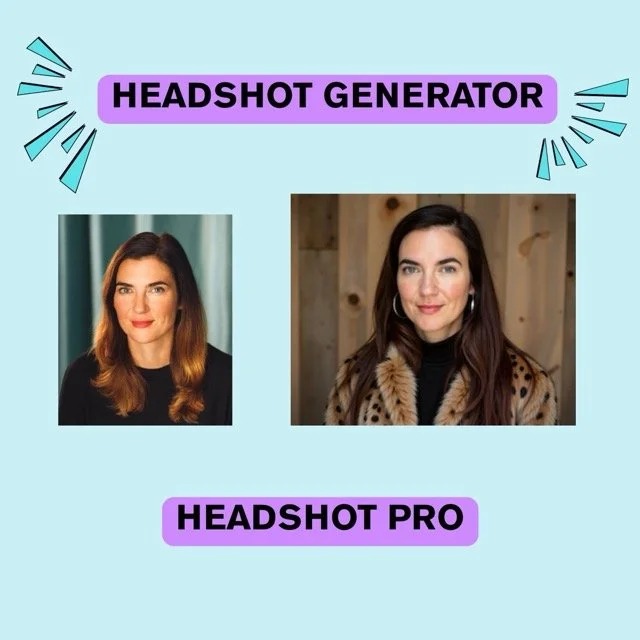
10. Headshot Generators (for example by Headshot Pro)
This AI to generate headshots will make some photographers look for another job because it works so good. My favorite tool from the Headshot Generator Comparison was Headshot Pro which lets you create the freshest images of yourself. My new image to be honest made me look slightly better than in real life because it smoothes out wrinkles and gives my skin a glow.
Off you go to experiment with this advanced AI technology for image creators like Flux, Canva, Midjourney, Freepik, and Adobe Firefly. Easily improve your workflows and create your own best practices for image editing.
By the way, if you want to learn advanced prompts for image generation, I totally recommend my AI course for beginners where I dive deep into LLMs, image generators and less deeper into video genAI. I help you choose the best tool to unlock the power of AI.
Get started today and create images that upgrade your ai art skills and make you proud of your digital creations.




