The Best AI Video Editors for 2026
These tools take over annoying editing tasks and give videos that extra sprinkle!
Why you can trust me: Testing Methodology & Editorial policy





AI Video Editors make the editing process super easy, also for non-professional editors, provide a large stock free video library, and are famous for filters, effects, and crazy elements. AI Video Editors/Video Creators are a subsection of video generators and focus on the editing instead of the generation part. The most common use cases for AI Video Editors are creating social media videos, ads, UGC videos, website content, or eCommerce videos. Social media creators will have a special place in their heart for these tools, because they save so much time during the creation process. Before, editing was complicated, especially for beginners and required expensive video editing software.
Mobile apps: With TikTok and videos' popularity on social media, another form developed: Mobile apps with video editing functions, focused on adding effects, copy and filters to your recorded material. Making it easy to post right away from the palm of your hand. Fun features such as “Make me age” or infinite zoom (Videoleap) can be found here, too.
AI Video Editors on Desktop: Tools like DaVinci Resolve or Movavi run on your local desktop and therefore have no loading times or glitches as the cloud-based video editors tend to do. You can still push videos straight onto social platforms, but TikTokers will probably prefer the "handy" Capcut ;) Davinci for example only offers AI features on the paid plan, which we punished with a lower ranking because we're looking at this category from the lense of a small business owner who wants to leverage free plans as much as possible.
The most famous AI Video Editors are Capcut, Canva and Veed, but not necessarily the best!
Let me take you through a quick overview of video editors / creators and what I find special about them:
Descript is currently my very favorite AI video editor, because its AI features are so advanced and save a crazy amount of time. It's tailored towards creators who are a lot in front of the camera, because the AI can remove filler words, retakes and correct eyes perfectly. I'm using it for all my videos on the website now and wouldn't want to miss it anymore. I'm guessing that I'm saving about 80% on editing time now with it.
VEED is an incredibly AI toolbox for video creators, it's the equivalent of Canva for video for me, due to it's extemely wide palette of features. I see them constantly adding new gimmicks, effects and other helpful products for creators of all types.
Canva): I love how it allows me to add so many different design elements to my videos; the sheer variety is unique. They also have so many app integrations within their tool, there is hardly something I wasn't able to find yet. The only reason it's not in the top 5 yet, is that the core video editor is still not up to par IMO. It's a bit annoying to edit videos with canva, assembling material of all types, is awesome though!
Capcut is a famous video editing tool too, especially because it is the default software for TikTok videos and most teens will have this app on their phone. But you have to be careful, in January 2025, the US government blocked CapCut for a short time as part of their efforts to ban TikTok and CapCut was removed from US app stores because its owner, ByteDance (the same company that owns TikTok), didn't sell its US operations by the government's deadline. During this time, video creators couldn't access their CapCut videos or download the app. So if you rely on your videos making your living, I would recommend to go with another company.
When I spoke to Vikram Chalana, the CEO of Pictory, he told me that they were testing different video GenAI tools, because by end of 2025 they are planning to add a video generations capability. This would mean that Pictory would almost become a one-stop-shop: a video generator with almost all capabilities. If they now also integrate AI avatars as well, they could rule the video world.
It will be interesting to see which side will win in the end: Tools like Runway starting to improve their editing process, or video creation software like Canva to integrate prompt-to-video features.
In the meantime, we can all benefit from the battle among video editor companies, by cashing in free AI video credits from each of them. All AI video editing tools offer generous free trials.


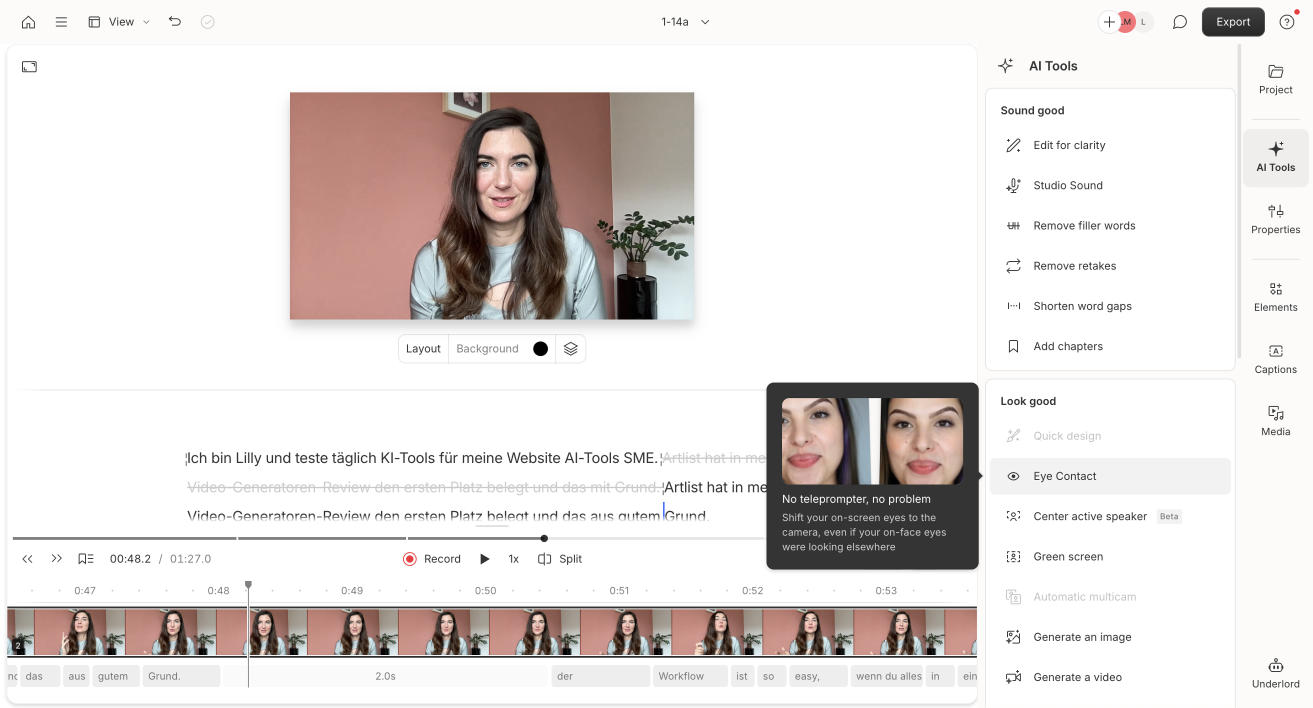

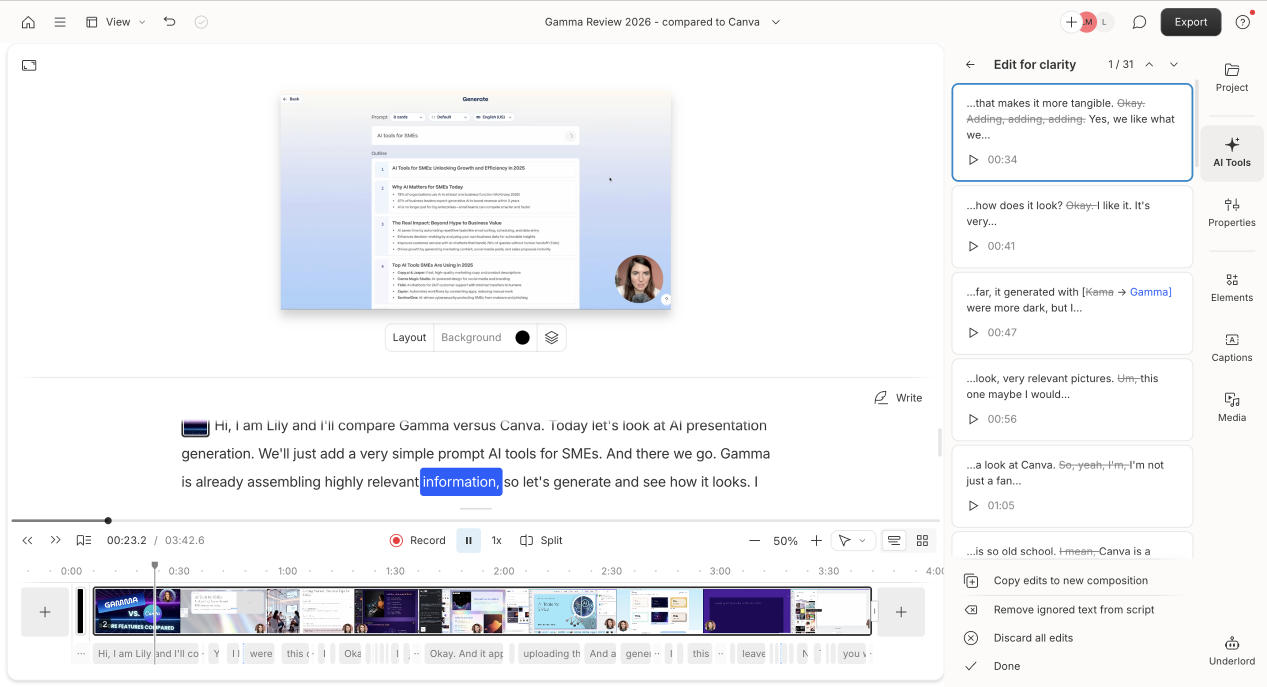


I really like Descript, it's just so easy to use and its AI works so well! In my test, I used a 4-minute content video comparing Gamma and Canva, and I focused on core video editing features. The AI tools like Edit for Clarity, Studio Sound, Remove Filler Words, and Remove Retakes worked very well and leave very little work for the video editor. Eye Contact was a unique bonus, though a bit quirky at times, because when I think about what to say, I tend to look up, and seeing my eyes corrected in these instances is hilarious. Overall, I think Descript is perfect for content creators, podcasters, and anyone who wants to save time with easy, AI-powered video editing that improves existing footage without heavy manual work. In the end this is what will put creators ahead (next to their personality) : If you can create more content because you're not slowed down through the editing process, you have found a real lever.
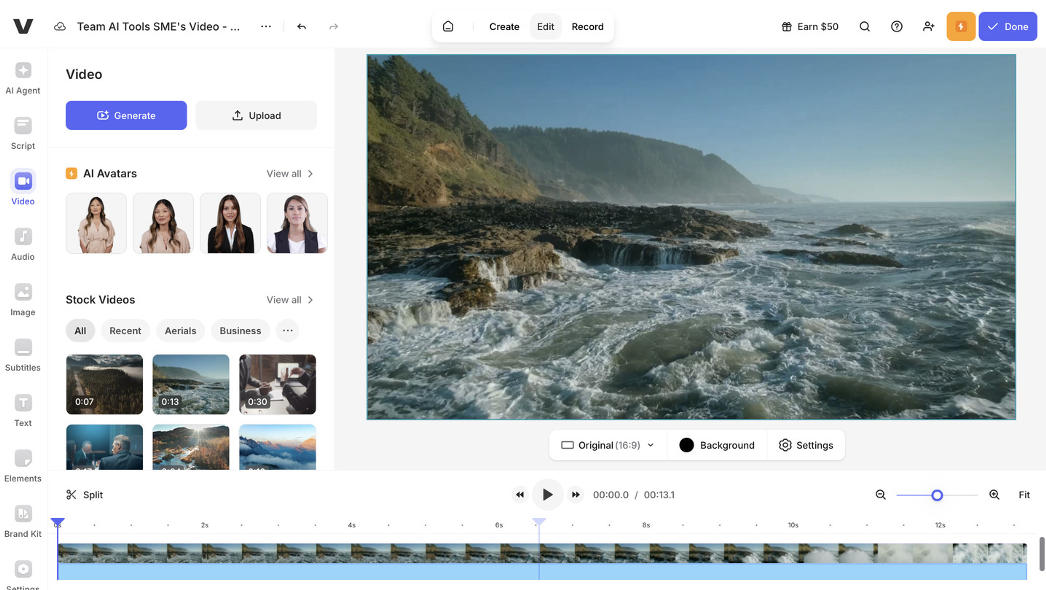
I really like this tool! It feels like a canva for video on steroids. I'm bedazzled by their voice cloning feature and for this list of key features I included the best because it's just so long. Veed.io is so versatile and easy to handle, it's great for video editing beginners and social media creators! Also if you are a creator who lost access to capcut due to the TikTok issues with the US, this is a great alternative for you.

I had read that Capcut is under the 5 most used AI apps, so naturally I had to add it in. This tool is absolutely tailored to creators and TikTok, I guess that's where the top 5 comes from. For our purposes, it's good but nothing I recommend getting the premium package for. And: this is what the kids use to create their TikTok videos, so I assume the free trial is very extensive, they just don't communicate when it ends.

I tested the Videoleap app from Lightricks, which allows you to play with existing clips, cut and combine them easily straight on your phone. The features I loved: Skipping silence saves tons of time, and my AI voice avatar is impressive. Infinite zoom out is fun, but use cases might be limited, and it didn't 100% fit my original picture. To create my voice avatar, I just had to speak for 1 min 40, and after 30min it sent me my perfect voice clone. Damn, I guess now Videoleap can deepfake me, because it turned out pretty good!


Movavi is a very solid video editor that runs locally via app on your computer. The special features like the special effects, filters and effect packs are a lot of fun to play with and find a lot of real life applications for social media videos. You can upload your videos straight to TikTok, YouTube, or your Google Drive.
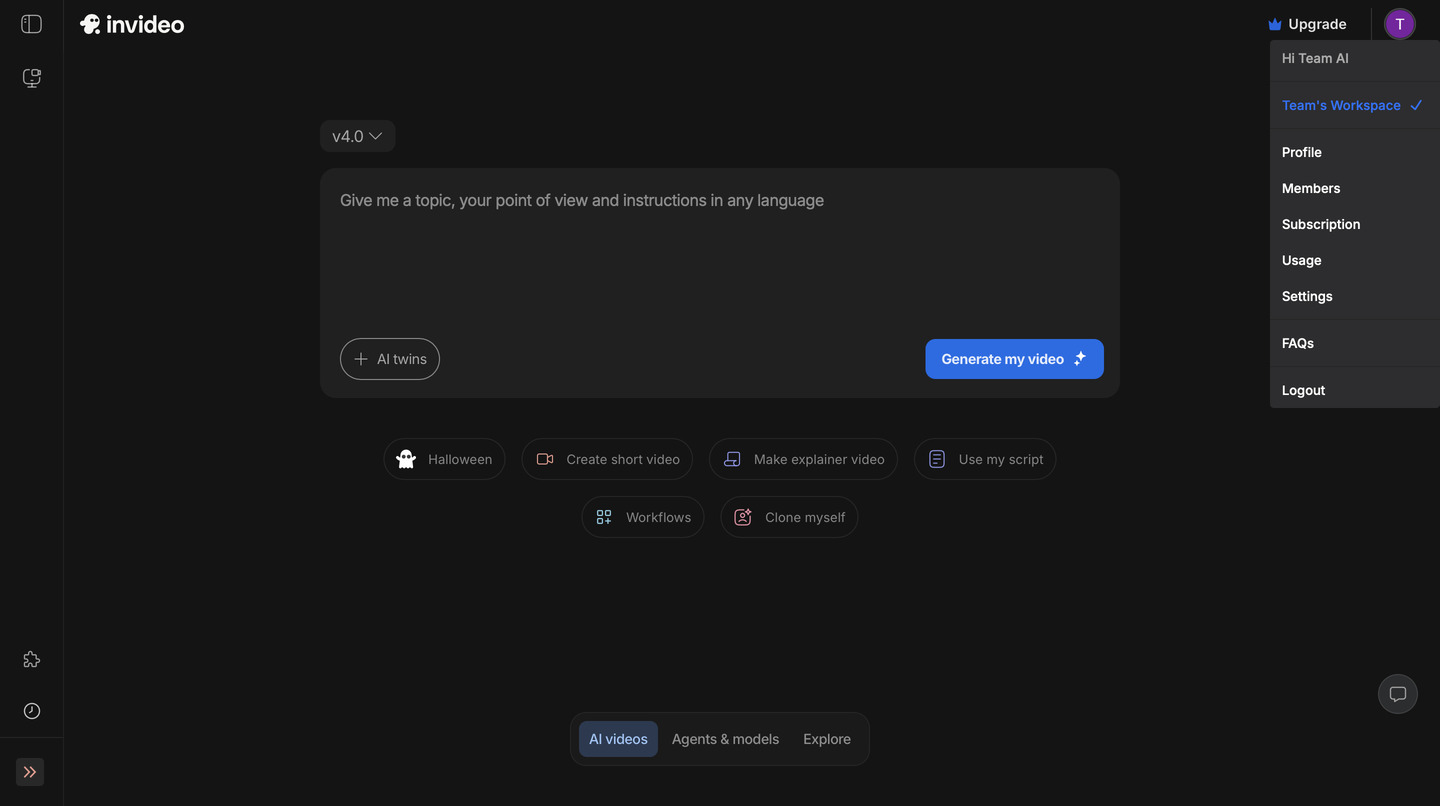
Damn InVideo, this was supposed to be a collage with the complete copy… You just shortened the heck out of my script! A classic example of how the technology is just not ready to create both at once: script and video. I prefer to control one factor and let the tool do the other well.

I love canva in general. It's just such a versatile tool that made us all feel like we could all the sudden design things with their templates. For video editing I like that it has so many elements to choose from: graphics, videos, frames, AI voices, AI generated images. Their background remover is great and features like magic expand or magic grab truly make the magic happen. The rating here is more due to very limited editing features.
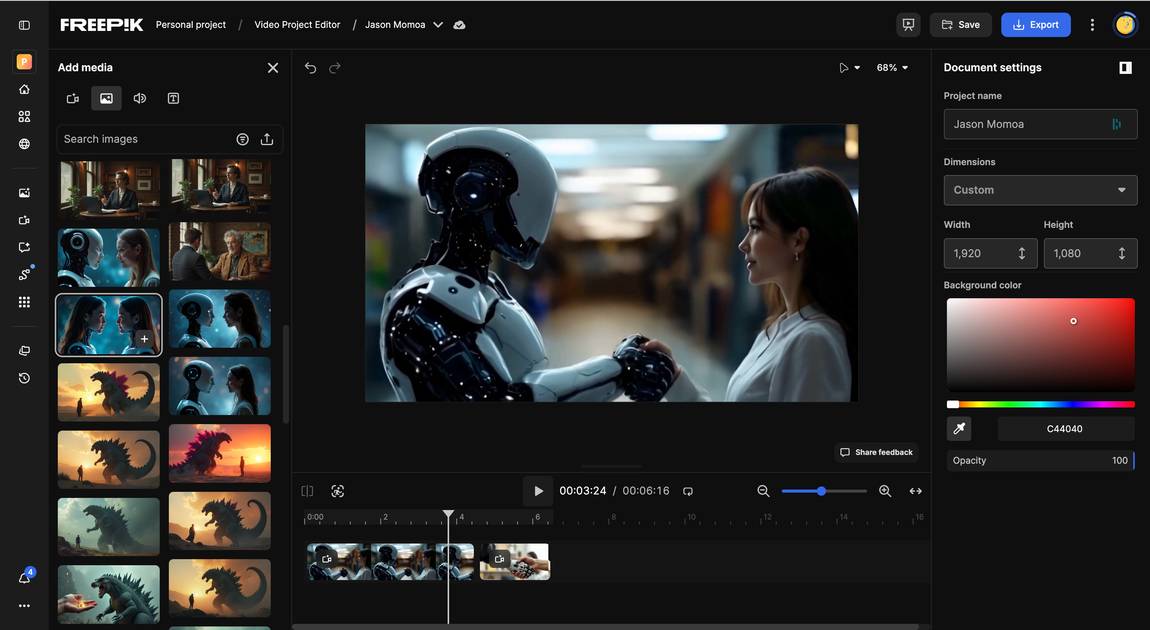
I've tested the Freepik Clip Editor and the Video Project Editor. Let's start with the Clip Editor where we have various features like extend, upscale, modify, lipsync, SFX, colour grading, motion shake and effects. So the fun section.
I tested them with a video I had generated earlier as a base: of a woman and a cyborg shaking hands. I extended the clip by making them walk away in the end, which worked ok, except for that she said something before walking off, which was unprompted.
I tested the modify feature by asking for a b-roll to be added mid video, but this seems to be too big of a challenge and the video was output without any addition. I couldn't figure out what would have been a better mission for this to be honest.
I was super excited to test the lip sync feature because this would solve the ultimate issue that even if you generate a video with audio, the different clips can have different voices. I added a short audio clip where a mature lady says 'Damn, Jason Momoa is so good looking' because I thought it'd be hilarious if the protagonist said that to the cyborg. It took a few tries, the last try was ok, she just kind of stops talking in the end and she could be a bit more expressive, but the more often I prompted, the better it turned out. Check out the video under 'Tool Details'.
The Video Project Editor is a classical editing suite to stitch your clips together. It's simple enough for beginners and offers all classical editing tools like opacity, flip, filters, crop, blur and animations.
Overall the package Freepik has put together here is super fun to play with, if you're willing to ignore a few glitches and some features not working yet. E.g. I was unable to apply a visual effect to my video. But I love that Freepik offers an editing suite, so that you don't need any additional software to edit clips together you generated on the platform.
Also I've been watching Freepik for a while now and have been impressed by their constant improvements of the platform. My Despite the medium rating, for me it's currently the very best deal for a video & image generation platform with an editing suite. My designer friends can attest! Measuring a video generator platform against pure video editors might not be 100% fair and the competition is fierce.

Don't get me wrong: I acknowledge that DaVinci Resolve is a super powerful tool and that many professionals use it. But in this comparison, I'm looking for the easy to handle and AI focued video editors small business owners and creators can use without much fluff. Therefore I'm placing DaVinci on a lower position, its learning curve is just much steeper than with Descript, Veed or Capcut. And the free plan doesn't include any AI features (therefore I gave it only 3 points for AI capabilities).
The first big difference is that it's not a cloud-based service but a downloadable program, so say goodbye to editing on your phone. My next hurdle is that DaVinci Resolve requires videos in certain formats and my mp4 clips for some reason don't cut it (perplexity tells me this is a common issue because not all mp4 codecs are compatible). So I resave my video with VLC player but there are still complications. Once I can upload my video I am reminded of my early days editing videos with Filmora, another free old school editing tool. But I'm also reminded why our cloud based modern tool were created for non-professionals: because Davinci and co. are an overkill for us.

I've been following Pictory almost from day 1, and have used it a lot for editing social media videos. I still like it a lot, but I feel like Veed.io has worked harder on their product in the meantime. There are still small technical glitches with Pictory which don't directly affect your video but might be annoying for the user. But overall, it's a really good tool with a huge free stock library and my favorite for automatic subtitles. But recently I've been editing more with Veed.io.
Pippit reminds me of TikTok Symphony, it will assemble everything for your video independently: content, images, video material, captions and the script. No wonder, it's from the same family: Bytedance. The Chinese company has given TikTok to the world too. I for my part would prefer more creative freedom and tweak parts here and there instead of getting a delivery of a final but meh video. Especially now with so much competition on social media (exactly due to this generated AI slop) it's hard to cut through.
I see some value in Pippit, but only because it's so generous. It gifts you 500 sign up credits, actually in the beginning it says 120, which is confusing. I think in the end it was 500 and I could have earned more if I signed up to their social media channels (again: Bytedance family). Although most times the video generation doesn't even work and if it does it creates whatever it wants.
The generated video: I've uploaded an image I generated with Freepik of my usual suspects, the cyborg and woman shaking hands and added a prompt I thought would make Pippit blush but not hesitate to deliver: Generate a video of these two protagonist kissing in a very romantic soft way. then we hear a record scratch, a voiceover cuts in and says "the best of both worlds, AI and humans. Literally..."
Well, where's the kissing...? Where's the record scratch. But especially the kissing! I feel betrayed Pippit!
I'm sorry, but this tool is pretty crap. I asked it to shorten gaps in my Elevenlabs Telenovela video and all it did was cut off the end. It also added the caption in the middle of the video (which admittedly was a tough mission for this video as there is text all over). And when I tried the AI hook, all it did was add another text overlay in the beginning with the title "Jason Momoa vs. Spanish Fella?". How is that a hook?
It keeps sending you emails about how your video is about to expire, only a few hours after you've created it. That's a bad user experience even beyond the OpusClip dashboard.
OpusClip might have a generous free plan, but at the same time it's stealing your time, so you're still paying with something.