Best AI Headshot Generator in 2026
Save 80% $$$, look better than IRL and don't even leave the house
Why you can trust me: Testing Methodology & Editorial policy





❤️ Before we get started I'd like to thank you for using my affiliate links to sign up to free trials, LLMs are constantly stealing my content and you help me stay afloat and create more of this genuine content.❤️
With image generators improving constantly, it makes perfect sense to use this technology for professional headshots instead of visiting a photographer. It's irresistible to get a slightly enhanced and more polished version of ourselves.
Based on our experience testing several of the top rated AI headshot generators, we found HeadshotPro to create the most professional, most realistic headshot photos.
The process is incredibly simple - even my grandma could create an AI image of herself:
HeadshotPro, our #1 pick, had the simplest and most straightforward onboarding. I especially liked that I could scan a QR code with my phone to take fresh photos on the spot. Much faster than finding and uploading 15 old photos.
You answer a few questions about ethnicity, age, hair color and length. Most tools also ask about outfit, posture and background preferences. Aragon and AI Suit Up even asked if I wanted glasses.
Next, you submit your photos, which are mostly selfies. All tools provide clear instructions about what makes a good photo to submit. Aragon gets a bit excessive here and keeps asking if you're sure you've submitted good pictures, which becomes annoying. You'll need between 6 and 15 pictures - the more photos, the better the results. Ideally, choose pictures with different backgrounds. Only Fotor was happy with only one image, but this was obviously not enough to generate a good result (see the images next to the comparisons).
Picture generation takes between 9 minutes (Fotor) and 2 hours (AI Suit Up), but I think it's worth waiting longer for great pictures instead of rushing the process.
All tools struggle with teeth to some degree. It's better to generate images without smiling to avoid teeth issues. Or if you know you want your teeth to show on the generated headshots, I recommend to submit many selfies with visible teeth. Anything where the AI lacks information and has room for improvisation can go wrong - so hands and teeth can be problematic.
It's also strange that various headshot generators add jewelry like earrings and necklaces that often miss my personal style. In my favorite picture from Aragon, I'm wearing a floating pendant around my neck without a chain. (Pro Tip: You can easily remove this pendant using Canva's magic eraser function and it will look perfect).
HeadshotPro softens wrinkles slightly and gives you a fresher look. It's the perfect tool that hits the sweet spot between feeling like myself while still freshening me up a bit. Meanwhile, Aragon and Try It On don't just give you the unfiltered truth - they actually add more wrinkles to your face (Try It On) or even include shadows (Aragon).
Most tools get the body proportions right, though it's still strange to see yourself with shoulders, torso, and chest that aren't your own. That's why it's great that you get to choose from so many pictures. Normally, you can select from about 25-100 pictures and even download them all.
The generated pictures often remind me of images where I used an image upscaler - they give a slightly similar effect to the skin, smoothing it out a bit too much to look completely natural.
Still, to be honest, I wasn't expecting such good results from this test. Image generators are a big focus of mine and I know their weaknesses, so getting such amazing results was unexpected. But see for yourself below - I made sure to add images from all 5 image generators for you.
For me it's pretty clear which tool to recommend to you: if you already decide to use a headshot generator, why would you not go with the best? It would be silly to try to save $10 and go with mediocre headshots instead of the real deal. And in that instance HeadshotPro was the best tool by far and I can absolutely recommend it.




Oh wow, this tool really surprised me! The process is so smooth and well thought out, it literally took me 5 minutes to generate my headshots. I had to take 15 selfies (5 with a white background, 5 in front of a window and 5 with an outside background). It took 1h and 10min for my headshots to be generated, which is longer than most tools take, but totally worth it. The headshots are my absolute favorite by far! The AI gave me a fresh look, my skin is not perfect but looks healthy and it softened my wrinkles a tiny bit. I still look 100% like me, but maybe slightly optimized. Zero glitches, no annoying pop ups or upsells, amazing headshot photos. Literally nothing to complain about.

Cool tool! I really like the generations and it lets you choose from 17 styles! E.G. timeless (black and white), speaker, Sporty, Dating and many more, but it will also only generate one per style, which wasn't clear to me beforehand. They've added some great features for editing the images after the generation, for example you are able to animate pictures, change the background, expand or recreate the image. This feature is based on credits, for example the animation will cost 42 credits. Another crazy feature is the Human Edit, which takes 24 hours but to be honest my credits were not enough for it and since I am focusing on AI, I decided to skip it.

Although they clearly communicate that not all pictures will feel/look like you, which I understand, I'm disappointed that none of them really do. Plus, BetterPic has added more wrinkles than I have IRL to at least half of the pictures. It also doesn't help that many of the generations either show hands, which are not mine or some serious cleavage. That even minimizes the amount of pictures to choose from. I like that I was able to choose the colour of my clothes, for a colour person this is great! Also the different sceneries are nice. With my pro deaI I was able to choose 3 different styles, which consists of location, clothing style and clothing colour. It takes about 50mins for the headshot generation. Once the images are ready, you can look at them in a similar fashion to tinder: swipe right for the ones you like, discard to the left. You're also able to let AI edit a few pictures via prompt if you're on the Pro plan. I tried this feature, and it worked really well. But overall I just don't recognise myself in either of the pictures and there are tools that captured my essence, to say it in a poetic way, much better.

Proshoot seemed awesome at first, but the generated images were disappointing. I couldn't find one among the many where I completely recognise myself, where I don't have more wrinkles then IRL or a stranger's teeth. The one you see here is cute, but it's not really how I look. The setup was ok, although the tool got stuck when I uploaded about 8 images at once. I had to restart the uploading process and it worked the next time around. The headshot generation didn't take too long (approximately 30min) and I loved that part of the studio plan is to combine various outfits with backgrounds, which they both have a wide palette of. But as mentioned before, I don't like the Proshoot version of me. It also created so many versions with an enormous cleavage, obviously all of those can't be used for professional headshots. Also a bit weird: your generated images are delivered with a watermark, by removing them you agree that you are no longer eligible for refunds. And when you click the download button, it just opens the image in another window and you have to save it manually. Not very smooth.


The whole workflow here is a bit less thought-out and the dashboard less professional. Generally feel like AISuitUp is on the weaker side, but I like the generations still better than from Aragon. Once you've generated the pictures, you can't change the outfit anymore with AI SuitUp, which is possible with Aragon. It's also very weird to see that it has generated pictures with hands that look completely different to mine. And I am a bit snouty about it adding wrinkles to my cheeks, they are much softer IRL (I swear, haha).

Not my favorite headshot generator. The whole process was much more bumpy: first it only accepted 4 of my 12 submitted pictures on the first try. Then I was asked at least 3 times if my submissions were accurate. Also just before I received my photos, I had to answer where I heard from them in exchange for a 15% discount (why would I need it if I have just generated my pictures?). I wasn't able to choose my outfit and it put me into clothes I would NEVER wear. After the generation I can change them for each picture, but that's a lot of unnecessary work. The tool also added a necklace that really doesn't match my style and makes me feel like the pictures don't represent me well. Honestly, I don't like any of the pictures too much.By the way: if you sign up but don't finish your payment, you will receive an email offering you 50% off for a limited time. But only do this if you want some mediocre headshots.
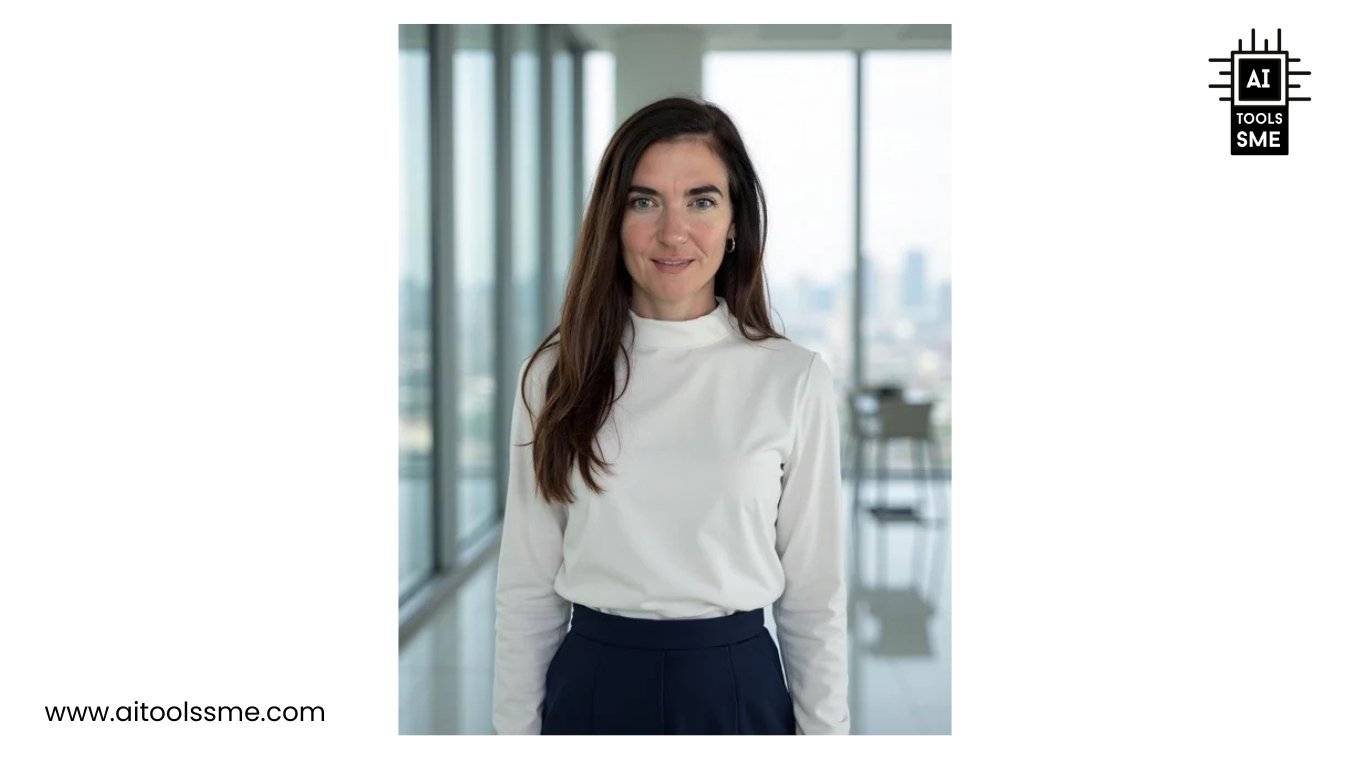
This tool did not capture me at all, it actually made me look much more unfavorable. I'm actually not keen on uploading them, I don't want to be associated with this weird face, haha. I'm sorry to say, but Portrait Pal is absolutely not delivering on their promise to take a picture of how YOU look.

So Instaheadshots is a bit of a fraud, because it actually doesn't generate your headshots but only takes your input picture, applies a background remover and then slaps it onto another background. It looks hilarous, because it's so obviously just cut out.
Backgrounds are so random, it's funny. Don't waste your time with this if you really need professional headshots.
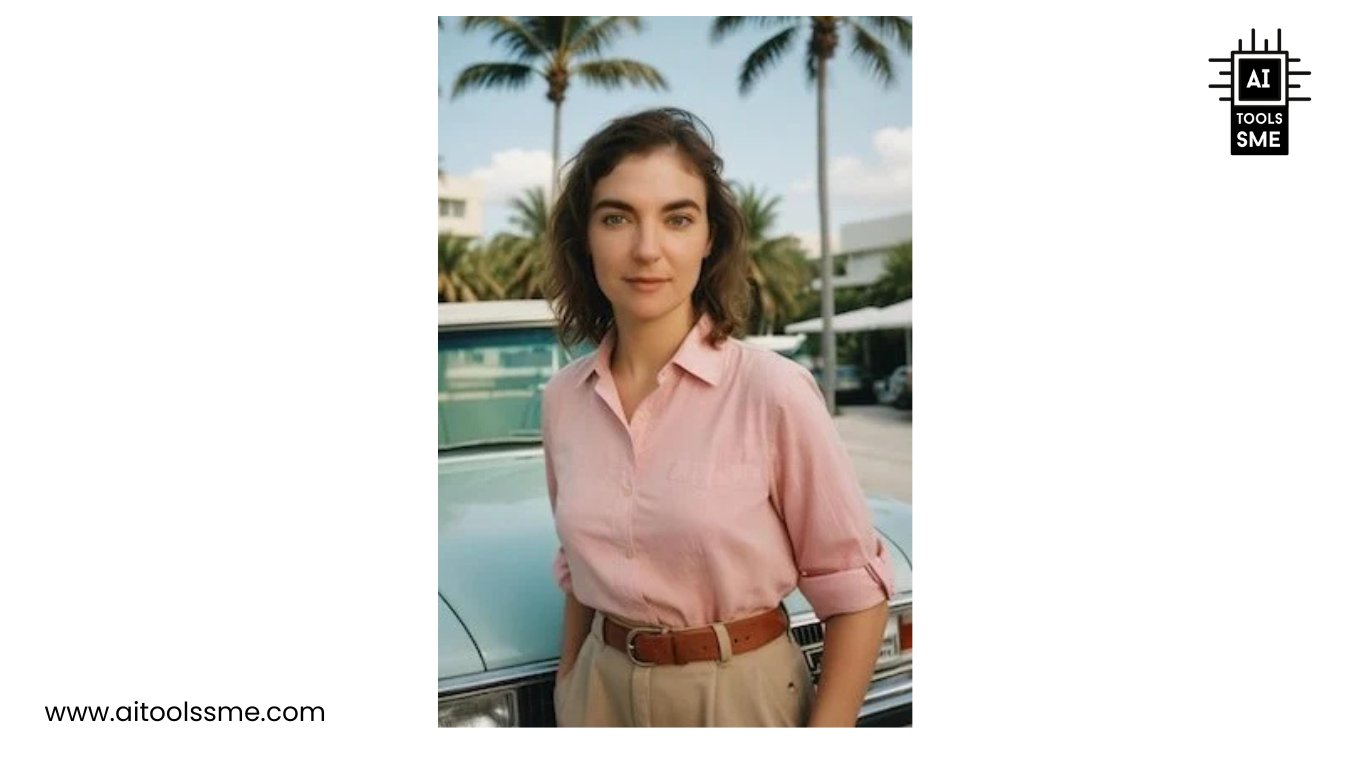
Fotor's headshot generator is more of a tool to play around with and for fun projects, but not really suitable to use for professional headshots. Simply because the generated images don't look like me at all. How would they if I only have to upload one picture? That just doesn't give AI enough datapoints to generate good pictures of me. Styles are rather playful, I created e.g. pictures of me as an astronaut (I couldn't resist). The really weird thing is that I look much younger on the pictures, yet I have slightly bags under my eyes. I look like a tired teenager dressed up for carnival. So if you just want play around, go for it, Fotor is very generous with their free plan.
Supawork.AI is a typical example for a free Headshot Generator: They just don't work, or at least properly. I had to answer 7 simple questions about my age, ethnicity etc. and upload between 1 and 4 selfies. Drag and Drop didn't work and the software got stuck when I accidentally uploaded 5 pictures instead of 4. So I had to start all over again and answer all questions again. The next time I only uploaded 1 picture, but the headshot generator must have been on its summer break, because it didn't generate anything for me. I tried the whole thing one more time because I'm a diligent software tester, but still nothing. So just save your time and ignore this tool.
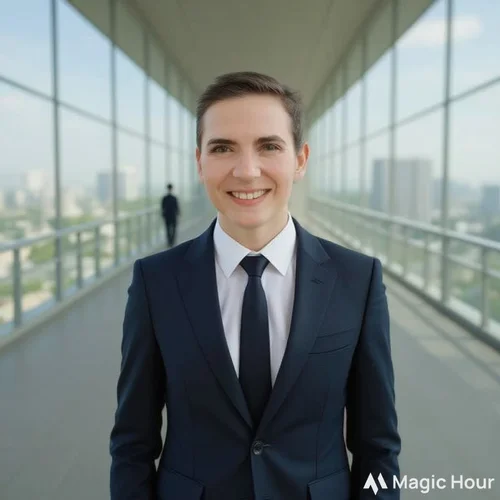
Magic Hour is maybe fun to play around with and to see how AI turns me into a man, but it's not a tool you can actually use to generate your headshots with. There is not possibility to add any information on what type of outfit you want to wear or such. Also, since you can only upload one single source picture, the AI will have difficulty generating an image that actually looks like you.