


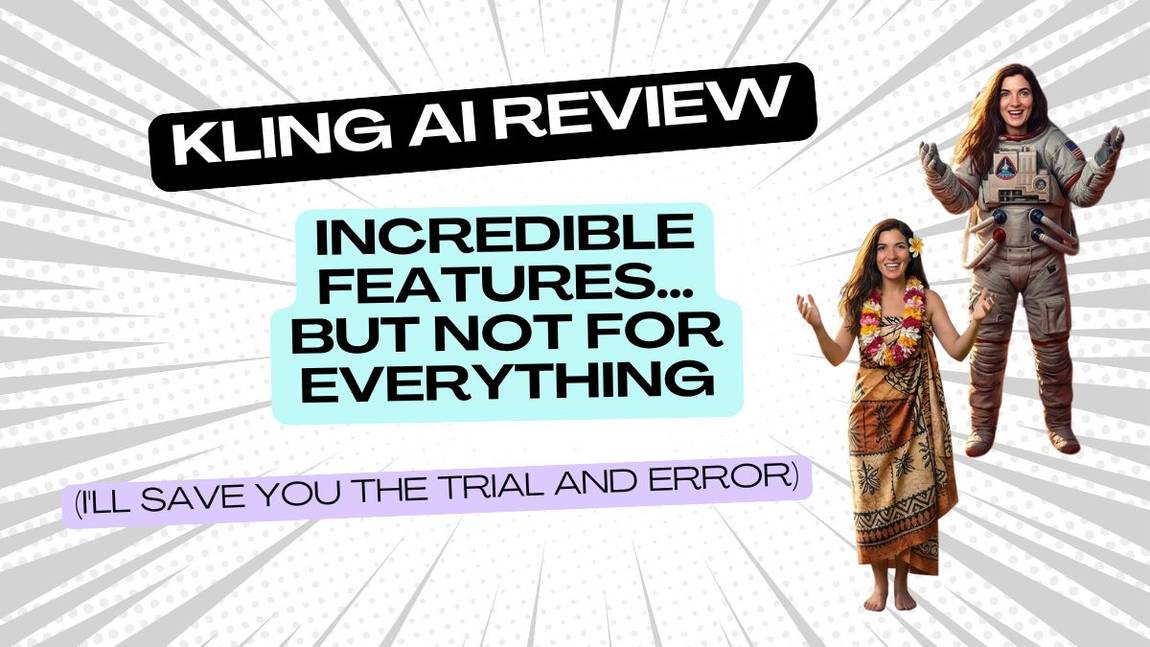

AI Tool Review: Kling AI

From AI Tools for SMEs - your honest AI Tool Reviews:  user-friendly, non-technical and unbiased.
Why you can trust me: Testing Methodology & Editorial policy
Artlist Video
Video Generators
AI Video Creation Platform that lets you create videos with integrated generators, editing features, sound effects, and templates all in one place.

Kling AI

Score 
4.5
/
5
Best Tool for :
Tool performance:
4
/
5
Setup/Onboarding:
5
/
5
User Experience:
5
/
5
Prompt coherence:
4
/
5
AI capabilities:
0
/
5
Audio quality:
0
/
5
Lip sync & motion:
0
/
5
Value for money:
0
/
5
Image quality:
0
/
5
Design capabilities:
0
/
5
Pros:
Possibility to add start and end image
Effect feature very cool, with 15 camera perspectives
Allows 10 second generations
Will automatically write a prompt for the start and end image function
Cons:
Some generations can look slightly animated
Coin icon
Monthly price starting from: Not public
User icon
For Who?Creators with lower budgets and expectations (cheap and fast)
Special FeatureSo good for Start- and Endframe feature. And cheap!
Key features:
Generates video up to 2 minutes long
1080p resolution at 30 frames-per-second
Simulates real-world physical properties
Supports variable aspect ratios
Advanced 3D spatio-temporal attention mechanism
Enhanced Prompt Adherence
Dynamic Visuals
Video Length Support
Improved Camera Movements
Yearbook Effect
Tested Model:
Kling O3, Kling 3.0 Pro, Kling 2.6, Motion Control
Last test:
April 9, 2026

Kling AI Review: Some Features Are Incredible, Others Not So Much

I'll save you the trial and error

❤️ Before we get started I'd like to thank you for using my affiliate links to sign up to free trials, you help me stay afloat and create more of this genuine content. ❤️

What is Kling AI?

Kling AI is a AI creative platform which combines various (own) generative video models with image generation and new features like Digital Human, Smart Shot Segmentation, Lip-Sync and more.  I've been testing AI video generators continuously for my AI video generator comparison since 2023, and Kling keeps surprising me.

It started out as one of those platforms I almost dismissed. Many of the videos and pictures it generated had this typical animated touch and a cluttered interface, constant popups, very much in the sea of chaotic Chinese apps.

Since then it has quietly become one of my top five creative AI platforms. Not because it does everything well - it doesn't. But a few features it does are genuinely hard to beat, e.g. it generated one of my favorite AI generated videos ever where I made my Dad age from baby to now with the start- and endframe feature (I'll show you below). 
Kling sits in an interesting spot in the market. It's not a big enterprise player like OpenAI with Sora 2 or Google with Veo 3. But it's also not an aggregator platform like Artlist or Freepik, which bundle models from multiple providers. Kling only gives you access to their own image or video models -- and they push those models hard. New releases come regularly, and they consistently outperform the competition on specific features.

Here's a quick overview of the latest Kling models and what they're each known for, based on my testing: Here's where the current video models stand based on my testing:
  • Kling 3.0 - their flagship model, currently sitting at 5th spot of my AI video generation comparison. Best for start to end frame consistency and multi-shot generation.
  • Kling 2.6 - still searched a lot, and for good reason. Strong all-rounder before 3.0 landed
  • Kling Motion Control - first introduced by Runway, but much easier to handle by Kling AI. Lets you transfer motion from a reference video onto a completely different subject
We'll go deeper into all of this below. First, let me save you the trial and error.

Kling AI Video Generation

Let me be straight with you: Kling doesn't win everything. In April 2026 I retested the 6 most popuplar AI video models again with 4 complex text prompts and missions:

Prompt 1 - my usual cyborg and human encounter got an upgrade with text in video, audio, multi-shot and lip sync.  Kling AI handled it okay, but Veo 3.1 and Sora 2 are better choices when realism, complex or multi-perspective scenes are what you need.

Prompt 2 testing Motion complexity, crowd dynamics, SFX again didn't go to Kling AI, the winner Sora 2 smoothly made a nun breakdance where no one else could.

Prompt 3 testing fine detail and cinematic motion was also not Klings best hour, winner: Sora 2 could harmoniously make a flock of birds fly around a beautiful woman in a serene scene.

But finally in prompt 4 it was Kling AI's time to shine:

Start to End Frame with Kling AI

The idea is simple: you give Kling AI a starting image and an ending image, and it figures out everything in between. The AI motion, the transition, the story. Of course, you can influence the middle part with your prompt or you let the beast loose and see what it comes up with. This feature is also great for maintaining character consistency.

Prompt 4 was "The woman stands facing the camera in a space suit. The background is pulled away and is replaced by a sunny Hawaiian background. She spins around once and when she faces the camera again she is wearing the Hawaiian dress. The hibiscus flower and flower garland floats through the air and lands on her."

Winner: Kling 3.0 Finally!

The background transition was handled creatively - rather than pulling away as prompted, the Hawaiian scene grew into the frame organically, which actually worked better visually. The spacesuit transformed into the dress smoothly. The flowers moved with a subtle elegance. There was even an unprompted spaceship in the background with its own sound effects, which was a nice bonus and it totally fit the scene. The garland appeared during the spin rather than floating in afterward, but no other model got close enough for that to matter.

Try for FREE
Arrow previous
Arrow next

Dad from baby to now - Another great example for start- and endframe with Kling AI
This one is personal. I took old photos of my dad - from baby pictures all the way through to now - and fed them into Kling AI using start-to-end frame, filling in the sequences between. The result is a super cute video of basically my dad growing up in front of me. No other tool I've tested handles this kind of photo-to-video storytelling as naturally as Kling does.

I only had to re-prompt a few of the later images, where Kling AI tried to make my dad's hair grow and disappear again between shots. Otherwise most of the transitions didn't even require any instructions.

Try For FREE
Arrow previous
Arrow next

Isn't my dad cute?! He loves the video just as much as I do :) And I dance like my uncle used to (next video). The third Slide show the image generation, yeah, a bit shiny. 

Motion Control

Runway introduced motion control before anyone else, but it's quite complicated and the video has to fit the image very well, so it feels a bit like riding a mechanical bull: Runway will throw you off eventually. The way Kling AI has implemented it is a much more accessible version. You upload a reference video - someone dancing, walking, gesturing - and Kling extracts the motion and applies it to a completely different subject or a character.  For social media content creators and small business owners who just want scroll-stopping video without a steep learning curve, Kling's motion control is the place to start. Check out this video where I made myself dance in a space suit, I had taken a video from Artlist's stock videos and simply applied it to myself. It almost dances better than me IRL. Just kidding, I'm a bit less robotic. Check out the video above, it's the next after my dad's video.

Kling AI Image Generation

Kling sits at number three in my AI image generator comparison, which already tells you it's not an afterthought. What used to look a little too shiny and artificial or animated has genuinely improved. Where it's strong: outdoor scenes, landscapes and modern compositions. It handles colour and space well and the results look clean without being over-processed. It now also supports two reference images at once, which opens up more creative possibilities for image-to-image work. Where it struggles: moody, detail-heavy scenes with complex lighting. Think dark interiors, dramatic portraits, anything where atmosphere is everything. It tends to flatten the mood rather than enhance it. And some generations are simply a bit too shiny and tacky (check out above after the videos).  It's not the reason to sign up for Kling on its own. But if you're already using it for video, the image generation is a solid bonus that's only getting better.

Kling AI as a Creative AI Platform (Features, Pricing, Free Trial)

Kling has come a long way. When I first tested it, it felt like a lot of Chinese AI platforms at the time - overwhelming, popup-heavy, and not exactly a positive user experience and everything had a slight animated touch. That's changed. Kling has crystallized into one of my top five creative AI platforms, and the main reason is that they never stop shipping. New models drop regularly, they consistently push the envelope on specific features like the examples above, and more often than not, those new models outperform what everyone else is doing at that moment in time. They also give you tool for video editing such as Instructions Transformation, Creative Effects, or AI Avatars (they call them digital humans).

The platform still has some popups - it hasn't fully shaken that off - but the dashboard is noticeably cleaner than it used to be. Navigation is straightforward, generation is fast, and you don't need to read a manual to get your first good result.
On pricing, there's a free plan with daily credits which is enough to properly test the tool before committing. Paid plans start at $6.99 per month. The credits system is fairly standard for this category - you burn credits per generation, with longer or higher quality outputs costing more.
One thing worth knowing: Kling AI only gives you access to their own models. No third party integrations, no bundled tools. That's a deliberate choice and it works in their favour -- they stay focused, they keep improving, and the quality shows. But it also means if you want Sora 2 or Veo 3 in the same workflow, you'll need to look elsewhere. Then I would recommend Magnific (former Freepik) or Artlist.

Kling AI Pros and Cons - If you ask me

Pros
  • Start to end frame is best in class - nothing else comes close for photo storytelling and creative transitions
  • Motion control is the most accessible version of this feature available right now
  • Genuinely easy to use, no learning curve for non-professionals
  • Continuously releases new models that push the category forward
  • Image generation is solid and getting better -- currently number three in my comparison
  • Free plan gives you enough credits to properly test it before paying
  • Dashboard has improved massively from the early days with less annoying popups and better navigation
Cons
  • Not the right tool for cinematic scenes, complex motion or realism -- Sora 2 and Veo 3 are better there
  • Only access to their own models - no Sora 2, Veo 3 or Seedance under one roof
  • Some popups still hanging around
  • Credits system can add up if you're generating frequently at high quality
  • Images can still sometimes have a slightly animated look
Try For FREE

Verdict: Is Kling AI Worth It?

Kling AI is a genuinely great tool -- especially if you're a small business owner or social media content creator who doesn't want to wrestle with more complicated platforms like Runway. The free plan is generous enough to properly test it before you spend a penny, which is more than most competitors offer.

Beyond start to end frame and motion control, the platform has a solid set of features worth knowing about: lip sync, digital human generation, smart shot segmentation, video extension up to 3 minutes, multi-shot sequences, camera movement controls and native audio generation. That's a lot for a tool that starts at $6.99 a month.

The platform has gotten much better and it's absolutely one to watch. But here's my honest advice: if you do sign up, stick to a monthly plan. AI video and image generation is moving so fast right now that committing to an annual subscription in this category is a risk -- the tool you pay a year for today might not be the one you want six months from now. Even though I think Kling AI will still be in the mix. 
And if you want Kling's best features plus Sora 2, Veo 3 and Seedance all in one place, you're better off going through an aggregator platform. Both Artlist and Freepik give you access to multiple top models under one subscription -- why settle for one when you can have them all?

Kling AI FAQ

Is there a free plan for Kling AI? Yes, Kling AI offers a free plan with 66 daily credits - enough for around 6 short test videos per day or generating image cost about 2 credits. They reset daily and don't roll over, so log in regularly if you want to squeeze the most of them. Videos on the free plan have a watermark and can't be used commercially, but it's a genuinely useful way to test the tool before paying anything.

Who is Kling AI for? In my opinion Kling AI is well suited for small business owners, content creation and anyone who wants capable AI video without the steep learning curve of tools like Runway. It's not the right choice for artsy creative projects with e.g. cinematic realism or complex motion -- for that, Sora 2 or Veo 3 are stronger.

What are the main features of Kling AI? The standout features are start-to-end frame, motion control, image to video, and it's able to create multishot videos. It also has image generation built in, which is a solid bonus if you're already using it for video.

How realistic are the videos made with Kling AI? It depends on what you're making. For start to end frame transitions and motion control, the results are genuinely impressive. For cinematic scenes, complex crowd dynamics or high realism, Sora 2 and Veo 3 currently do it better.

What formats and resolutions does Kling AI support? Videos download as MP4 files. On resolution, it depends on your plan and which model you're using. The free tier outputs at lower resolutions with a watermark. Paid plans unlock 720p and 1080p, which is what you'll want for social media and marketing content. Kling 3.0 also supports native 4K output, though that's locked behind the higher tier plans. Aspect ratios are flexible -- you can generate vertical for mobile, square for social, or widescreen, which makes it practical without any extra editing steps.

What is the multishot feature in Kling AI? Multishot lets you change perspectives within a single video clip. Kling was actually one of the first platforms to introduce this feature, and it's now been picked up by several other models including Seedance and Wan.

How does Kling AI handle motion control? Really well, and more intuitively than Runway. You upload a reference video and Kling extracts the motion and applies it to a completely different subject. I tested it by applying a dance video from Artlist's stock library to myself in a space suit -- it worked on the first try with no complicated setup.

Can Kling AI generate videos from both text and images? Yes, it supports text to video and image to video. The image to video feature is particularly strong -- the start to end frame option, where you provide a first and last image and Kling fills in the middle, is one of the best implementations of this I've tested.

What makes Kling AI different from other AI video generators? The combination of start to end frame consistency, accessible motion control and a continuously improving model lineup. It sits in a unique spot -- more capable than aggregator platforms like Freepik or Artlist on its own models, but easier to use than professional tools like Runway.

Does Kling AI support different video styles and effects? Yes, it includes camera movement controls, multiple aspect ratios, cinematic presets and various effects. The platform keeps adding new features regularly, which is one of the main reasons it's made it into my top five creative AI platforms.

Try For FREE
Author:
Lili Marocsik
Lili remembers the excitement of discovering the internet at 14 — a true window to the world. The AI boom now feels just as thrilling. Since 2023, she's tested many AI tools, seeing the good, the bad and the ugly (especially at the beginning). Before AI, she worked as a video marketer, crafting YouTube Ads for HelloFresh and Revolut. She believes AI should empower people, leading her to build this site for SMEs. When not exploring AI, she enjoys her 30 plants and modern art.
Author Lili Marocsik

Bi-weekly: the best AI Tool picks, hot DEALS, and tips you can use straight away.

By entering your email, you agree to receive occasional updates and marketing emails from us. You can unsubscribe at any time. Privacy policy
Black arrow icon


