

Why you can trust us: Testing Methodology & Editorial policy

AI Tools for SMEs

Your honest AI Tool Reviews:  user-friendly, non-technical and unbiased.
Author Lili Marocsik
Curated by Lili
Welcome to my AI universe
No items found.
Artlist Video
Score 
5
/
5
Star icon
Best Tool for:
Tool performance:
5
/
5
Star icon
Star icon
Star icon
Star icon
Star icon
Setup/Onboarding:
5
/
5
Star icon
Star icon
Star icon
Star icon
Star icon
User Experience:
5
/
5
Star icon
Star icon
Star icon
Star icon
Star icon
Prompt coherence:
5
/
5
Star icon
Star icon
Star icon
Star icon
Star icon
AI capabilities:
0
/
5
Star icon
Star icon
Star icon
Star icon
Star icon
Voice quality:
0
/
5
Star icon
Star icon
Star icon
Star icon
Star icon
Lip sync & motion:
0
/
5
Star icon
Star icon
Star icon
Star icon
Star icon
Music quality:
0
/
5
Star icon
Star icon
Star icon
Star icon
Star icon
Image quality:
0
/
5
Star icon
Star icon
Star icon
Star icon
Star icon
Design capabilities:
0
/
5
Star icon
Star icon
Star icon
Star icon
Star icon
Arrow previous
Arrow next
Pros:
All-in-one tool makes my life easier
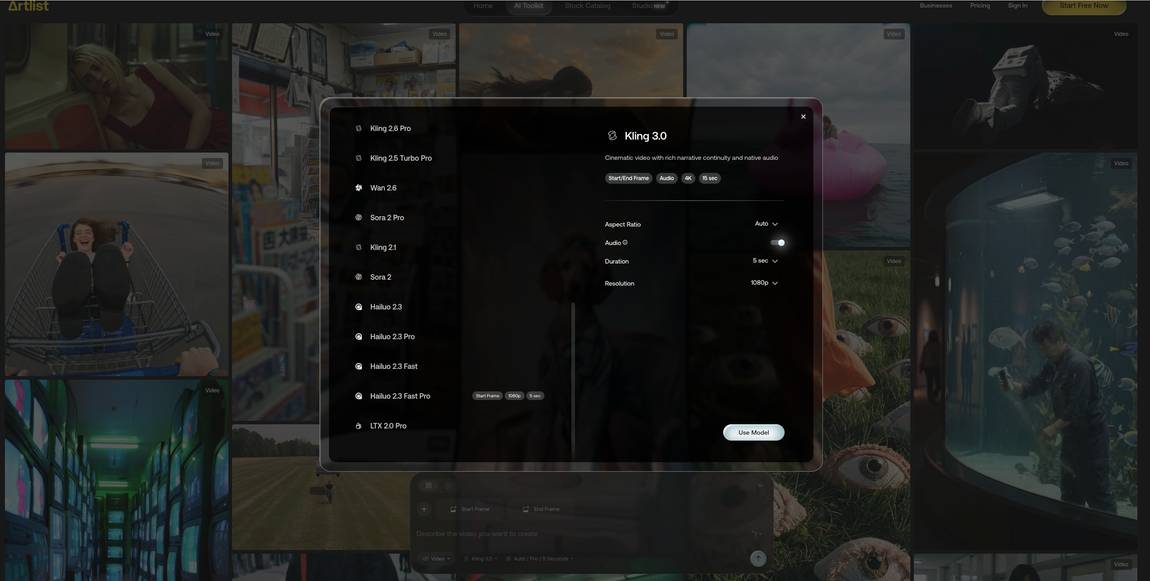
Gives access to the newest video and image models
Unique features like colour grading and sound effects
Modular pricing lets you always choose the best deal for you
Amazing performance throughout
Cons:
?
Coin icon
Monthly price starting from:
$9
User icon
For Who?
Special Feature
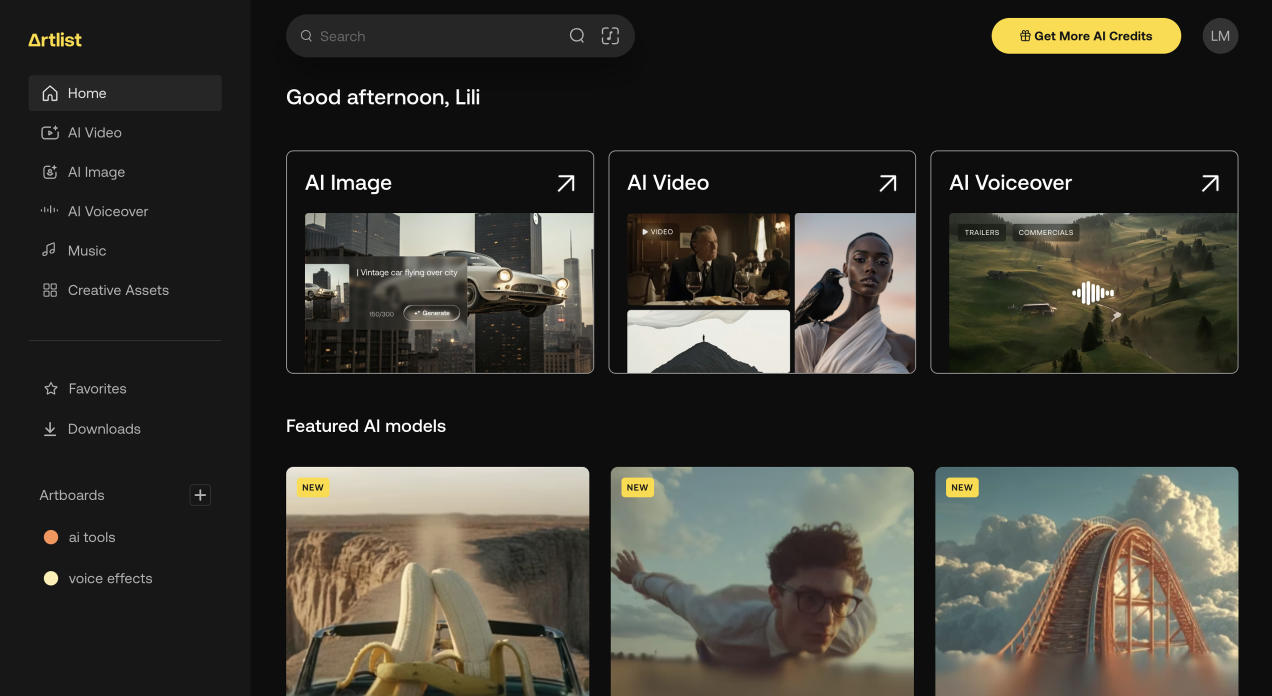
The newest & best video models all in one with a huge audio, video & image library.
Key features:
AI Video Generator
AI Image Generator
Veo3
Nano Banana
Sora 2
Tested Model:
Sora 2, Veo 3, Seedream 4.5, Kling 2.6
Sound Effects
Text-to-Speech
AI Voiceover
+21 languages
30+ Voices
Last test:
November 17, 2025

Compare tools directly

Lightning icon
Elevenlabs Voice
ChatGPT image
ChatGPT chatbot
Adobe Express (SME)
Canva (SME)
Perplexity (SME)
Artlist (SME)
Motion (SME)
HeyGen (SMEs)
Blackbox AI (SME)
Bonsai for SMEs
Nutshell
Asana
Reclaim
Social Bee
Notion
Shopify Logo Maker
Trello
Hubspot (CRM)
SaneBox
Miro
Skywork
Emergent
Monday.com
Google Workspace
LTX Studio
enso
Clickup
Readdy (Agent)
Pencil
Relevance AI
Lindy
i10x
Manus
Fireflies
Descript
Seedream
Grok
Gemini
DeepSeek
ChatGPT
Claude
Nano Banana Pro
Perplexity
Artlist Video
Granola (SMEs)
Blackbox AI
Pictory
Movavi
Veed.io
Repurpose.io
Fliki
Canva (Video)
Videoleap (Lightricks)
FlexClip
Invideo
SteveAI
Wix
10Web
Durable
Gamma for Websites
Squarespace
Canva for Websites
Framer
Lovable
Webflow
Wordpress
Dialogflow (by Google)
Manychat
Hubspot (Chatbot)
Chatfuel
Watsonx.ai
Vtiger
Salesforce Sales Cloud / Einstein AI
Folk
Zoho CRM
Pipedrive
Freshsales from Freshworks
ActiveCampaign
Logogenie
BrandCrowd
Design.com
Logomaster.AI
Logome
DeepAI Logo Maker
Zoviz
Tailor Brands
designs.AI
Kling AI (Image)
Gemini Flash 2.5 Image
Fotor
DeepAI
Artlist (Image Gen)
PISCART
Crayion
Stable Diffusion
Flux
Pixlr
Freepik
Hotpot.AI
Chevron down
Elevenlabs Voice
Star icon
Score 
4.25
/
5
Pros icon
Wide range of AI generated voices
Pros icon
Many special features
Pros icon
Clean interface and good navigation
Cons icon
Dubbing feature didn't work so well
Cons icon
Voice design feature didn't follow my prompt so well
Cons icon
Navigation not 100% intuitive or simple
$5
ChatGPT image
Star icon
Score 
4.25
/
5
Pros icon
Good image quality
Pros icon
Understands prompts quite well
Pros icon
Can provide style codes
Cons icon
Strict policies and trouble integrating text
Cons icon
Struggles with changing perspectives
Cons icon
Sometimes adds text when not required
$20
ChatGPT chatbot
Star icon
Score 
2.67
/
5
Pros icon
Advance tool with many data points and info
Pros icon
Pros icon
Cons icon
Developer required to set up as chatbot
Cons icon
Cons icon
$0
Adobe Express (SME)
Star icon
Score 
3.8
/
5
Pros icon
Very generous free tier
Pros icon
Offers many features in one platform (AI image, video gen, editing, stock footage)
Pros icon
Adobe's design background is evident because they offer more nuance in their tools
Cons icon
Not sure why they hide their Generative AI suite in the dashboard
Cons icon
Navigation of AI suite not ideal otherwise either (too much clicking)
Cons icon
$12
Canva (SME)
Star icon
Score 
4
/
5
Pros icon
Many AI apps from other companies integrated
Pros icon
Powerful AI editing suite (best background remover e.g.)
Pros icon
Very generous free tier
Cons icon
Generative AI often weaker (e.g. image or slide deck gen)
Cons icon
Why can't I just start a project without a predefined size?
Cons icon
$10
Perplexity (SME)
Star icon
Score 
4.4
/
5
Pros icon
Access all relevant LLMs in one tool
Pros icon
Mix of Google & LLM means always getting sources and be able to check them
Pros icon
Output multimodal (can include videos and images)
Cons icon
I would love to pin a few important chats on top
Cons icon
Cons icon
$4.99
Artlist (SME)
Star icon
Score 
4.8
/
5
Pros icon
Best AI models for AI video & image in one platform
Pros icon
Always integrate the newest models right a
Pros icon
So many features in one
Cons icon
Input prompt capped at 100 characters
Cons icon
Cons icon
$10
Motion (SME)
Star icon
Score 
5
/
5
Pros icon
AI works incredibly
Pros icon
True time saver for every small business
Pros icon
Very easy onboarding
Cons icon
Cons icon
Cons icon
$29
HeyGen (SMEs)
Star icon
Score 
4.4
/
5
Pros icon
The most advanced avatars based on lip sync and movements
Pros icon
Voices are very versatile and sound human-like
Pros icon
Huge variety of avatar styles include professional, lifestyle, UGC
Cons icon
I'm not a fan of the video agent which generates AI slop based on a prompt
Cons icon
Cons icon
$24
Blackbox AI (SME)
Star icon
Score 
4
/
5
Pros icon
Great deal with $10 for pro
Pros icon
Very good research tool
Pros icon
Versatile with various functions
Cons icon
Not good at evalutation
Cons icon
Cons icon
$9.99
Bonsai for SMEs
Star icon
Score 
4
/
5
Pros icon
Focus to SMEs provides great features to us
Pros icon
Super easy navigation and onboarding
Pros icon
Full tool box with CRM, accounting, project and task management and more
Cons icon
Can't track multiple bank accounts at once
Cons icon
Cons icon
$9
Nutshell
Star icon
Score 
3.75
/
5
Pros icon
The interface stands out for its intuitive design that doesn't overwhelm users with unnecessary complexity, making it easy to navigate and use effectively.
Pros icon
The onboarding process is exceptionally straightforward with a gentle learning curve, allowing you to get up and running quickly compared to more complex CRM systems.
Pros icon
The platform offers an impressive variety of features that strike a perfect balance between functionality and ease of use for businesses of all sizes.
Cons icon
The program seems to be a bit heavy on my computer and froze twice
Cons icon
Cons icon
$13
Asana
Star icon
Score 
3.75
/
5
Pros icon
Excellent goal feature similar to workflow planning tools
Pros icon
AI can create tasks in bulk with realistic timelines
Pros icon
Multiple project view options
Cons icon
AI can't handle simple tasks like bulk name changes
Cons icon
Still a rather simple tool with simple AI
Cons icon
May not offer enough advantages over competitors
$11
Reclaim
Star icon
Score 
3.5
/
5
Pros icon
Priorities feature reduces decision fatigue
Pros icon
Straightforward calendar and scheduling app
Pros icon
No hiccups during testing
Cons icon
Motion offers more attractive overall package
Cons icon
AI features less impressive compared to competitors
Cons icon
Limited advanced functionality
$8
Social Bee
Star icon
Score 
4.33
/
5
Pros icon
AI-generated images are quick and allow up to 4 variations
Pros icon
Easy integration with multiple Facebook and Instagram account types
Pros icon
You can add designs directly from Canva through the Canva integration
Cons icon
Instagram personal publishing requires mobile reminders
Cons icon
Twitter/X authorization didn’t work on the first attempt
Cons icon
Dashboard sometimes glitches or needs refreshing
$8.70
Notion
Star icon
Score 
3
/
5
Pros icon
Powerful if you're willing to build everything yourself
Pros icon
Very flexible and customizable
Pros icon
Cons icon
Notion AI setup is annoying and often doesn't work smoothly
Cons icon
Not ideal for users wanting ready-to-use productivity solutions
Cons icon
Gmail connection issues
$10
Shopify Logo Maker
Star icon
Score 
2.5
/
5
Pros icon
Free
Pros icon
Pros icon
Cons icon
Logo file empty (download link sent via email)
Cons icon
Designs very basic
Cons icon
Change options very basic
Trello
Star icon
Score 
2.75
/
5
Pros icon
Simple and intuitive Kanban interface
Pros icon
Pros icon
Cons icon
No multilayered sorting system
Cons icon
Limited filtering options beyond Kanban boards
Cons icon
Weak AI capabilities compared to competitors
$5
Hubspot (CRM)
Star icon
Score 
4
/
5
Pros icon
Wide variety of features
Pros icon
Great customer support
Pros icon
Cons icon
UI a bit outdated
Cons icon
Cons icon
$50
SaneBox
Star icon
Score 
4
/
5
Pros icon
Incredibly easy to set up
Pros icon
Unique unanswered email folder feature
Pros icon
Automatic organization without manual work
Cons icon
Takes time to learn preferences initially
Cons icon
May require email client setup adjustments
Cons icon
$4.13
Miro
Star icon
Score 
4
/
5
Pros icon
Excellent for sketching workflows and strategic planning
Pros icon
Outstanding onboarding guide (even asks about trackpad vs mouse)
Pros icon
Easy task assignment and team collaboration
Cons icon
AI features still in beta and work "so so"
Cons icon
Can be overwhelming for simple tasks
Cons icon
$8
Skywork
Star icon
Score 
4.4
/
5
Pros icon
Sooo versatile with many great features
Pros icon
Can output in various forms (slides, code, website, podcast, video)
Pros icon
Very good AI capabilities
Cons icon
Design could be much better
Cons icon
No images, graphics or diagrams added
Cons icon
$14.99
Emergent
Star icon
Score 
0
/
5
Pros icon
Pros icon
Pros icon
Cons icon
Cons icon
Cons icon
Monday.com
Star icon
Score 
3.5
/
5
Pros icon
Great for project management tasks
Pros icon
Intuitive and easy to get started with
Pros icon
Good dashboard capabilities
Cons icon
Dashboard less visually appealing than ClickUp
Cons icon
AI Automations with Natural Language feature not easily found
Cons icon
Sidekick AI bot struggles with answers and has long loading times
$9
Google Workspace
Star icon
Score 
3.25
/
5
Pros icon
Event scheduling worked perfectly
Pros icon
Email summarize feature is really helpful for longer threads
Pros icon
Super convenient automatic event creation with all info added
Cons icon
Google wants extra money for content creation workflow feature
Cons icon
Couldn't test advanced smart scheduling, Smart Reply in Calendar, or meeting transcription
Cons icon
Wouldn't pay for Google Workspace just for the AI add-ons tested
$7
LTX Studio
Star icon
Score 
3.5
/
5
Pros icon
Outputs right away 4 video versions
Pros icon
Flux and Nano Banana image generator integration
Pros icon
Motion Intensity choice
Cons icon
Movements are shaky and a bit weird
Cons icon
Tool bar could be bigger and placed better
Cons icon
Audio generates just jibberish
$15
enso
Star icon
Score 
0
/
5
Pros icon
Pros icon
Pros icon
Cons icon
Cons icon
Cons icon
$35
Clickup
Star icon
Score 
4
/
5
Pros icon
Excellent clarity and loading speed
Pros icon
Strong project management features
Pros icon
Robust automation capabilities
Cons icon
Time tracker limitations on free plan (100 uses)
Cons icon
AI capabilities are good but not mind-blowing
Cons icon
Can be overwhelming for new users
$7
Readdy (Agent)
Star icon
Score 
0
/
5
Pros icon
Pros icon
Pros icon
Cons icon
Cons icon
Cons icon
$11
Pencil
Star icon
Score 
4.25
/
5
Pros icon
Good support
Pros icon
Quality of service
Pros icon
Cons icon
Interface at times clunky
Cons icon
Price
Cons icon
$14
Relevance AI
Star icon
Score 
0
/
5
Pros icon
Pros icon
Pros icon
Cons icon
Cons icon
Cons icon
$19
Lindy
Star icon
Score 
0
/
5
Pros icon
Pros icon
Pros icon
Cons icon
Cons icon
Cons icon
$49.99
i10x
Star icon
Score 
0
/
5
Pros icon
Pros icon
Pros icon
Cons icon
Cons icon
Cons icon
$8
Manus
Star icon
Score 
0
/
5
Pros icon
Pros icon
Pros icon
Cons icon
Cons icon
Cons icon
$19
Fireflies
Star icon
Score 
4.75
/
5
Pros icon
Excellent transcription accuracy (95%)
Pros icon
Fred AI answers questions about meetings accurately
Pros icon
Automatic meeting recaps sent via email
Cons icon
Some screens can be cluttered
Cons icon
Cons icon
$10
Descript
Star icon
Score 
4.75
/
5
Pros icon
AI features work incredibly well
Pros icon
Descript saves content creators so much time
Pros icon
Remove Retakes feature is unique, I didn't see this anywhere else
Cons icon
It would be great if we could switch off eye correction for certain sections
Cons icon
Cons icon
$16
Seedream
Star icon
Score 
2.75
/
5
Pros icon
Free image generations
Pros icon
Pros icon
Cons icon
Signup process was bumpy
Cons icon
Constant popups are annoying
Cons icon
Doesn't signal if my prompt is being generated or something went wrong (had to refresh to see the same query went through 4 times)
$14.9
Grok
Star icon
Score 
2.5
/
5
Pros icon
Good question :)
Pros icon
Pros icon
Cons icon
Elon Musks fumbles around in the system prompts (biased)
Cons icon
Answers can be very controversial
Cons icon
At times unavailable
Gemini
Star icon
Score 
4
/
5
Pros icon
Free and amazing picture generator
Pros icon
Generous free tier
Pros icon
Cons icon
Still claims to know not obvious things
Cons icon
I personally don't like the interface
Cons icon
DeepSeek
Star icon
Score 
3.75
/
5
Pros icon
Free
Pros icon
Fast
Pros icon
Nice interface and output structure
Cons icon
Can't interpret images and screenshots
Cons icon
Some hallucinations
Cons icon
Only pure LLM and no extra fun stuff
$0.028
ChatGPT
Star icon
Score 
5
/
5
Pros icon
Great to use on mobile
Pros icon
Speech transcriptions are perfect
Pros icon
Can read screenshots so well
Cons icon
You never know before how many queries you have on the free plan
Cons icon
Cons icon
Claude
Star icon
Score 
4.5
/
5
Pros icon
Great for coding
Pros icon
Great for personal conversations
Pros icon
Best formulations/copywriting
Cons icon
No picture generations
Cons icon
Cons icon
Nano Banana Pro
Star icon
Score 
5
/
5
Pros icon
Incredibly versatile
Pros icon
For free (mind blowing)
Pros icon
Can change perspectives of images
Cons icon
A bit expensive with 15 cents per generation
Cons icon
Cons icon
$0.15
Perplexity
Star icon
Score 
4.25
/
5
Pros icon
Let's you access various models in one platform
Pros icon
Multimodal ouput with images and links
Pros icon
Perplexity labs is awesome for strategizing
Cons icon
Model's performance fluctuates
Cons icon
Pretty bad picture generations
Cons icon
Perplexity browser doesn't work well
Artlist Video
Star icon
Score 
5
/
5
Pros icon
All-in-one tool makes my life easier
Pros icon
Gives access to the newest video and image models
Pros icon
Unique features like colour grading and sound effects
Cons icon
?
Cons icon
Cons icon
$9
Granola (SMEs)
Star icon
Score 
4.8
/
5
Pros icon
Very advanced AI capabilities
Pros icon
Transcriptions are flawless
Pros icon
Ask notes feature, gives correct and easily understandable answer
Cons icon
I was a bit lost in the beginning, dashboard is very minimal (later I liked that)
Cons icon
Cons icon
$14
Blackbox AI
Star icon
Score 
0
/
5
Pros icon
Pros icon
Pros icon
Cons icon
Cons icon
Cons icon
$7.99
Pictory
Star icon
Score 
3.25
/
5
Pros icon
Ease of use, very uncomplicated
Pros icon
Free AI video generator credit 10min video per month
Pros icon
AI voice over quality is great
Cons icon
Sign in gets stuck at times
Cons icon
Sometimes videos or pictures doesn't match with the scripts
Cons icon
No AI-generated "talking head" videos
$25
Movavi
Star icon
Score 
4
/
5
Pros icon
Changes format automatically for you
Pros icon
Great background remover with fast and accurate modes
Pros icon
Clean, intuitive interface
Cons icon
Install time is longer than average
Cons icon
No built-in stock video footage
Cons icon
Guide is overly basic
$19.95
Veed.io
Star icon
Score 
4.75
/
5
Pros icon
Price is very competitve
Pros icon
Voice clone feature is quite good
Pros icon
No Hiccups (like other tools)
Cons icon
Have recently deleted some of my favorite features (e.g. eye correction)
Cons icon
Text-to-video feature rather weak
Cons icon
Dashboard could be more intuitive
$19
Repurpose.io
Star icon
Score 
3
/
5
Pros icon
Can serve directly to channel (if it works actually)
Pros icon
Pros icon
Cons icon
Simply didn't work
Cons icon
Not 100% self-explanatory
Cons icon
Buggy
$35
Fliki
Star icon
Score 
3.25
/
5
Pros icon
Very versatile tool
Pros icon
Created pictures are beautiful
Pros icon
Cons icon
Free projects include watermark
Cons icon
Cons icon
$28
Canva (Video)
Star icon
Score 
4
/
5
Pros icon
Offers lots of apps within the tool for special features
Pros icon
Huge library of elements for animations
Pros icon
Generous Free Plan
Cons icon
Can be overwhelming to beginners
Cons icon
Not all apps work properly
Cons icon
Video editing limited
$15
Videoleap (Lightricks)
Star icon
Score 
4.25
/
5
Pros icon
Many great features
Pros icon
No bugs
Pros icon
Easy interface
Cons icon
Free trial turns into paid signup if not cancelled
Cons icon
Cons icon
$7.99
FlexClip
Star icon
Score 
3.5
/
5
Pros icon
Easy to use
Pros icon
AI Subtitle Generator works great
Pros icon
Great free deal
Cons icon
During export, the written text disappeared
Cons icon
Cons icon
$19.99
Invideo
Star icon
Score 
4
/
5
Pros icon
Despite low audio quality, the VO sounds rather real than other tools
Pros icon
Images fit the content well
Pros icon
Download in 1080p
Cons icon
Long loading times
Cons icon
Not using videos, but only stock images
Cons icon
Prompts not completely followed
$35
SteveAI
Star icon
Score 
3.5
/
5
Pros icon
Great variety of features
Pros icon
Pros icon
Cons icon
Text to GenAI is not available to test on free plan
Cons icon
Download not possible for free plan
Cons icon
Tool cut off the captions
$20
Wix
Star icon
Score 
3.2
/
5
Pros icon
Easy to design and change templates
Pros icon
Offers additional features like affiliate coupons
Pros icon
Great add ons with the app library
Cons icon
Not set up for CMS collections
Cons icon
Website Designs are a bit more clunky
Cons icon
Many add ons cost money
$17
10Web
Star icon
Score 
3.4
/
5
Pros icon
Advanced AI capabilities
Pros icon
Provided a wireframe for review
Pros icon
Added relevant but stock images (not AI generated images)
Cons icon
Design is quite terrible
Cons icon
Created fake testimonials
Cons icon
Generated copy is very general (but admittedly my prompt was too)
$20
Durable
Star icon
Score 
3.6
/
5
Pros icon
Integrated website analytics
Pros icon
Advanced AI capabilities, AI will basically create the whole thing for you
Pros icon
Very easy to use
Cons icon
Limited design options
Cons icon
Designs are a bit lame templates
Cons icon
SEO very limited
$15
Gamma for Websites
Star icon
Score 
4.8
/
5
Pros icon
Super quick to set up and publish
Pros icon
Immediate publishing with gamma.site available
Pros icon
Creates the content for your page in minutes
Cons icon
Check generated content, as it tends to make things up
Cons icon
My H-tag detector can't detect any H tags
Cons icon
$10
Squarespace
Star icon
Score 
2.6
/
5
Pros icon
Ease of use
Pros icon
Great customer support
Pros icon
Cons icon
Internal navigation can be confusing, especially with additional services such as online courses and their paywalls
Cons icon
User journey for clients is not logical
Cons icon
Limitations regarding SEO
$25
Canva for Websites
Star icon
Score 
3.6
/
5
Pros icon
Super easy to use (same as canva)
Pros icon
Connecting domains is very easy
Pros icon
Great templates
Cons icon
Very limited in SEO friendlyness (no Schema possible, no image alt text etc.)
Cons icon
No backend (can't add meta descriptions etc.)
Cons icon
Practically no AI capabilities
$15
Framer
Star icon
Score 
4
/
5
Pros icon
Mini plan is great for testing a project/website cheaply
Pros icon
Simplified design options, but yet powerful
Pros icon
Big library of templates
Cons icon
Not so intuitive to use for beginners
Cons icon
CMS not a s elaborate (compared to webflow)
Cons icon
$10
Lovable
Star icon
Score 
4.2
/
5
Pros icon
Super easy to use (also for non-coders)
Pros icon
Assembles all information by itself
Pros icon
Flexible use
Cons icon
Deign: All generated homepages look the same
Cons icon
You easily run out of credits while building and iterating
Cons icon
At first it seems like everything is possible, but soon limitations arise
$25
Webflow
Star icon
Score 
4.2
/
5
Pros icon
Design options probably not comparable with any other tool
Pros icon
CMS collections are a powerful feature for big websites
Pros icon
Huge library of templates
Cons icon
Onboarding can be tricky, so many options can be overwhelming
Cons icon
Cons icon
$18
Wordpress
Star icon
Score 
2.6
/
5
Pros icon
It's free
Pros icon
Pros icon
Cons icon
Modular setup with plugins etc. requires maintenace
Cons icon
Too much fidgeting around
Cons icon
Not beginner-friendly
$4
Dialogflow (by Google)
Star icon
Score 
4
/
5
Pros icon
Generous free starter kit
Pros icon
Pros icon
Cons icon
No signup with gmail address
Cons icon
Credit card required for trial
Cons icon
$0.002
Manychat
Star icon
Score 
4
/
5
Pros icon
Decent performance
Pros icon
Pros icon
Cons icon
Limited support options
Cons icon
Cons icon
$15
Hubspot (Chatbot)
Star icon
Score 
4
/
5
Pros icon
Easy implementation
Pros icon
All-in-one solution
Pros icon
Cons icon
Chat interface could look more appealing
Cons icon
Cons icon
$30
Chatfuel
Star icon
Score 
4.67
/
5
Pros icon
Good value for money
Pros icon
Good performance
Pros icon
Cons icon
Signup only possible with FB account
Cons icon
Whatsapp business required
Cons icon
$23.99
Watsonx.ai
Star icon
Score 
3
/
5
Pros icon
Wide range of use cases
Pros icon
Pros icon
Cons icon
For enterprises only
Cons icon
No signup with gmail address
Cons icon
From $0
Vtiger
Star icon
Score 
3.25
/
5
Pros icon
Has a steep learning curve when it comes to initial setup and customization - I struggled to figure out where to find certain settings
Pros icon
The interface feels a bit clunky and complicated to get a hang of, so user adoption might suffer if you choose to go with this option
Pros icon
Cons icon
Includes marketing, inventory, project management, support features, bringing all key business functions together in one hub
Cons icon
Similar to Pipedrive, comes with a built-in appointment scheduler
Cons icon
The Vtiger Application Platform (VTAP) feature offers a low-code platform for building custom apps and solutions compatible with your CRM (similar to Zoho Creator)
$15
Salesforce Sales Cloud / Einstein AI
Star icon
Score 
4
/
5
Pros icon
Very powerful and customizable
Pros icon
Extensive ecosystem of add-on services and integrations covering all aspects of business
Pros icon
Impressive AI capabilities (however, they require investment in higher-tier plans)
Cons icon
Cluttered interface
Cons icon
Might be overwhelming to set up without professional help
Cons icon
Truly powerful customization, automation, and integration features are only available on more expensive tiers
$25
Folk
Star icon
Score 
3.5
/
5
Pros icon
Simple dashboard
Pros icon
Ease of use
Pros icon
Integration for Linkedin and Chrome Extension save time
Cons icon
Not 100% intuitive
Cons icon
Cons icon
$25
Zoho CRM
Star icon
Score 
4.75
/
5
Pros icon
Extremely flexible and customizable, enabling you to create custom modules and write your own code/functions if needed
Pros icon
Comes with powerful automation features for sales and marketing, even with more affordable plans
Pros icon
Zia AI integrates with ChatGPT to throw even more AI power behind the CRM
Cons icon
Might be overwhelming to set up initially, especially for businesses with complex processes and no prior experience with CRMs or no dedicated employee/consultant to assist
Cons icon
Adoption might take a while as most novice users experience a significant learning curve due to the abundance of features and options (which might be distracting at times)
Cons icon
Support can be slow to respond sometimes
$14
Pipedrive
Star icon
Score 
4
/
5
Pros icon
Clean and intuitive interface, easy to pick up even for a novice
Pros icon
Straightforward setup across modules, automations, and integrations, very DIY-friendly
Pros icon
Built-in meeting scheduler, e-docs functionality, and invoicing
Cons icon
Basic array of options for customization and automation could present issues if your processes become more complex as your business scales
Cons icon
Very limited AI capabilities and only available on request, in Beta
Cons icon
$14
Freshsales from Freshworks
Star icon
Score 
4.5
/
5
Pros icon
Very smooth, well-designed onboarding and setup
Pros icon
Best I’ve seen in a while
Pros icon
Abundance of workflow templates that make it easy to get started with automating repetitive processes
Cons icon
Limited number of marketing contacts included in the plan
Cons icon
Not suitable for serious mass email marketing without paying for extra contacts
Cons icon
AI functionality mostly focused on chatbots and user support, might not be very relevant to some businesses
$11
ActiveCampaign
Star icon
Score 
4.75
/
5
Pros icon
Built to encompass the whole customer lifecycle to enable CXA - customer experience automation, which shows through thoughtful selection and design of features; feels comprehensive, but not overwhelming
Pros icon
Focus on marketing and nurturing leads every step of the way - from built-in landing page builder to the presentation of contact interactions in the record and integration with Facebook Custom Audiences & Lead Ads
Pros icon
Automations Map is a neat feature that allows you to see how various automations connect into one unified ecosystem, providing a bird’s eye view of all the cogs of your CRM machine
Cons icon
CRM functionalities are rather basic compared to competitors, this could present issues when it comes to scaling your business
Cons icon
Limited reporting functionality
Cons icon
$59
Logogenie
Star icon
Score 
4.25
/
5
Pros icon
Super Easy for beginners
Pros icon
Great logo design suggestions
Pros icon
Panel shows older logos and makes it easier to compare
Cons icon
A few designs look old school
Cons icon
Cons icon
$24.90
BrandCrowd
Star icon
Score 
5
/
5
Pros icon
Logo Designs are refreshingly different
Pros icon
Easily mark favorite designs for a shortlist
Pros icon
Filter panel for logo styles and colours speeds up choice
Cons icon
The pricing structure is a bit weird
Cons icon
Cons icon
$15
Design.com
Star icon
Score 
5
/
5
Pros icon
Amazing logo designs
Pros icon
Huge amount of logos to choose from (10K!)
Pros icon
Everything is adjustable, but not so much that newbees can mess up a good logo
Cons icon
Huge choice could be overwhelming (the shortlist helps though)
Cons icon
Cons icon
$9
Logomaster.AI
Star icon
Score 
3.25
/
5
Pros icon
Font granularly adjustable
Pros icon
Generally many options for changes (can be but can be overwhelming for non-professionals)
Pros icon
Cons icon
Few logos to choose from for preference setting
Cons icon
Logo editor is like a weaker canva version
Cons icon
Too much adjustability
$39
Logome
Star icon
Score 
3.5
/
5
Pros icon
Easy to use
Pros icon
Pros icon
Cons icon
Low quality of generated logos
Cons icon
Customisation to logo not possible without buying the logo
Cons icon
$19
DeepAI Logo Maker
Star icon
Score 
2.5
/
5
Pros icon
Free
Pros icon
No signup required
Pros icon
Download without watermark
Cons icon
Banner ads annoying
Cons icon
Logo looks terrible
Cons icon
Logo unusable due to background
$4.99
Zoviz
Star icon
Score 
4
/
5
Pros icon
Very little input needed
Pros icon
Huge offer variety
Pros icon
Easy to test different colour combinations
Cons icon
Logo icons seem a bit random
Cons icon
Cons icon
$19.99
Tailor Brands
Star icon
Score 
4.25
/
5
Pros icon
Wide range of customisation options
Pros icon
Affordable
Pros icon
Offer wide range of other services in one platform
Cons icon
Sign up required before logo options are displayed
Cons icon
Undo button available, but not redo button
Cons icon
Style and font variables are very similar
$9.99
designs.AI
Star icon
Score 
4
/
5
Pros icon
Easy adjustment of icon position
Pros icon
Nice logo designs
Pros icon
Cons icon
Price per logo
Cons icon
Downloaded sample is not own creation, but random logo
Cons icon
$29
Kling AI (Image)
Star icon
Score 
4
/
5
Pros icon
All-in-one tool
Pros icon
Ease of use
Pros icon
AI image editing suite is ok
Cons icon
Dashboard a bit overloaded
Cons icon
Generated image's lighting looks unnatural
Cons icon
Photorealistic style looks not realistic actually
$6.99
Gemini Flash 2.5 Image
Star icon
Score 
4.5
/
5
Pros icon
Free image generation
Pros icon
Easy access via Gemini
Pros icon
Cons icon
Images look immature at times
Cons icon
No "guided" generation as being able to choose from a catalog of styles etc. (only prompt based)
Cons icon
Background looks unreal
$19.99
Fotor
Star icon
Score 
4
/
5
Pros icon
Let's you access a lot of models
Pros icon
Unique Styles such as polaroid
Pros icon
Posting image generation adds free credits
Cons icon
Didn't follow prompt 100% (background is not space)
Cons icon
Cons icon
$8.99
DeepAI
Star icon
Score 
1.5
/
5
Pros icon
Free Tool
Pros icon
Pros icon
Cons icon
Design not even close to request
Cons icon
Offer various picture formats, but not 1x1
Cons icon
No simple photo-realistic style available
$4.99
Artlist (Image Gen)
Star icon
Score 
4.25
/
5
Pros icon
Includes Nano Banana
Pros icon
Great All-in-one-Toolbox (incl. video & voice gen, sfx, music)
Pros icon
Style Catalog is super helpful to find unique styles
Cons icon
Prompt limit of 100 words
Cons icon
I would like to be able to see the whole prompt input window and not have to scroll
Cons icon
$9
PISCART
Star icon
Score 
2.75
/
5
Pros icon
Palette of tools for further editing
Pros icon
Pros icon
Cons icon
Didn't follow prompt, instead of robot, it added a man
Cons icon
Cons icon
$13
Crayion
Star icon
Score 
1.75
/
5
Pros icon
Screenshot feature (takes picture of all versions at once)
Pros icon
No sign up required
Pros icon
Images are private
Cons icon
Terrible designs
Cons icon
Annoying ads
Cons icon
Long loading times
$12
Stable Diffusion
Star icon
Score 
3
/
5
Pros icon
Wide range of styles
Pros icon
Have a prompt data base
Pros icon
Cons icon
Long loading times (even for signing up)
Cons icon
Settings not reacting (e.g., changing language)
Cons icon
Picture only available for 7 days
$10
Flux
Star icon
Score 
4.25
/
5
Pros icon
Very affordable image gen credits
Pros icon
Model understands intent very well
Pros icon
Added a unique but well fitting perspective to my 2nd prompt
Cons icon
Payment Processor is fishy
Cons icon
Some of the generated images (prompt 1 and 3) were a bit underwhelming
Cons icon
$15
Pixlr
Star icon
Score 
3
/
5
Pros icon
Beautiful designs
Pros icon
Automatically provides 4 variations
Pros icon
Added different ethnicities (no racial bias)
Cons icon
Prompt not followed (showing 2 robots)
Cons icon
Cons icon
$2.49
Freepik
Star icon
Score 
4.75
/
5
Pros icon
All in one tool
Pros icon
Huge variety of complementary features
Pros icon
Cons icon
Own model is a bit weak
Cons icon
Cons icon
$6.5
Hotpot.AI
Star icon
Score 
2.75
/
5
Pros icon
Very nice design
Pros icon
Helpful display of styles
Pros icon
No sign-up required
Cons icon
Resolution of free image low (320 KB)
Cons icon
Cons icon
$10
No AI tools found.
Thank you! Your submission has been received!
Oops! Something went wrong while submitting the form.
Elevenlabs Voice
ChatGPT image
ChatGPT chatbot
Adobe Express (SME)
Canva (SME)
Perplexity (SME)
Artlist (SME)
Motion (SME)
HeyGen (SMEs)
Blackbox AI (SME)
Bonsai for SMEs
Nutshell
Asana
Reclaim
Social Bee
Notion
Shopify Logo Maker
Trello
Hubspot (CRM)
SaneBox
Miro
Skywork
Emergent
Monday.com
Google Workspace
LTX Studio
enso
Clickup
Readdy (Agent)
Pencil
Relevance AI
Lindy
i10x
Manus
Fireflies
Descript
Seedream
Grok
Gemini
DeepSeek
ChatGPT
Claude
Nano Banana Pro
Perplexity
Artlist Video
Granola (SMEs)
Blackbox AI
Pictory
Movavi
Veed.io
Repurpose.io
Fliki
Canva (Video)
Videoleap (Lightricks)
FlexClip
Invideo
SteveAI
Wix
10Web
Durable
Gamma for Websites
Squarespace
Canva for Websites
Framer
Lovable
Webflow
Wordpress
Dialogflow (by Google)
Manychat
Hubspot (Chatbot)
Chatfuel
Watsonx.ai
Vtiger
Salesforce Sales Cloud / Einstein AI
Folk
Zoho CRM
Pipedrive
Freshsales from Freshworks
ActiveCampaign
Logogenie
BrandCrowd
Design.com
Logomaster.AI
Logome
DeepAI Logo Maker
Zoviz
Tailor Brands
designs.AI
Kling AI (Image)
Gemini Flash 2.5 Image
Fotor
DeepAI
Artlist (Image Gen)
PISCART
Crayion
Stable Diffusion
Flux
Pixlr
Freepik
Hotpot.AI
Chevron down
Elevenlabs Voice
Star icon
Score 
4.25
/
5
Pros icon
Wide range of AI generated voices
Pros icon
Many special features
Pros icon
Clean interface and good navigation
Cons icon
Dubbing feature didn't work so well
Cons icon
Voice design feature didn't follow my prompt so well
Cons icon
Navigation not 100% intuitive or simple
$5
ChatGPT image
Star icon
Score 
4.25
/
5
Pros icon
Good image quality
Pros icon
Understands prompts quite well
Pros icon
Can provide style codes
Cons icon
Strict policies and trouble integrating text
Cons icon
Struggles with changing perspectives
Cons icon
Sometimes adds text when not required
$20
ChatGPT chatbot
Star icon
Score 
2.67
/
5
Pros icon
Advance tool with many data points and info
Pros icon
Pros icon
Cons icon
Developer required to set up as chatbot
Cons icon
Cons icon
$0
Adobe Express (SME)
Star icon
Score 
3.8
/
5
Pros icon
Very generous free tier
Pros icon
Offers many features in one platform (AI image, video gen, editing, stock footage)
Pros icon
Adobe's design background is evident because they offer more nuance in their tools
Cons icon
Not sure why they hide their Generative AI suite in the dashboard
Cons icon
Navigation of AI suite not ideal otherwise either (too much clicking)
Cons icon
$12
Canva (SME)
Star icon
Score 
4
/
5
Pros icon
Many AI apps from other companies integrated
Pros icon
Powerful AI editing suite (best background remover e.g.)
Pros icon
Very generous free tier
Cons icon
Generative AI often weaker (e.g. image or slide deck gen)
Cons icon
Why can't I just start a project without a predefined size?
Cons icon
$10
Perplexity (SME)
Star icon
Score 
4.4
/
5
Pros icon
Access all relevant LLMs in one tool
Pros icon
Mix of Google & LLM means always getting sources and be able to check them
Pros icon
Output multimodal (can include videos and images)
Cons icon
I would love to pin a few important chats on top
Cons icon
Cons icon
$4.99
Artlist (SME)
Star icon
Score 
4.8
/
5
Pros icon
Best AI models for AI video & image in one platform
Pros icon
Always integrate the newest models right a
Pros icon
So many features in one
Cons icon
Input prompt capped at 100 characters
Cons icon
Cons icon
$10
Motion (SME)
Star icon
Score 
5
/
5
Pros icon
AI works incredibly
Pros icon
True time saver for every small business
Pros icon
Very easy onboarding
Cons icon
Cons icon
Cons icon
$29
HeyGen (SMEs)
Star icon
Score 
4.4
/
5
Pros icon
The most advanced avatars based on lip sync and movements
Pros icon
Voices are very versatile and sound human-like
Pros icon
Huge variety of avatar styles include professional, lifestyle, UGC
Cons icon
I'm not a fan of the video agent which generates AI slop based on a prompt
Cons icon
Cons icon
$24
Blackbox AI (SME)
Star icon
Score 
4
/
5
Pros icon
Great deal with $10 for pro
Pros icon
Very good research tool
Pros icon
Versatile with various functions
Cons icon
Not good at evalutation
Cons icon
Cons icon
$9.99
Bonsai for SMEs
Star icon
Score 
4
/
5
Pros icon
Focus to SMEs provides great features to us
Pros icon
Super easy navigation and onboarding
Pros icon
Full tool box with CRM, accounting, project and task management and more
Cons icon
Can't track multiple bank accounts at once
Cons icon
Cons icon
$9
Nutshell
Star icon
Score 
3.75
/
5
Pros icon
The interface stands out for its intuitive design that doesn't overwhelm users with unnecessary complexity, making it easy to navigate and use effectively.
Pros icon
The onboarding process is exceptionally straightforward with a gentle learning curve, allowing you to get up and running quickly compared to more complex CRM systems.
Pros icon
The platform offers an impressive variety of features that strike a perfect balance between functionality and ease of use for businesses of all sizes.
Cons icon
The program seems to be a bit heavy on my computer and froze twice
Cons icon
Cons icon
$13
Asana
Star icon
Score 
3.75
/
5
Pros icon
Excellent goal feature similar to workflow planning tools
Pros icon
AI can create tasks in bulk with realistic timelines
Pros icon
Multiple project view options
Cons icon
AI can't handle simple tasks like bulk name changes
Cons icon
Still a rather simple tool with simple AI
Cons icon
May not offer enough advantages over competitors
$11
Reclaim
Star icon
Score 
3.5
/
5
Pros icon
Priorities feature reduces decision fatigue
Pros icon
Straightforward calendar and scheduling app
Pros icon
No hiccups during testing
Cons icon
Motion offers more attractive overall package
Cons icon
AI features less impressive compared to competitors
Cons icon
Limited advanced functionality
$8
Social Bee
Star icon
Score 
4.33
/
5
Pros icon
AI-generated images are quick and allow up to 4 variations
Pros icon
Easy integration with multiple Facebook and Instagram account types
Pros icon
You can add designs directly from Canva through the Canva integration
Cons icon
Instagram personal publishing requires mobile reminders
Cons icon
Twitter/X authorization didn’t work on the first attempt
Cons icon
Dashboard sometimes glitches or needs refreshing
$8.70
Notion
Star icon
Score 
3
/
5
Pros icon
Powerful if you're willing to build everything yourself
Pros icon
Very flexible and customizable
Pros icon
Cons icon
Notion AI setup is annoying and often doesn't work smoothly
Cons icon
Not ideal for users wanting ready-to-use productivity solutions
Cons icon
Gmail connection issues
$10
Shopify Logo Maker
Star icon
Score 
2.5
/
5
Pros icon
Free
Pros icon
Pros icon
Cons icon
Logo file empty (download link sent via email)
Cons icon
Designs very basic
Cons icon
Change options very basic
Trello
Star icon
Score 
2.75
/
5
Pros icon
Simple and intuitive Kanban interface
Pros icon
Pros icon
Cons icon
No multilayered sorting system
Cons icon
Limited filtering options beyond Kanban boards
Cons icon
Weak AI capabilities compared to competitors
$5
Hubspot (CRM)
Star icon
Score 
4
/
5
Pros icon
Wide variety of features
Pros icon
Great customer support
Pros icon
Cons icon
UI a bit outdated
Cons icon
Cons icon
$50
SaneBox
Star icon
Score 
4
/
5
Pros icon
Incredibly easy to set up
Pros icon
Unique unanswered email folder feature
Pros icon
Automatic organization without manual work
Cons icon
Takes time to learn preferences initially
Cons icon
May require email client setup adjustments
Cons icon
$4.13
Miro
Star icon
Score 
4
/
5
Pros icon
Excellent for sketching workflows and strategic planning
Pros icon
Outstanding onboarding guide (even asks about trackpad vs mouse)
Pros icon
Easy task assignment and team collaboration
Cons icon
AI features still in beta and work "so so"
Cons icon
Can be overwhelming for simple tasks
Cons icon
$8
Skywork
Star icon
Score 
4.4
/
5
Pros icon
Sooo versatile with many great features
Pros icon
Can output in various forms (slides, code, website, podcast, video)
Pros icon
Very good AI capabilities
Cons icon
Design could be much better
Cons icon
No images, graphics or diagrams added
Cons icon
$14.99
Emergent
Star icon
Score 
0
/
5
Pros icon
Pros icon
Pros icon
Cons icon
Cons icon
Cons icon
Monday.com
Star icon
Score 
3.5
/
5
Pros icon
Great for project management tasks
Pros icon
Intuitive and easy to get started with
Pros icon
Good dashboard capabilities
Cons icon
Dashboard less visually appealing than ClickUp
Cons icon
AI Automations with Natural Language feature not easily found
Cons icon
Sidekick AI bot struggles with answers and has long loading times
$9
Google Workspace
Star icon
Score 
3.25
/
5
Pros icon
Event scheduling worked perfectly
Pros icon
Email summarize feature is really helpful for longer threads
Pros icon
Super convenient automatic event creation with all info added
Cons icon
Google wants extra money for content creation workflow feature
Cons icon
Couldn't test advanced smart scheduling, Smart Reply in Calendar, or meeting transcription
Cons icon
Wouldn't pay for Google Workspace just for the AI add-ons tested
$7
LTX Studio
Star icon
Score 
3.5
/
5
Pros icon
Outputs right away 4 video versions
Pros icon
Flux and Nano Banana image generator integration
Pros icon
Motion Intensity choice
Cons icon
Movements are shaky and a bit weird
Cons icon
Tool bar could be bigger and placed better
Cons icon
Audio generates just jibberish
$15
enso
Star icon
Score 
0
/
5
Pros icon
Pros icon
Pros icon
Cons icon
Cons icon
Cons icon
$35
Clickup
Star icon
Score 
4
/
5
Pros icon
Excellent clarity and loading speed
Pros icon
Strong project management features
Pros icon
Robust automation capabilities
Cons icon
Time tracker limitations on free plan (100 uses)
Cons icon
AI capabilities are good but not mind-blowing
Cons icon
Can be overwhelming for new users
$7
Readdy (Agent)
Star icon
Score 
0
/
5
Pros icon
Pros icon
Pros icon
Cons icon
Cons icon
Cons icon
$11
Pencil
Star icon
Score 
4.25
/
5
Pros icon
Good support
Pros icon
Quality of service
Pros icon
Cons icon
Interface at times clunky
Cons icon
Price
Cons icon
$14
Relevance AI
Star icon
Score 
0
/
5
Pros icon
Pros icon
Pros icon
Cons icon
Cons icon
Cons icon
$19
Lindy
Star icon
Score 
0
/
5
Pros icon
Pros icon
Pros icon
Cons icon
Cons icon
Cons icon
$49.99
i10x
Star icon
Score 
0
/
5
Pros icon
Pros icon
Pros icon
Cons icon
Cons icon
Cons icon
$8
Manus
Star icon
Score 
0
/
5
Pros icon
Pros icon
Pros icon
Cons icon
Cons icon
Cons icon
$19
Fireflies
Star icon
Score 
4.75
/
5
Pros icon
Excellent transcription accuracy (95%)
Pros icon
Fred AI answers questions about meetings accurately
Pros icon
Automatic meeting recaps sent via email
Cons icon
Some screens can be cluttered
Cons icon
Cons icon
$10
Descript
Star icon
Score 
4.75
/
5
Pros icon
AI features work incredibly well
Pros icon
Descript saves content creators so much time
Pros icon
Remove Retakes feature is unique, I didn't see this anywhere else
Cons icon
It would be great if we could switch off eye correction for certain sections
Cons icon
Cons icon
$16
Seedream
Star icon
Score 
2.75
/
5
Pros icon
Free image generations
Pros icon
Pros icon
Cons icon
Signup process was bumpy
Cons icon
Constant popups are annoying
Cons icon
Doesn't signal if my prompt is being generated or something went wrong (had to refresh to see the same query went through 4 times)
$14.9
Grok
Star icon
Score 
2.5
/
5
Pros icon
Good question :)
Pros icon
Pros icon
Cons icon
Elon Musks fumbles around in the system prompts (biased)
Cons icon
Answers can be very controversial
Cons icon
At times unavailable
Gemini
Star icon
Score 
4
/
5
Pros icon
Free and amazing picture generator
Pros icon
Generous free tier
Pros icon
Cons icon
Still claims to know not obvious things
Cons icon
I personally don't like the interface
Cons icon
DeepSeek
Star icon
Score 
3.75
/
5
Pros icon
Free
Pros icon
Fast
Pros icon
Nice interface and output structure
Cons icon
Can't interpret images and screenshots
Cons icon
Some hallucinations
Cons icon
Only pure LLM and no extra fun stuff
$0.028
ChatGPT
Star icon
Score 
5
/
5
Pros icon
Great to use on mobile
Pros icon
Speech transcriptions are perfect
Pros icon
Can read screenshots so well
Cons icon
You never know before how many queries you have on the free plan
Cons icon
Cons icon
Claude
Star icon
Score 
4.5
/
5
Pros icon
Great for coding
Pros icon
Great for personal conversations
Pros icon
Best formulations/copywriting
Cons icon
No picture generations
Cons icon
Cons icon
Nano Banana Pro
Star icon
Score 
5
/
5
Pros icon
Incredibly versatile
Pros icon
For free (mind blowing)
Pros icon
Can change perspectives of images
Cons icon
A bit expensive with 15 cents per generation
Cons icon
Cons icon
$0.15
Perplexity
Star icon
Score 
4.25
/
5
Pros icon
Let's you access various models in one platform
Pros icon
Multimodal ouput with images and links
Pros icon
Perplexity labs is awesome for strategizing
Cons icon
Model's performance fluctuates
Cons icon
Pretty bad picture generations
Cons icon
Perplexity browser doesn't work well
Artlist Video
Star icon
Score 
5
/
5
Pros icon
All-in-one tool makes my life easier
Pros icon
Gives access to the newest video and image models
Pros icon
Unique features like colour grading and sound effects
Cons icon
?
Cons icon
Cons icon
$9
Granola (SMEs)
Star icon
Score 
4.8
/
5
Pros icon
Very advanced AI capabilities
Pros icon
Transcriptions are flawless
Pros icon
Ask notes feature, gives correct and easily understandable answer
Cons icon
I was a bit lost in the beginning, dashboard is very minimal (later I liked that)
Cons icon
Cons icon
$14
Blackbox AI
Star icon
Score 
0
/
5
Pros icon
Pros icon
Pros icon
Cons icon
Cons icon
Cons icon
$7.99
Pictory
Star icon
Score 
3.25
/
5
Pros icon
Ease of use, very uncomplicated
Pros icon
Free AI video generator credit 10min video per month
Pros icon
AI voice over quality is great
Cons icon
Sign in gets stuck at times
Cons icon
Sometimes videos or pictures doesn't match with the scripts
Cons icon
No AI-generated "talking head" videos
$25
Movavi
Star icon
Score 
4
/
5
Pros icon
Changes format automatically for you
Pros icon
Great background remover with fast and accurate modes
Pros icon
Clean, intuitive interface
Cons icon
Install time is longer than average
Cons icon
No built-in stock video footage
Cons icon
Guide is overly basic
$19.95
Veed.io
Star icon
Score 
4.75
/
5
Pros icon
Price is very competitve
Pros icon
Voice clone feature is quite good
Pros icon
No Hiccups (like other tools)
Cons icon
Have recently deleted some of my favorite features (e.g. eye correction)
Cons icon
Text-to-video feature rather weak
Cons icon
Dashboard could be more intuitive
$19
Repurpose.io
Star icon
Score 
3
/
5
Pros icon
Can serve directly to channel (if it works actually)
Pros icon
Pros icon
Cons icon
Simply didn't work
Cons icon
Not 100% self-explanatory
Cons icon
Buggy
$35
Fliki
Star icon
Score 
3.25
/
5
Pros icon
Very versatile tool
Pros icon
Created pictures are beautiful
Pros icon
Cons icon
Free projects include watermark
Cons icon
Cons icon
$28
Canva (Video)
Star icon
Score 
4
/
5
Pros icon
Offers lots of apps within the tool for special features
Pros icon
Huge library of elements for animations
Pros icon
Generous Free Plan
Cons icon
Can be overwhelming to beginners
Cons icon
Not all apps work properly
Cons icon
Video editing limited
$15
Videoleap (Lightricks)
Star icon
Score 
4.25
/
5
Pros icon
Many great features
Pros icon
No bugs
Pros icon
Easy interface
Cons icon
Free trial turns into paid signup if not cancelled
Cons icon
Cons icon
$7.99
FlexClip
Star icon
Score 
3.5
/
5
Pros icon
Easy to use
Pros icon
AI Subtitle Generator works great
Pros icon
Great free deal
Cons icon
During export, the written text disappeared
Cons icon
Cons icon
$19.99
Invideo
Star icon
Score 
4
/
5
Pros icon
Despite low audio quality, the VO sounds rather real than other tools
Pros icon
Images fit the content well
Pros icon
Download in 1080p
Cons icon
Long loading times
Cons icon
Not using videos, but only stock images
Cons icon
Prompts not completely followed
$35
SteveAI
Star icon
Score 
3.5
/
5
Pros icon
Great variety of features
Pros icon
Pros icon
Cons icon
Text to GenAI is not available to test on free plan
Cons icon
Download not possible for free plan
Cons icon
Tool cut off the captions
$20
Wix
Star icon
Score 
3.2
/
5
Pros icon
Easy to design and change templates
Pros icon
Offers additional features like affiliate coupons
Pros icon
Great add ons with the app library
Cons icon
Not set up for CMS collections
Cons icon
Website Designs are a bit more clunky
Cons icon
Many add ons cost money
$17
10Web
Star icon
Score 
3.4
/
5
Pros icon
Advanced AI capabilities
Pros icon
Provided a wireframe for review
Pros icon
Added relevant but stock images (not AI generated images)
Cons icon
Design is quite terrible
Cons icon
Created fake testimonials
Cons icon
Generated copy is very general (but admittedly my prompt was too)
$20
Durable
Star icon
Score 
3.6
/
5
Pros icon
Integrated website analytics
Pros icon
Advanced AI capabilities, AI will basically create the whole thing for you
Pros icon
Very easy to use
Cons icon
Limited design options
Cons icon
Designs are a bit lame templates
Cons icon
SEO very limited
$15
Gamma for Websites
Star icon
Score 
4.8
/
5
Pros icon
Super quick to set up and publish
Pros icon
Immediate publishing with gamma.site available
Pros icon
Creates the content for your page in minutes
Cons icon
Check generated content, as it tends to make things up
Cons icon
My H-tag detector can't detect any H tags
Cons icon
$10
Squarespace
Star icon
Score 
2.6
/
5
Pros icon
Ease of use
Pros icon
Great customer support
Pros icon
Cons icon
Internal navigation can be confusing, especially with additional services such as online courses and their paywalls
Cons icon
User journey for clients is not logical
Cons icon
Limitations regarding SEO
$25
Canva for Websites
Star icon
Score 
3.6
/
5
Pros icon
Super easy to use (same as canva)
Pros icon
Connecting domains is very easy
Pros icon
Great templates
Cons icon
Very limited in SEO friendlyness (no Schema possible, no image alt text etc.)
Cons icon
No backend (can't add meta descriptions etc.)
Cons icon
Practically no AI capabilities
$15
Framer
Star icon
Score 
4
/
5
Pros icon
Mini plan is great for testing a project/website cheaply
Pros icon
Simplified design options, but yet powerful
Pros icon
Big library of templates
Cons icon
Not so intuitive to use for beginners
Cons icon
CMS not a s elaborate (compared to webflow)
Cons icon
$10
Lovable
Star icon
Score 
4.2
/
5
Pros icon
Super easy to use (also for non-coders)
Pros icon
Assembles all information by itself
Pros icon
Flexible use
Cons icon
Deign: All generated homepages look the same
Cons icon
You easily run out of credits while building and iterating
Cons icon
At first it seems like everything is possible, but soon limitations arise
$25
Webflow
Star icon
Score 
4.2
/
5
Pros icon
Design options probably not comparable with any other tool
Pros icon
CMS collections are a powerful feature for big websites
Pros icon
Huge library of templates
Cons icon
Onboarding can be tricky, so many options can be overwhelming
Cons icon
Cons icon
$18
Wordpress
Star icon
Score 
2.6
/
5
Pros icon
It's free
Pros icon
Pros icon
Cons icon
Modular setup with plugins etc. requires maintenace
Cons icon
Too much fidgeting around
Cons icon
Not beginner-friendly
$4
Dialogflow (by Google)
Star icon
Score 
4
/
5
Pros icon
Generous free starter kit
Pros icon
Pros icon
Cons icon
No signup with gmail address
Cons icon
Credit card required for trial
Cons icon
$0.002
Manychat
Star icon
Score 
4
/
5
Pros icon
Decent performance
Pros icon
Pros icon
Cons icon
Limited support options
Cons icon
Cons icon
$15
Hubspot (Chatbot)
Star icon
Score 
4
/
5
Pros icon
Easy implementation
Pros icon
All-in-one solution
Pros icon
Cons icon
Chat interface could look more appealing
Cons icon
Cons icon
$30
Chatfuel
Star icon
Score 
4.67
/
5
Pros icon
Good value for money
Pros icon
Good performance
Pros icon
Cons icon
Signup only possible with FB account
Cons icon
Whatsapp business required
Cons icon
$23.99
Watsonx.ai
Star icon
Score 
3
/
5
Pros icon
Wide range of use cases
Pros icon
Pros icon
Cons icon
For enterprises only
Cons icon
No signup with gmail address
Cons icon
From $0
Vtiger
Star icon
Score 
3.25
/
5
Pros icon
Has a steep learning curve when it comes to initial setup and customization - I struggled to figure out where to find certain settings
Pros icon
The interface feels a bit clunky and complicated to get a hang of, so user adoption might suffer if you choose to go with this option
Pros icon
Cons icon
Includes marketing, inventory, project management, support features, bringing all key business functions together in one hub
Cons icon
Similar to Pipedrive, comes with a built-in appointment scheduler
Cons icon
The Vtiger Application Platform (VTAP) feature offers a low-code platform for building custom apps and solutions compatible with your CRM (similar to Zoho Creator)
$15
Salesforce Sales Cloud / Einstein AI
Star icon
Score 
4
/
5
Pros icon
Very powerful and customizable
Pros icon
Extensive ecosystem of add-on services and integrations covering all aspects of business
Pros icon
Impressive AI capabilities (however, they require investment in higher-tier plans)
Cons icon
Cluttered interface
Cons icon
Might be overwhelming to set up without professional help
Cons icon
Truly powerful customization, automation, and integration features are only available on more expensive tiers
$25
Folk
Star icon
Score 
3.5
/
5
Pros icon
Simple dashboard
Pros icon
Ease of use
Pros icon
Integration for Linkedin and Chrome Extension save time
Cons icon
Not 100% intuitive
Cons icon
Cons icon
$25
Zoho CRM
Star icon
Score 
4.75
/
5
Pros icon
Extremely flexible and customizable, enabling you to create custom modules and write your own code/functions if needed
Pros icon
Comes with powerful automation features for sales and marketing, even with more affordable plans
Pros icon
Zia AI integrates with ChatGPT to throw even more AI power behind the CRM
Cons icon
Might be overwhelming to set up initially, especially for businesses with complex processes and no prior experience with CRMs or no dedicated employee/consultant to assist
Cons icon
Adoption might take a while as most novice users experience a significant learning curve due to the abundance of features and options (which might be distracting at times)
Cons icon
Support can be slow to respond sometimes
$14
Pipedrive
Star icon
Score 
4
/
5
Pros icon
Clean and intuitive interface, easy to pick up even for a novice
Pros icon
Straightforward setup across modules, automations, and integrations, very DIY-friendly
Pros icon
Built-in meeting scheduler, e-docs functionality, and invoicing
Cons icon
Basic array of options for customization and automation could present issues if your processes become more complex as your business scales
Cons icon
Very limited AI capabilities and only available on request, in Beta
Cons icon
$14
Freshsales from Freshworks
Star icon
Score 
4.5
/
5
Pros icon
Very smooth, well-designed onboarding and setup
Pros icon
Best I’ve seen in a while
Pros icon
Abundance of workflow templates that make it easy to get started with automating repetitive processes
Cons icon
Limited number of marketing contacts included in the plan
Cons icon
Not suitable for serious mass email marketing without paying for extra contacts
Cons icon
AI functionality mostly focused on chatbots and user support, might not be very relevant to some businesses
$11
ActiveCampaign
Star icon
Score 
4.75
/
5
Pros icon
Built to encompass the whole customer lifecycle to enable CXA - customer experience automation, which shows through thoughtful selection and design of features; feels comprehensive, but not overwhelming
Pros icon
Focus on marketing and nurturing leads every step of the way - from built-in landing page builder to the presentation of contact interactions in the record and integration with Facebook Custom Audiences & Lead Ads
Pros icon
Automations Map is a neat feature that allows you to see how various automations connect into one unified ecosystem, providing a bird’s eye view of all the cogs of your CRM machine
Cons icon
CRM functionalities are rather basic compared to competitors, this could present issues when it comes to scaling your business
Cons icon
Limited reporting functionality
Cons icon
$59
Logogenie
Star icon
Score 
4.25
/
5
Pros icon
Super Easy for beginners
Pros icon
Great logo design suggestions
Pros icon
Panel shows older logos and makes it easier to compare
Cons icon
A few designs look old school
Cons icon
Cons icon
$24.90
BrandCrowd
Star icon
Score 
5
/
5
Pros icon
Logo Designs are refreshingly different
Pros icon
Easily mark favorite designs for a shortlist
Pros icon
Filter panel for logo styles and colours speeds up choice
Cons icon
The pricing structure is a bit weird
Cons icon
Cons icon
$15
Design.com
Star icon
Score 
5
/
5
Pros icon
Amazing logo designs
Pros icon
Huge amount of logos to choose from (10K!)
Pros icon
Everything is adjustable, but not so much that newbees can mess up a good logo
Cons icon
Huge choice could be overwhelming (the shortlist helps though)
Cons icon
Cons icon
$9
Logomaster.AI
Star icon
Score 
3.25
/
5
Pros icon
Font granularly adjustable
Pros icon
Generally many options for changes (can be but can be overwhelming for non-professionals)
Pros icon
Cons icon
Few logos to choose from for preference setting
Cons icon
Logo editor is like a weaker canva version
Cons icon
Too much adjustability
$39
Logome
Star icon
Score 
3.5
/
5
Pros icon
Easy to use
Pros icon
Pros icon
Cons icon
Low quality of generated logos
Cons icon
Customisation to logo not possible without buying the logo
Cons icon
$19
DeepAI Logo Maker
Star icon
Score 
2.5
/
5
Pros icon
Free
Pros icon
No signup required
Pros icon
Download without watermark
Cons icon
Banner ads annoying
Cons icon
Logo looks terrible
Cons icon
Logo unusable due to background
$4.99
Zoviz
Star icon
Score 
4
/
5
Pros icon
Very little input needed
Pros icon
Huge offer variety
Pros icon
Easy to test different colour combinations
Cons icon
Logo icons seem a bit random
Cons icon
Cons icon
$19.99
Tailor Brands
Star icon
Score 
4.25
/
5
Pros icon
Wide range of customisation options
Pros icon
Affordable
Pros icon
Offer wide range of other services in one platform
Cons icon
Sign up required before logo options are displayed
Cons icon
Undo button available, but not redo button
Cons icon
Style and font variables are very similar
$9.99
designs.AI
Star icon
Score 
4
/
5
Pros icon
Easy adjustment of icon position
Pros icon
Nice logo designs
Pros icon
Cons icon
Price per logo
Cons icon
Downloaded sample is not own creation, but random logo
Cons icon
$29
Kling AI (Image)
Star icon
Score 
4
/
5
Pros icon
All-in-one tool
Pros icon
Ease of use
Pros icon
AI image editing suite is ok
Cons icon
Dashboard a bit overloaded
Cons icon
Generated image's lighting looks unnatural
Cons icon
Photorealistic style looks not realistic actually
$6.99
Gemini Flash 2.5 Image
Star icon
Score 
4.5
/
5
Pros icon
Free image generation
Pros icon
Easy access via Gemini
Pros icon
Cons icon
Images look immature at times
Cons icon
No "guided" generation as being able to choose from a catalog of styles etc. (only prompt based)
Cons icon
Background looks unreal
$19.99
Fotor
Star icon
Score 
4
/
5
Pros icon
Let's you access a lot of models
Pros icon
Unique Styles such as polaroid
Pros icon
Posting image generation adds free credits
Cons icon
Didn't follow prompt 100% (background is not space)
Cons icon
Cons icon
$8.99
DeepAI
Star icon
Score 
1.5
/
5
Pros icon
Free Tool
Pros icon
Pros icon
Cons icon
Design not even close to request
Cons icon
Offer various picture formats, but not 1x1
Cons icon
No simple photo-realistic style available
$4.99
Artlist (Image Gen)
Star icon
Score 
4.25
/
5
Pros icon
Includes Nano Banana
Pros icon
Great All-in-one-Toolbox (incl. video & voice gen, sfx, music)
Pros icon
Style Catalog is super helpful to find unique styles
Cons icon
Prompt limit of 100 words
Cons icon
I would like to be able to see the whole prompt input window and not have to scroll
Cons icon
$9
PISCART
Star icon
Score 
2.75
/
5
Pros icon
Palette of tools for further editing
Pros icon
Pros icon
Cons icon
Didn't follow prompt, instead of robot, it added a man
Cons icon
Cons icon
$13
Crayion
Star icon
Score 
1.75
/
5
Pros icon
Screenshot feature (takes picture of all versions at once)
Pros icon
No sign up required
Pros icon
Images are private
Cons icon
Terrible designs
Cons icon
Annoying ads
Cons icon
Long loading times
$12
Stable Diffusion
Star icon
Score 
3
/
5
Pros icon
Wide range of styles
Pros icon
Have a prompt data base
Pros icon
Cons icon
Long loading times (even for signing up)
Cons icon
Settings not reacting (e.g., changing language)
Cons icon
Picture only available for 7 days
$10
Flux
Star icon
Score 
4.25
/
5
Pros icon
Very affordable image gen credits
Pros icon
Model understands intent very well
Pros icon
Added a unique but well fitting perspective to my 2nd prompt
Cons icon
Payment Processor is fishy
Cons icon
Some of the generated images (prompt 1 and 3) were a bit underwhelming
Cons icon
$15
Pixlr
Star icon
Score 
3
/
5
Pros icon
Beautiful designs
Pros icon
Automatically provides 4 variations
Pros icon
Added different ethnicities (no racial bias)
Cons icon
Prompt not followed (showing 2 robots)
Cons icon
Cons icon
$2.49
Freepik
Star icon
Score 
4.75
/
5
Pros icon
All in one tool
Pros icon
Huge variety of complementary features
Pros icon
Cons icon
Own model is a bit weak
Cons icon
Cons icon
$6.5
Hotpot.AI
Star icon
Score 
2.75
/
5
Pros icon
Very nice design
Pros icon
Helpful display of styles
Pros icon
No sign-up required
Cons icon
Resolution of free image low (320 KB)
Cons icon
Cons icon
$10
No AI tools found.
Thank you! Your submission has been received!
Oops! Something went wrong while submitting the form.

I first came across Artlist while searching for AI voice generators for my comparison. While the voice gen capabilities of Artlist are impressive, it is just a tiny piece of the mosaic Artlist put together. This one subscription literally makes every other creative GenAI subscription obsolete. Artlist is an All-in-One tool for all creative tools a modern-minded AI enthusiast might desire. This company has done what seems so obvious in hindsight: putting the best models in one platform and subscription, offering the audience the ultimate creative package.
Artlist also demonstrates fairness in pricing by passing cost reductions directly to users. When Google reduced VEO3 pricing by 60%, Artlist immediately transferred these savings to subscribers, allowing users to create VEO3 videos with 40% fewer credits. Prioritizing users over profit margins is pretty rare in the AI tool landscape. 
But let me dive much deeper into Artlist in this review and be upfront: I am a real fan girl. It really deserves this honorable title thanks to Artlist's features, advantages, and specialties. 

What Artlist Does and Who It's For


The platform combines the best AI image and video generation models, music, sound effects, AI voiceovers, and stock footage in one place. Recently, they added Nano Banana, aka Gemini Flash 2.5, to their creative tool family, to be exact, on the same day it was released. The creative community mumbles that this AI editing feature single-handedly gave Adobe the kiss of death.
So yeah, having an Artlist subscription would give any content creator, filmmaker, video editor, or creative director a competitive edge. It appears this is their intended audience, comprising (YouTube) creators, social media managers, and small production companies that require consistent access to professional-grade assets. Just imagine no longer having to download and upload files during your workflow. Your hard drive will thank you and have tears in its eyes. 
The focus on colour grading and the unlimited stock library hints at a special love for filmmaking and is evidence of the founders' former careers.

Honest Artlist Review
Arrow previous
Arrow next

Really Special Features of Artlist

(All features further down)

AI Image Editing
Artlist's AI image editing feature is actually a Nano Banana integration. Google's Flash 2.5 model allows you to generate custom images from text prompts and then animate them into video clips for enhanced content creation. It also allows you to maintain character and style consistent, which is especially helpful for ads and brands. You can use multiple images as a reference at once and change camera angles of a scene.

AI Assistant Extension
This feature in Artlist includes tools like Silence Removal and Auto Zoom for video editing, and also provides an integrated AI voice generator. These AI-powered options help speed up your editing workflow, automatically improve audio and visuals, and give access to an exclusive catalog of high-quality voiceovers in multiple languages directly within your project. It's hard to remember how we managed to get anything done before AI now.

SFX (sound effects)
Choose between 72.000 sound effects of with Ambient sounds, transition effects (for moving from frame to frame), Impact sounds (for dramatic moments), Weather effects (rain, storms, wind), Nature sounds (water, wildlife) and Urban environments (e.g. car and traffic sounds). It will be hard not to find what you need between 72k choices.

Create an Artboard
Artlist’s “Create an Artboard” feature lets you quickly build visual storyboards by describing your idea in a prompt and customizing the format, style, and resolution. You can generate professional-looking layouts, preview different versions, and easily download high-resolution images for presentations or project planning.

Premiere Pro extension
Artlist has created a plugin (extension) that puts their entire music and sound effects library directly inside Adobe Premiere Pro. So if you are using both, you can literally create the perfect filmmaker's child.

LUTs
What I consistently heard from filmmakers is that colour grading is one of the most challenging disciplines for the field. No wonder this is a job on its own. Artlist offers an extra section within its menu for LUTs and lets you preview the different versions within the same frame. Just simply move a toggle over the picture and see if the new result is better.

Stems
Artlist automatically provides stems for many tracks, allowing you to isolate vocals, drums, or instruments. This gives creators incredible flexibility when editing their content. The platform also offers advanced filtering options that let you search by duration, BPM, key signature, and even specific instruments.

My Artlist Pros

Get 2 Months FREE on the Annual Plan!
Comprehensive Creative Suite: Everything you need is bundled into one single subscription - no more juggling multiple platforms or dealing with the hassle of downloading, transferring, and re-uploading assets between different tools. I had mentioned how relieved your hard drive will be before.

Budget-Friendly Modular Pricing: The flexible pricing structure lets you pay only for the features you actually use, making it particularly attractive for my audience of SMEs with limited creative budgets.

Direct Cost Savings Passed to Users: Google's 60% price reduction on VEO3 was passed directly to Artlist users, allowing you to create VEO3 videos with 40% fewer credits than before - exceptional value that competitors don't match. And an incredible sign of a fair company.

Intuitive User Experience: The platform boasts a highly intuitive interface that's both visually appealing and remarkably easy to navigate, enabling new users to become productive immediately without a steep learning curve.

Superior Voice Technology: The AI voiceover capabilities ranked at the top of my voice generators comparison due to their exceptional versatility, plus unique specialty voices like "upstairs neighbor" and "monster" that add creative flair unavailable in other platforms.

My Artlist Cons

Honestly, there isn't much I don't like about Artlist. Before their Nano Banana integration, I would have wished for more AI editing features such as background remover, or magic edit. But now Gemini's Flash 2.5 model (aka Nano Banana) can literally do all that. 

My Conclusion About Artlist

Artlist proves itself as a solid choice for content creators, small businesses, and filmmakers who value quality over quantity. The platform excels at providing the whole palette of creative genAI tools plus professional-grade music and sound effects with hassle-free licensing that actually works in the real world. I recommend Artlist for creators who produce content or creative projects regularly and want access to the latest AI models. The platform genuinely improves the creative workflow, simply because Artlist has packed everything into one. The modular pricing package is an excellent deal because you only pay for what you use. The unlimited licensing model makes financial sense for anyone creating multiple projects per month.

I think platforms like Artlist are the future. I see AI companies adding more and more features to their tools. Here is one that’s a bit ahead of all others and has a generous offer for you. There is no significant downside. And where I usually recommend sticking to monthly subscriptions because new models are released daily, Artlist is an exception.
They integrated Nano Banana on the day of its launch. They were among the first to add Veo3 to their mix and even passed on the price reduction Google has finally granted. So for Artlist, I would actually go with the annual plan, which, by the way, they reward you with giving you 2 months for free.

ChatGPT vs Flux image gen
Honest Artlist Review
Arrow previous
Arrow next

All Artlist Features At A Glance

AI Image Generation
Generate custom images using AI technology with monthly credit allocations, perfect for creating unique visuals for your video projects. The AI image generator integrates seamlessly with other Artlist tools for comprehensive creative workflows and digital assets creation.

AI Video Generation
Create original video content using AI with various credit packages available depending on your subscription plan. This cutting-edge feature allows you to generate unique video clips that complement your existing video footage for enhanced content creation.

AI Voiceover (30+ Voices in 15+ Languages)
Generate professional AI voiceovers using the AI voiceover generator with a catalog of voices exclusive to Artlist in multiple languages and accents. Simply select a voice, enter your text, and create licensed voiceovers for any video project worldwide with straightforward license terms.

Music Library (28,000+ Songs)
Artlist offers a curated collection of high-quality music tracks from independent artists, with every song professionally produced and mastered for content creators. The royalty-free music library is easily searchable by instrument, genre, mood, and theme, making it simple to find the perfect soundtrack for any video project or digital assets creation.

Stock Footage (1M+ Clips)
Professional filmmaker-created video footage eliminates the need for expensive video shoots, with content searchable by theme, shot type, and people for content creation. All video templates and stock footage come with unlimited downloads once you subscribe, giving creators access to premium visual content for social media channels and video marketing projects.

Video Templates (5,000+ Templates)
Designer-created, customizable video templates streamline your video editing workflow across different platforms and styles for individual creators. These templates cover various genres and can be easily modified using editing software to match your brand and video creation needs.

Music Stems & Alternative Versions
Many tracks in the music library include stems (isolated vocal, drum, and instrument tracks) and alternative versions for maximum editing flexibility. This feature allows content creators to customize high-quality music to fit their video projects perfectly by isolating or emphasizing specific elements.

AI-Powered Search
Natural language search allows you to find digital assets using descriptive phrases instead of just keywords for creative assets discovery. The AI understands context, composition, mood, and style to deliver more relevant results for your video creation and content creation needs.

Plugin Hub (50+ Plugins)
Professional effects plugins work with editing software like Adobe Premiere Pro, After Effects, Final Cut Pro, and DaVinci Resolve for enhanced video editing. New plugins are regularly added to the all-in-one platform, and there's even an AI Assistant plugin with AI features for streamlined workflow.

LUTs (Look-Up Tables)
Professional color grading LUTs help achieve cinematic looks and consistent color correction across your video projects. These are created by professional colorists and can instantly transform the visual style of your footage for top-notch video creation.

Daily Download Limits
Pro plan and Social subscription plans allow up to 40 songs/LUTs and 100 sound effects/clips per day, while Max pro plan includes all asset types with unlimited access. Previously downloaded creative assets can be re-downloaded anytime without counting toward daily limits for ongoing video projects.

Universal Licensing
One simple straightforward license covers all usage worldwide, including social media channels, commercial projects, client work, broadcast, and film for individual creators. This eliminates the complexity of different music licensing tiers and provides peace of mind for any content creation project with artlist offers royalty-free solutions.

Video Theme Collections
Curated collections organize digital assets by specific themes and moods, making it easier for content creators to find cohesive elements. These themed packages include matching music, sound effects, and video footage that work together seamlessly for professional video creation and social media content.

Background Music Categories
Extensive background music categories cover every genre and mood imaginable, from corporate presentations to dramatic film scores. The music platforms integration ensures you'll find everything you need for video marketing, social media channels, and professional video projects with good content quality.

Refund Policy
Artlist offers a refund within 14 days policy for new subscribers who aren't satisfied with their subscription plans. This straightforward approach gives creators confidence when choosing between different pricing and subscription options for their video editing and content creation needs.

Watermark-Free Downloads
All downloads from Artlist come without watermarks, ensuring your final video projects look professional and polished. This is especially important for content creators working on client projects and social media channels where watermarks would detract from the professional appearance.

Music Quality Standards
Every track in the music library meets strict music quality standards, ensuring content creators have access to professional-grade audio. The platform works with talented artists to maintain consistent high-quality music across all genres and styles for video creation projects.

Creative Assets Integration
The platform seamlessly integrates all creative assets - music, sound effects, video footage, and templates - in one comprehensive workspace. This all-in-one approach streamlines the content creation workflow for individual creators and teams working on video projects across multiple social media channels.

Artlist Modular Pricing Packages

Music & SFX Social - $9.99/month The entry-level plan designed for personal content creators and social media enthusiasts starting their creative journey. This subscription includes unlimited music and sound effects downloads with licensing for one personal channel per social platform, plus podcast coverage, making it perfect for individual YouTubers, TikTok creators, and podcasters who need quality audio without commercial licensing requirements. AI Suite - Starting at $11.99/month Flexible AI content creation package offering 40K-120K monthly credits for generating AI images, short videos, and voice-overs with commercial licensing. Credit allocation examples include 40K credits equaling approximately 80 HD videos or 8 hours of voice-over generation, with annual billing providing significant savings over monthly plans, perfect for AI-focused creators and digital marketers. Footage & Templates - $31.99/month Premium video production subscription featuring stock footage up to 8K resolution, professional video templates, and LUTs for color grading. This plan includes licensing for up to 3 channels per platform with unlimited YouTube videos and client projects, plus an optional RAW/LOG footage add-on for $17.93/month, ideal for video editors and filmmakers requiring high-quality visual assets. Artlist Max - $39.99/month The ultimate all-in-one creative suite combining music, stems, sound effects, stock footage, video templates, 5K AI credits, LUTs, and 50+ Premiere Pro plugins. This comprehensive subscription includes licensing for up to 3 channels per platform with unlimited monetization options, plus optional add-ons for RAW/LOG footage ($20/month) and additional AI credits (40K-120K for $20-$35/month), designed for professional creators requiring complete creative resources.
Author Lili Marocsik

Get the best AI tool deals and newest tool reviews straight in your inbox.

By entering your email, you agree to receive occasional updates and marketing emails from us. You can unsubscribe at any time. We respect your privacy and will never share your information without your consent.
Black arrow icon