Xero JAX: I Tested The Accounting Agent On 3 Real Tasks
What is Xero's JAX?




I've been diving into the accounting software space a lot lately, partly because I had to do my taxes here in Germany and just couldn't believe that in times of AI I still had to do so much manually. So I started digging, especially into bookkeeping software aimed at small businesses that have added AI features to their tool. In this process, I came across Xero, and it hit both of my prerequisites, so in this blog I'll dive deep into their new agent JAX. I'll test it on 3 real-life tasks and evaluate its performance here for you. I promise to be as critical as always and let my German side out (I was born in Hungary, but Hungarians aren't very good at nitpicking. 30 years of German socialization will have to do).
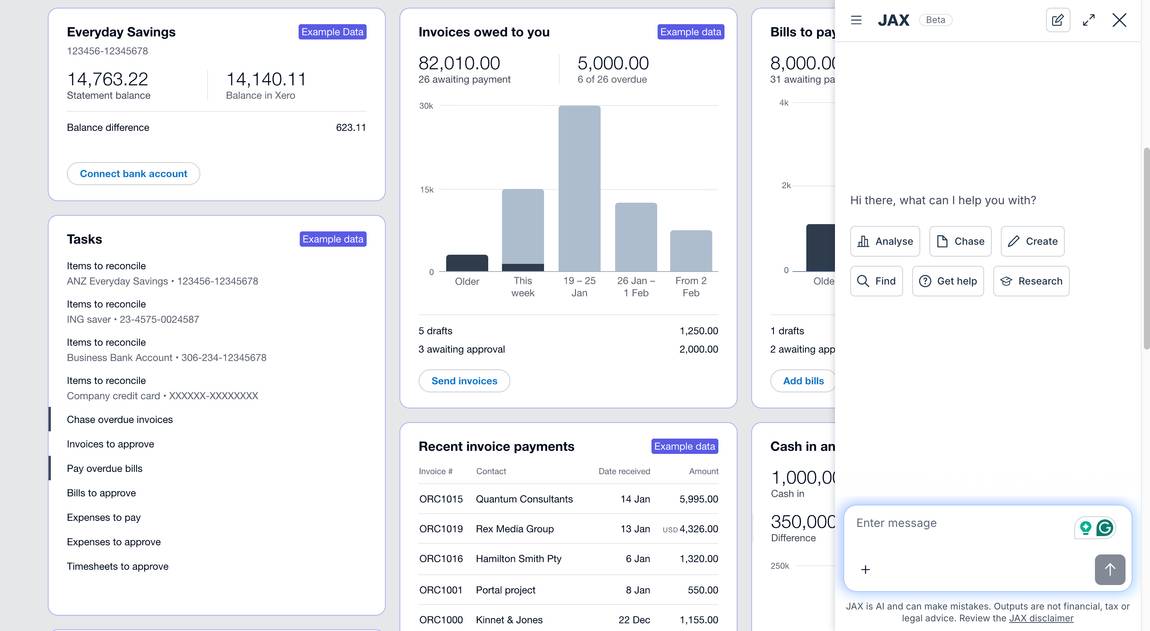
JAX lives in the top-right navigation in Xero; the typical AI star button leads you to it. It's still in beta when I test it. One disclaimer: I won't be using my real business data; it would feel a bit too exposed displaying my financial reality here.
When JAX and I first tango, I ask it what it can do. It gives me a rich list of capabilities:
Financial Analysis & Insights
Analyse your revenue, sales, profit/loss, and financial performance trends.
Review expenses, receivables, and cost optimisation opportunities.
Assess cash flow, liquidity, and working capital positions.
Provide narrative explanations and actionable insights based on your accounting data.
Invoices & Quotes
Create, update, approve, and send invoices to your customers.
Create and update quotes for your customers.
Search and review invoices and quotes by various criteria (date, contact, amount, status, etc.).
Bills & Expenses
Search and review bills you've received from suppliers.
Guide you through creating bills or spend money transactions (note: direct bill creation isn't available yet).
Contacts & Inventory
Create new contacts (customers or suppliers).
Search for existing contacts.
Search for inventory items and use them in invoices or quotes.
Help & Guidance
Provide step-by-step help for using Xero features and workflows.
Answer questions about accounting procedures, tax calculations, and financial standards.
Search the web for up-to-date business information, definitions, and market data.
My Xero JAX test
That's a whole lot, but the three most helpful everyday tasks- the ones that actually save time because you do them a lot- seem to be these:
- Create a new contact
- Create, update, approve, and send invoices to your customers
- Analyze your revenue, sales, profit/loss, and financial performance trends
So these are the tasks I'll test Xero JAX with.


I ask Claude to create dummy contact data for my first Xero JAX test and enter the prompt:
Create a new contact for Marta Lindqvist from Lindqvist Design Studio. Contact name: Marta Lindqvist. Company: Lindqvist Design Studio. Email: marta@lindqvistdesign.example. Phone: +49 30 1234 5678. Address: Torstraße 42, 10119 Berlin, Germany. Type: Customer.
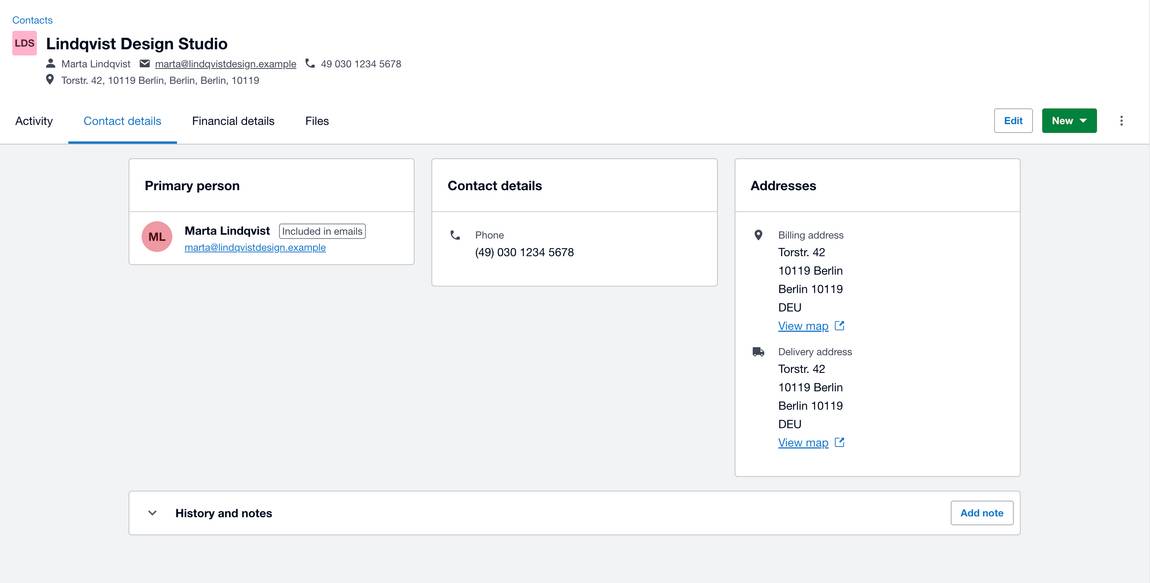
JAX creates the contact for me, which is pretty handy. It can't add all the data by itself though, I still have to fill in the phone number and address manually, the little caveat of a beta tool. It saves time, just not quite as much as it could. Therefore I'll rate it medium.
Task 1 score: 3/5
Let's build on the contact JAX just created and ask it to make an invoice for Marta Lindqvist. I'm curious whether I need to create a product first or if JAX can handle the invoice without one.
After prompting an "AI Tools List Listing for $60," it asks me back: "Would you like to proceed with creating an invoice or quote line item for 'AI Tools List Listing' at $60, or do you want to add this as a new inventory item in Xero first? Please specify your preferred action."
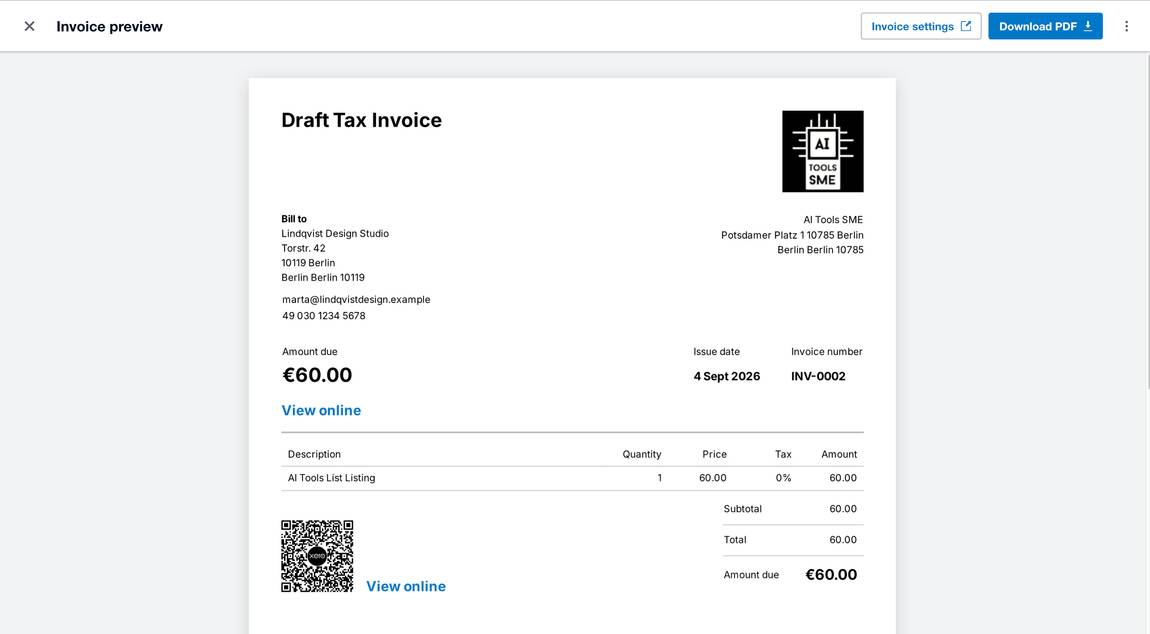
I ask for the invoice item straight away, and JAX delivers exactly that. All that's left is to preview and approve the invoice. This one went smoothly, full score!
Task 2 score: 5/5
By the way with my link you can get 80% off for the first 6 months, just click the pink button below!
On to the last test: financial performance and trend analysis. Here, I hit a self-imposed roadblock: JAX can't analyze my account using dummy data. Understandable, but I know a way around it. Maybe not directly through JAX, but through Xero's AI feature inside the Analytics dashboard. I don't really care where the financial insights come from; in the end, both AI applications most likely run on the same model. So I move to the Reporting tab and click Dashboards. I scroll all the way down to toggle on the example data, and my dashboard immediately fills with numbers for each widget.
I'm most interested in the "Performance Insights" widget, which I can generate with a button click. Et voila, I get a full, detailed performance evaluation. Seems like my example business has trouble steadying its performance, this is what the AI tells me:
Executive summary
Financial performance was very uneven across the year. Net income ranged from -$12,843.94 on 31 August 2025 to $66,750.03 on 31 March 2026, then fell to -$8,024.59 on 31 May 2026 before recovering to $31,187.96 on 30 June 2026. Total income peaked at $133,917.87 on 31 October 2025 and was $90,943.80 on 30 June 2026. Total expenses were highest at $76,399.07 on 28 February 2026 and remained high at $59,755.84 on 30 June 2026.
Strengths and concerns
Gross profit margin stayed strong, between 0.65 and 0.82. This matters because it shows core sales are generally profitable. Net income margin was unstable, from -0.29 on 31 December 2025 to 0.62 on 31 March 2026, flagged because it shows profit is being heavily affected by overheads and timing. Debtor days were high at 133.45 on 31 May 2026, worth watching since slow customer payments can strain cash flow. Creditor days reached 170.25 on 31 March 2026, suggesting supplier payments may be stretched.
Actions
Tighten credit control: invoice immediately, follow up at 7, 14 and 21 days, and pause work for overdue accounts above 30 days. Review June expenses first: Other $17,727.58, Wages & Salaries $14,468.72, Rent $7,404.56, Insurance $5,039.27. Use cash reserves carefully: Savings Account $280,245.78, Pabbie Bank $44,013.33, Cash Register $26,327.66. Keep a monthly cash buffer and match spending to income timing.
This is pretty dope. I'm not the best with numbers, and as a relatively new business owner, I really appreciate these insights. I wouldn't necessarily change a business strategy based on them alone, I see this more as helpful training to learn how to read my own data better. To understand what to look at and what conclusions to draw myself, with a little help from AI. Full points from me, already, just because the report is quite detailed.
Task 3 score: 5/5
I think JAX is genuinely helpful for small business owners like me who handle their own books without an accountant. Accounting is made up of many small actions that add up fast. Creating an invoice and filling in all the fields separately is a tedious, annoying task, and it's exactly the kind of thing AI can take over easily. JAX handled most of these little tasks for me during my test, and I really appreciated that.
There are little bumps, like the contact task, where you can tell the tool is still in beta. But overall JAX did a great job, and I can see it getting stronger and more helpful over time. Once it can learn from feedback and gets a few small tweaks, it'll be truly beneficial.
Testing JAX and the insight generator left me seeing Xero as an AI-driven accounting platform that keeps pace with where technology is heading.
Adding up all three tasks, JAX lands on an average score of 4.3 out of 5. That's a strong debut for a beta tool, and with a few more tweaks to the contact creation flow, I could easily see it hitting a perfect score down the line.