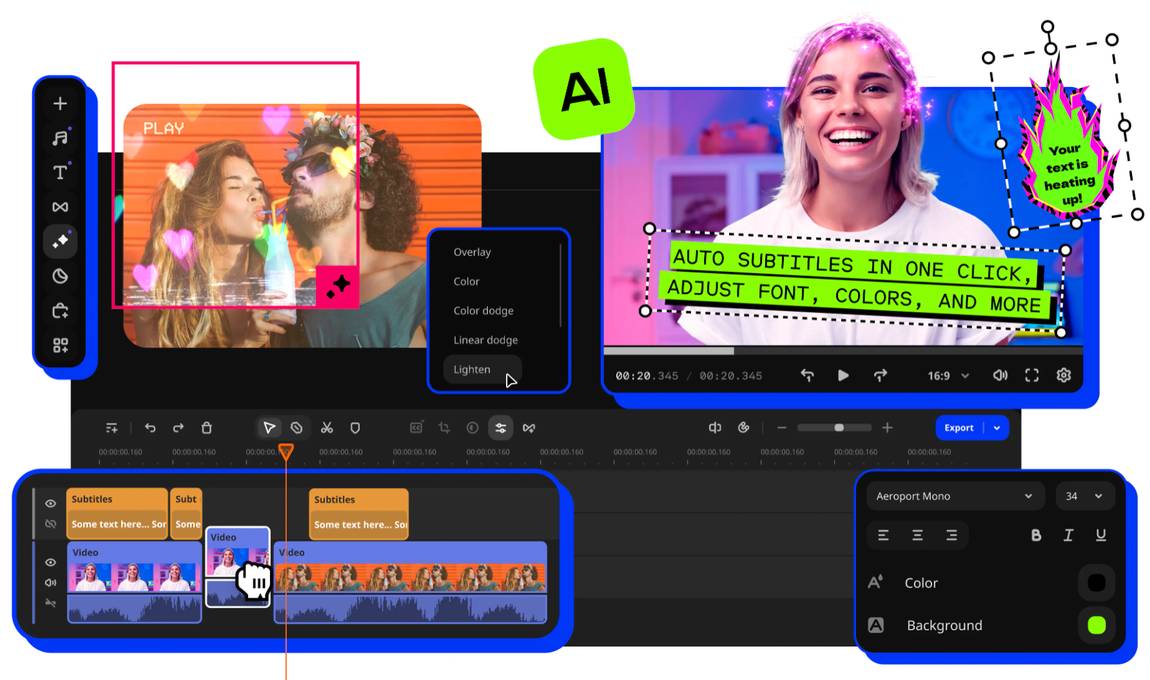
What is Movavi Video Editor and how does it work?
Movavi Video Editor is a downloadable app for Mac or PC, and a genuinely solid tool with a focus on effects, filters, captions, and overlays. It's built for beginners and everyday creators (the kind of people who want to make a good video without being scared of pro-grade software) so TikTok and other social media creators will probably have the most fun with it, but honestly it fits vloggers, small business owners, teachers, and family-video makers just as well. It makes editing for non-professionals easy; you can basically get started right away because the interface is so self-explanatory and clear. Most tools work in a single click, and the timeline got a clean-up in the latest version, so it's even easier to find your way around.
Similarly to Canva, they mark their premium assets with a little watermark, so you're always aware of what's in your bucket during the 7-day trial and after.
What features does Movavi Video Editor have?
Movavi Video Editor focuses a lot on improving and adorning existing footage. Loads of drag-and-drop effects and effect packs help your videos grab attention in an overcrowded sea like TikTok or YouTube. Even the more standard stuff (titles, transitions, color presets) is on the same mission and simply makes your video more exciting to watch. A little touch I liked: you can hover over an effect to preview it right on your clip before committing, and copy effects, color tweaks, and audio settings from one clip to the next in seconds.
The video background remover, noise reduction, and motion tracker will make creators' hearts beat faster, and there are hundreds of built-in effects to play with, plus an optional Movavi Effects library with thousands of extra effects and music tracks if you really want to go deep.
What is the difference between Movavi video editor vs. Pictory?
Where pictory focuses a lot on its vast library of stock footage and the capability to match frames with an uploaded script automatically, Movavi puts everything on a different card. The latter is the better choice if you want to make an existing video more exciting to watch. It's there to improve rather than assemble. Where pictory might cover a wider range of video editor use cases, Movavi video editor goes deeper with its obvious offer to content creators.
What is the difference between Movavi Video Editor vs. Capcut
CapCut and Movavi overlap more than you'd think: both run on desktop as well as mobile, and both cover the same crowd-pleasers like a background remover, frame reformatting, and one-click AI tools. The real split is what sits behind them. CapCut is a ByteDance, cloud-first tool that's subscription-only, and its 2026 price shake-up plus a pretty broad license over whatever content you upload rubbed me the wrong way. Movavi is a local desktop editor. Your footage stays on your machine, the pricing is published up front, and there are various subscription models you can choose from.
Movavi Video Editor AI capabilities
Like many editors now, Movavi has a whole set of one-click AI features. The standouts for me: automatically generated subtitles (what a time saver, and they now cover more than 100 languages), the background remover, and the motion tracking. I was also very positively surprised by the AI-driven noise removal, which seriously makes me consider recording my videos without a microphone and just cleaning up the background noise afterward. There's also AI video denoise now for rescuing grainy low-light footage, and automatic silence removal that cuts out all those dead pauses for you, which, if you've ever trimmed a speech-heavy video by hand, you'll know is worth its weight in gold.