Artlist MCP Is Here: It Changed How I Create
And how to connect your favorite tools



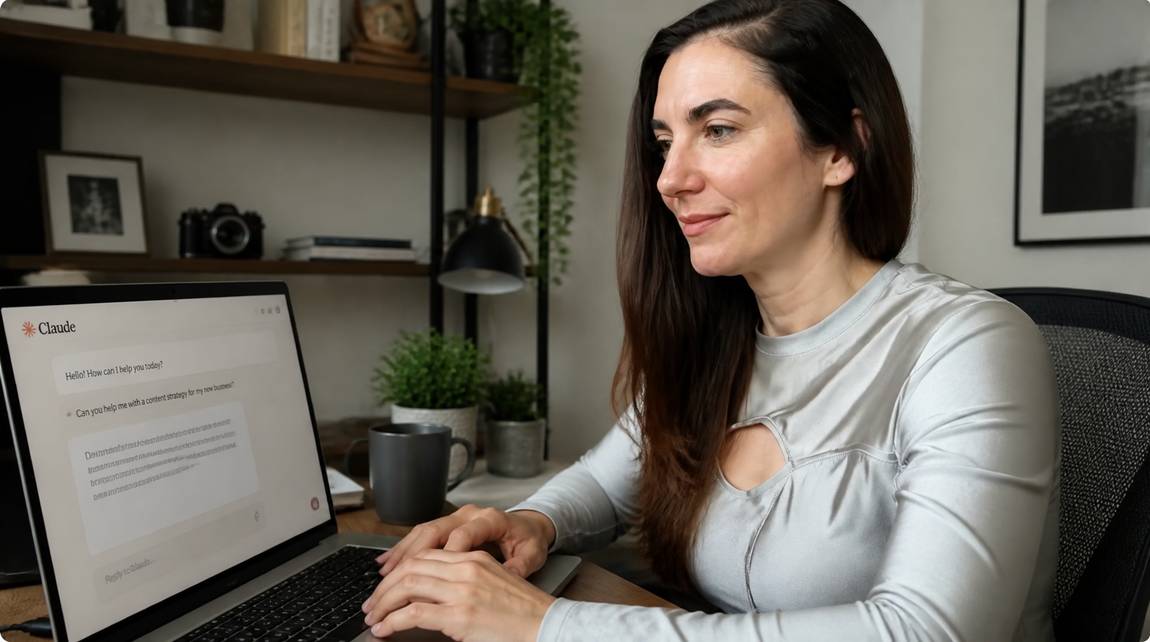
I don't know about you, but in my daily work life I use Claude so much that it sometimes makes me wonder: am I assisting Claude or is Claude assisting me? It's just the best LLM, also in terms of connectivity. This one left its shell a while ago, and I can do so much with it without ever having to leave Claude itself: through its connectors I can steer my whole business world without switching tools. Now they've added Artlist MCP, my favorite creative AI platform, to the mix. This makes my setup complete, and I really love it.
https://mcp.artlist.io/mcp
Hit Add. Then, back in your chat, click the + button, go to Connectors, and toggle it on. The first time Claude actually wants to use a tool from it, you'll get a pop-up asking if you want to always allow it, just hit yes and you're set.
Et voila, you've just connected your two favorite tools! One thing though, the connection doesn't work right away, so give it a few minutes before you start prompting away your image and video generations inside Claude.


The first time I did this, Claude took a little while to think it through. The next times were much quicker. And sure enough, Claude had created a folder for me inside there called "MCP session," with my generation sitting right there, including my prompt. Now I could go ahead and refine the generation further, straight from Claude, changing models, formats, basically everything.
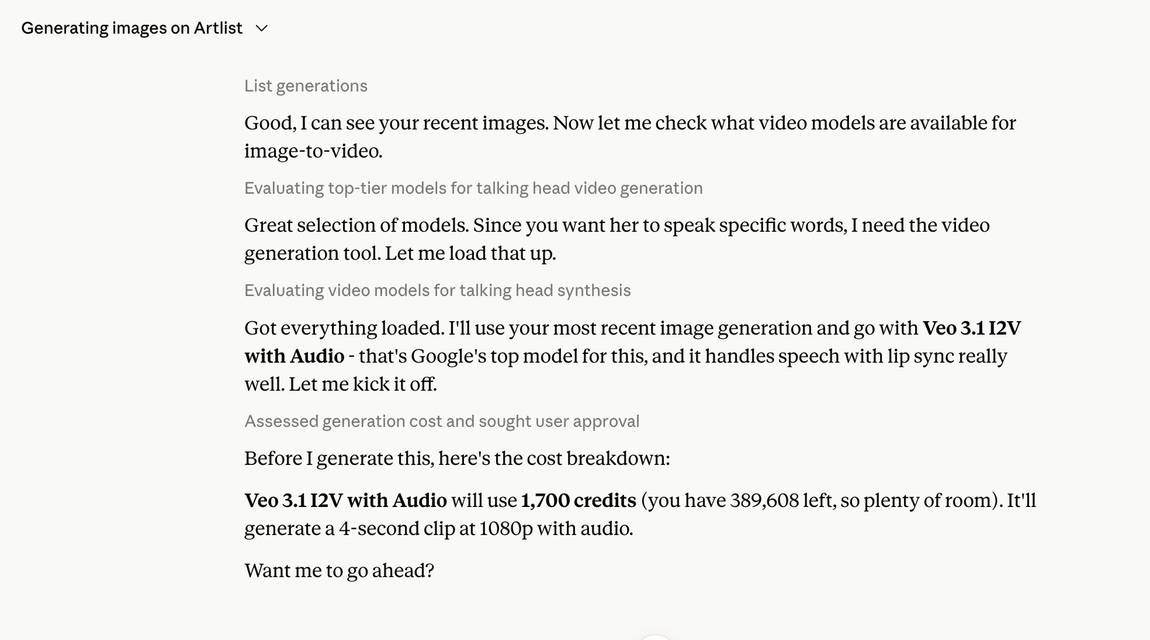
This time I didn't pick a model myself; I let Claude decide which one would handle the speech and lip-sync best. That's honestly one of the most useful parts of this whole setup: you don't need to know which of the 100+ models is right for talking avatars versus b-roll versus product shots, Claude just picks for you based on what you're asking for. For anyone who isn't deep into the model landscape, that alone saves a lot of guessing.
This one was a bit bumpier, though, to be fair, I was testing MCP just a day after launch, so I'd bet this smooths out fast. Claude wasn't able to pull the image from my earlier session anymore, so I had to upload it again as a reference. I also kept getting error messages on Claude's side, but funnily enough, the generation itself was already in full bloom over in Artlist, it just hadn't made its way back into the chat yet.
What I really like: I told Claude to pick the best model for the job itself, and it landed on Veo 3.1, which honestly is a strong choice for this kind of talking-head clip. Claude also told me right away how many credits the generation would cost and how many I had left for the month, no digging around, no surprises. That's genuinely efficient.
So honestly, if you're using both tools already (if not, you should!) what are you waiting for?!
What is the Artlist MCP it and how does it work?
Artlist MCP is a connector that links your account directly into Claude. Once it's set up, you just describe what you want to create in the chat, a brand ad, a social post, whatever, and Claude generates it using Artlist's models in the background. Everything saves straight back to your account, so you never actually have to leave Claude to make it happen.
What is the advantage of using it over generating directly in Artlist?
The main one is not having to switch tabs. You're already in Claude for everything else, briefs, copy, planning, so being able to generate and refine images or videos right there, without opening a separate app, saves a real chunk of time if you're doing this daily like I am.
Do I need to reconnect it every time I open a new chat?
No. Once you've added the connector and toggled it on, it stays connected across sessions, you just need it toggled on for the chat you're working in.
Can Claude access images from a previous session automatically?
Not always, at least not yet. In my testing, Claude couldn't always pull an older generation from a past session, so I had to re-upload the reference image. This is early days for the connector, so expect this to improve.
Does Claude actually pick a good model on its own?
In my test, yes. I let Claude choose which model to use for turning my image into a speaking video, and it picked Veo 3.1, a model well suited for lip-synced speech. You can still name a specific model yourself if you'd rather choose.
Will I know the cost before it generates something?
Yes. Claude shows you the credit cost upfront and tells you how many credits you have left before anything gets generated, so there's no guessing.
Is this only for images, or can I generate video too?
Both. You can generate images, then turn them into video, all from the same chat, without switching tools.
Do I need any special prompt engineering skills to use it?
No. You just describe what you want in plain language, the same way you'd talk to Claude normally.