Best AI Website Builders in 2026
Don't Fall For The AI Trap - Which Website Builders Are Worth Your Time
Why you can trust me: Testing Methodology & Editorial policy





Our review contains a few affiliate marketing links. If you purchase any of the tools, we might receive a small commission.
While many of the tools I’ve tested aren’t AI tools in the purest sense, they are AI-driven—some more obviously than others.
The best AI website builder will find the sweet spot between leveraging AI and still allowing you to make your page unique enough for it to rank. Because here is the trap: Everyone can generate a website with AI in minutes, but that also means that you have thousands of competitors if you use the same formula.
But let's take a step back before I give you an overall answer for which AI website builder to use, especially for SMEs.
First, think about this: What am I building the website for?
My personal experience: A bit of background so you understand where I'm coming from: When I first built this website, I only built it as a sales page for my online course for AI beginners. I had no prior experience in this area and just wanted to build a pretty page. So I chose Squarespace due to it's nice templates and easy drag and drop builder. Little did I know that Squarespace is very limited in SEO and funnel building. Over time my website grew and the fact that Squarespace doesn't allow a content management system integration made it really hard to stay fast and competitve over time.
Just recently I've moved over to Webflow with this page, where also my second website whichaitool.com was built.
If I were to build my traffic-driven website again today, I’d obviously go with Webflow right away. The reason I chose it, its powerful CMS collection, which lets you group and deploy data in bulk. Sure, I could build a new page quicker with Lovable or Base44 , but it would lack the SEO capabilities and wouldn't be able to integrate with Airtable, where all my page data is stored, automated and pushed to the website. Being able to pull content from a database like Airtable and dynamically populate it across the site just makes everything more efficient. That's where the true AI power sits, not in the building in my opinion.
Change one thing in the database, and boom - it updates everywhere. No more hunting down every spot where a newsletter widget or affiliate link lives. That manual stuff adds up fast, so I'm thinking about AI for my website more on the long run than just for the building.
I'd input all my business info in the prompt when generating it, let it create the first draft and then make adjustments to make it my own. It's really easy because both builders basically function like an LLM and you can ask it direct questions. Gamma is known for amazing designs and a powerful AI agent which helps you make changes in bulk or independently can add information from attachments (I dive deeper into the agent here).
Gamma websites can run on the free plan and will not cost you a dime if you publish on a gamma.app domain. Base44 also offers daily free limits, so if you run out today, just finish setting it up tomorrow.
That said, no tool is perfect. Webflow , for example, are super powerful, but it can feel intense if you’re new to web design. Templates are your best friend here.



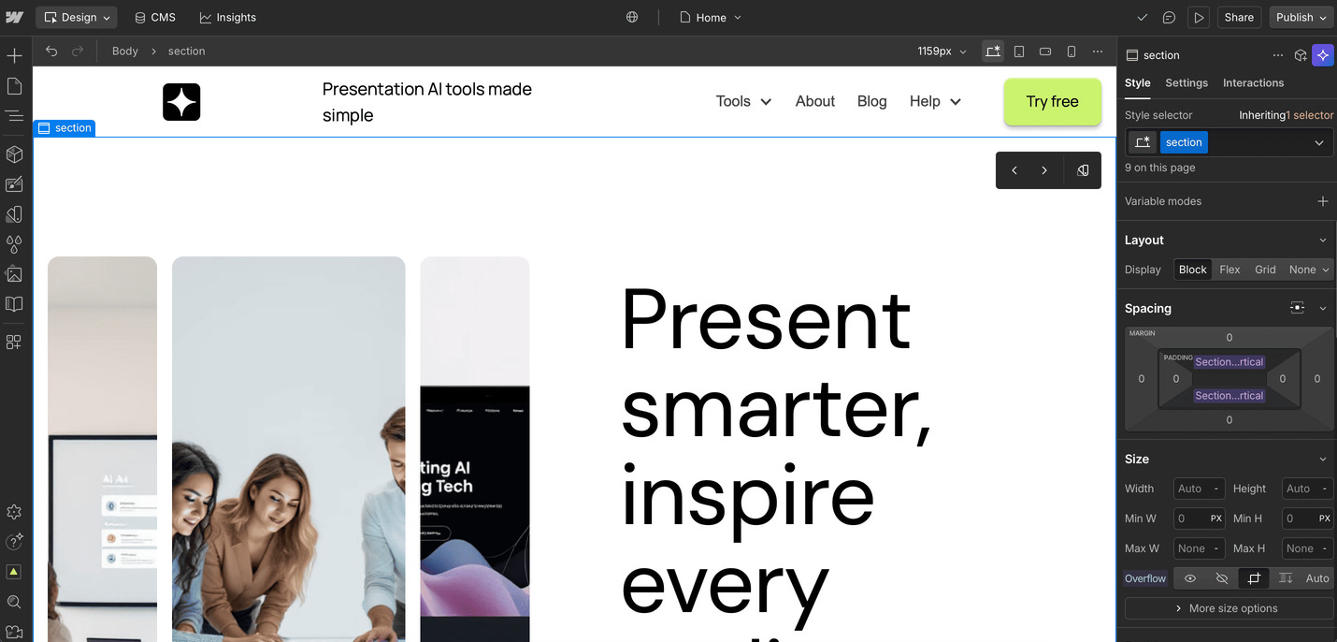


I think Webflow the most powerful and versatile AI website builder out there at the moment. It has so flashy and useful templates and endless design options within its powerful dashboard. For content heavy pages like mine or ecommerce stores, Webflow is a great website builder with their CMS collection which let's you implement your own content management system and handle automations within the home you chose for it. I, for example, have connected Webflow and the CMS collection to Airtable where automations take over researching information like tool pricing, free trials etc for me. Additionally, I can easily make changes in bulk and update all pages at once. All these factors allow me to save so much time.
I also think Webflow has the best designs and beats all other tools for SEO capabilities due to the many options and the SEO audits which tell you what's missing for each page.
I also gave Webflow some plus points for onboarding because I really enjoyed their explainer video series, it helped understanding how to use their tool.
I should mention that it is a bit complex in the beginning and small businesses that are looking for a simple website, will feel overwhelmed by the many functions, which they actually don't need. For that use case I recommend to go with a Gamma page instead.

I have to say I'm quite fond of Base44 and impressed with it! I really like the website it put together for me, even if it's a one-pager and therefore not great for SEO.
The tools it chose are very relevant, and I could easily change them under the data tab without having to mess around in the code.
My favorite special feature is the compare widgets where users can pick up to 3 tools and compare their ratings directly to each other. I would love to have this for my website actually.
If you want a simple website for your business which doesn't require strong SEO features, complex logic or integrations, Base44 is a great tool for you. You will run out of free credits fast though, so if you want to build a free website, make sure to budget a few days to complete it.
I prefer Base44's look over some other website builders, but I do prefer the design capabilities of Canva & Gamma. Where Base44 really shines is its usefulness and how the data backend allows for easier changes.
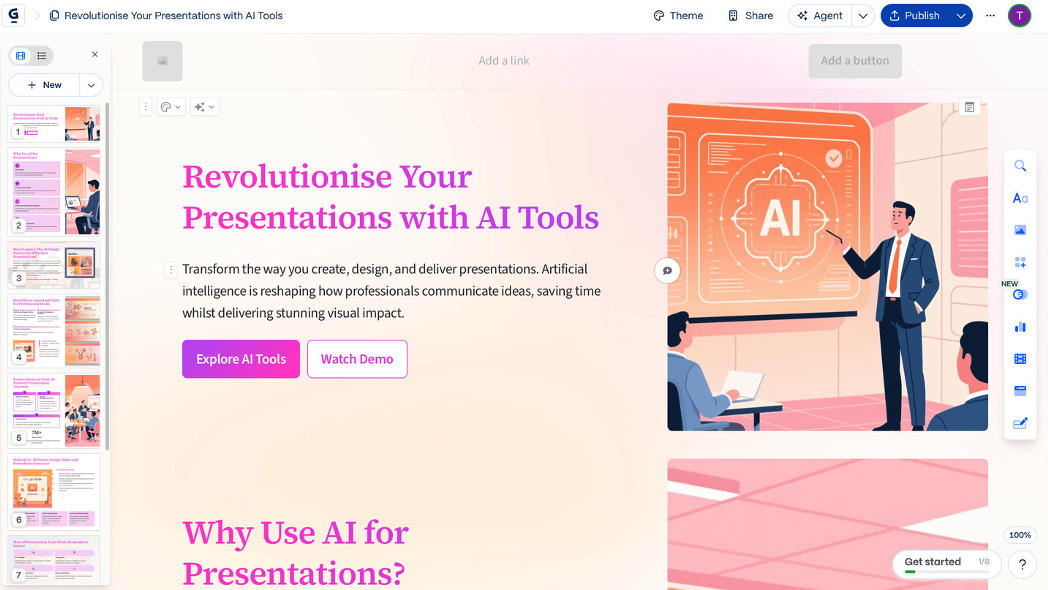
I can't believe they did it again! Gamma has just created the best product of their category (as they did with presentation AI). And it totally makes sense: presentations and websites have a lot in common. I am super excited and at the same time scared because it was sooo easy to create a website and publish it, it literally took me 2mins. I just gave it a prompt, checked the generated content, adjusted the image generator style, chose a template and bam, the page was ready!
Not just ready, it was online!
I didn't pay a dime, because publishing a page with this AI website builder is for free when using the gamma.site option. I can already see so many competitors popping up for this homepage, that scares the heck out of me. The only reason I didn't give it 5 points for tool performance is that its SEO capabilities are limited.

Lovable is quite incredible! Not just that it creates a coded website based on a prompt, you are also able to ask it questions. I asked it e.g. about it's SEO capabilities and it showed me the structured snippet code of the drafted website it had just created for me. I had asked it to create a website based on this website, but with a focus on LLMs. The content it had created is impressive. It added some content from outside sources, but everything was really relevant and up to date. This is the future of web creation, at least once it manages to design its websites prettier. And to be honest, it can be quite costly to make iterations to a project, especially in the beginning you'll want to make many adjustments and Lovable's credit system isn't really budget-friendly in that sense.
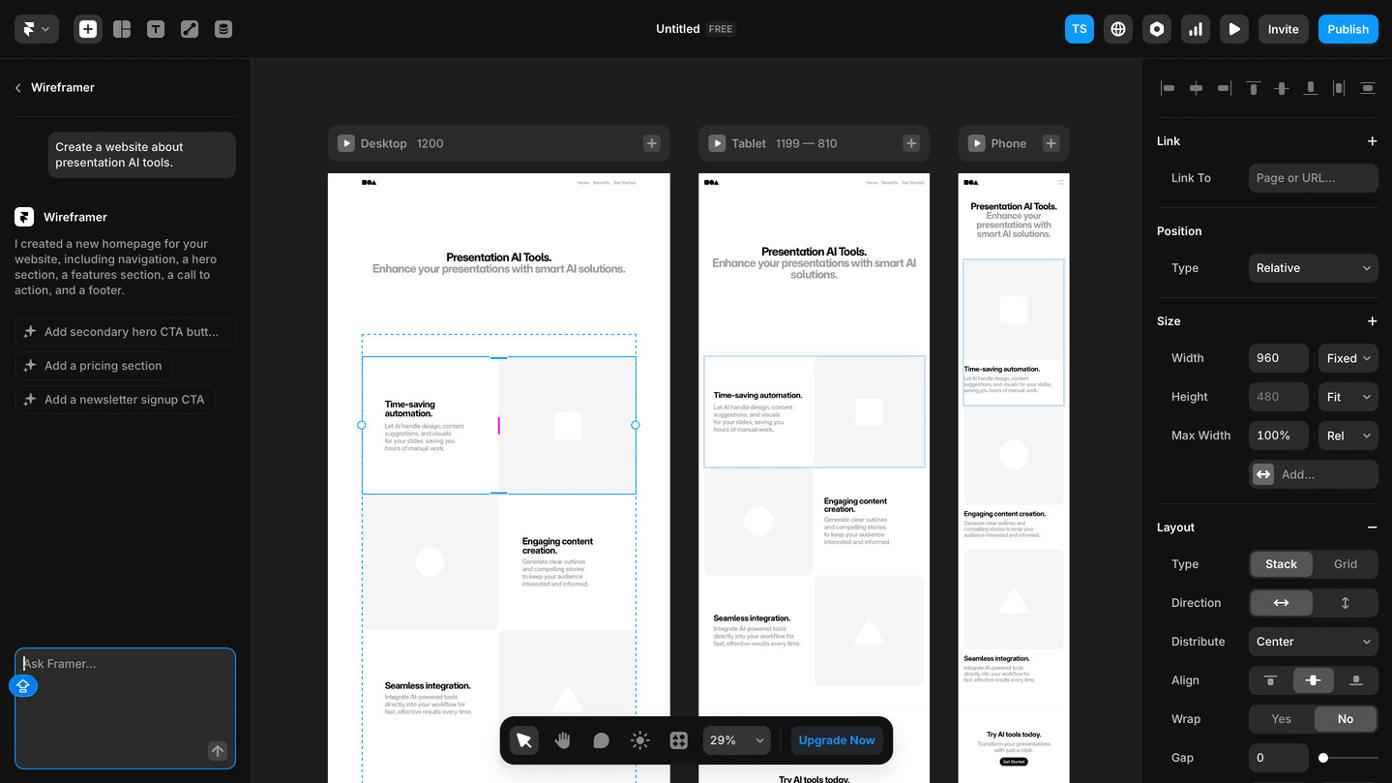
Framer feels like a simplified Webflow to me. A bit easier to use for beginners due to less design options. You may decide for yourself if that's better, ultimately I decided that I prefer Webflow because of its powerful CMS collection and the elaborate design options. What I really like about Framer is that it shows you the different formats next to each other, tablet, desktop and mobile in one glance is super helpful.
They also just launched the MCP for Framer, so your agent can work on your website with you!

I tested Onepage's Create with AI feature by asking for a presentation AI review page. It took about three minutes to generate the first hero section, and during that time you can actually watch it work, including a fair amount of the backend process, which is nice.
What I liked is that it stops after the hero and asks if you're happy with the style before continuing. That's smart. It means you're not stuck with a fully generated page (and spent credits) that missed the mark entirely. I also really appreciate the style itself, it's quite different from the Gammas and Claude Designs of today.
Two things held me back a bit. Three minutes for one section is slow compared to other tools I've tested, and my prompt got misunderstood along the way: I asked for a presentation AI review page, and it built a SaaS page for uploading and analyzing decks instead.
The good news is I could have caught and fixed this right after the hero was done, so it wasn't a dealbreaker. But since you're already working through a chatbot interface at that point, it would be good to ask a clarifying question before spending those three minutes.


Ok, this is a glimpse into the future of websites. No backend, no coding, but also no SEO. So basically you can just create a website or use a template like you would design anything else on Canva: by putting design elements together. Then you have the option to publish the page, with only 3 settings: password protection, search engine visibility and link preview. Nothing more. You know I wish we didn't need all this SEO fluff, but in 2025 it's still required to rank well. That's why I only gave it 2 stars for tool performance. And because I couldn't really identify the its AI capabilities. But, if you want to build a quick website for your wedding invite or a portfolio, Canva's website builder is, alongside with Gamma the perfect solution for you!

Durable has an unusual approach: It directly puts a website together for you, but not based on a template, but based on a prompt. Also, it doesn't call itself a website builder but a business builder, because it supports you with your marketing initiatives, CRM and even invoicing. After playing around for a while I found the template section (they are all pretty basic) and I examined its SEO capabilities. The platform appears to prioritize automated optimization over manual fine-tuning, which is fine for many use cases but mine (running a comparison website where most traffic comes from LLMs and Google search). I think this is a great tool for people who want to use AI and are not too fussed about design or SEO.

To really test its AI capabilities, I kept the prompt super simple. "Review website for presentation AI" was all I gave 10web and it didn't disappoint. It presented me with a highly relevant wire frame (which is like a website structure/sketch). After having to create an account it already created the full website for me. Including fake testimonials, which is a bit sarcastic, isn't it? Similar to Durable the AI website builder function is great, but lacks a stylish design. Also I wonder which search engine this very general AI content is supposed to fool? If I can create this copy with AI, my competitors can too.
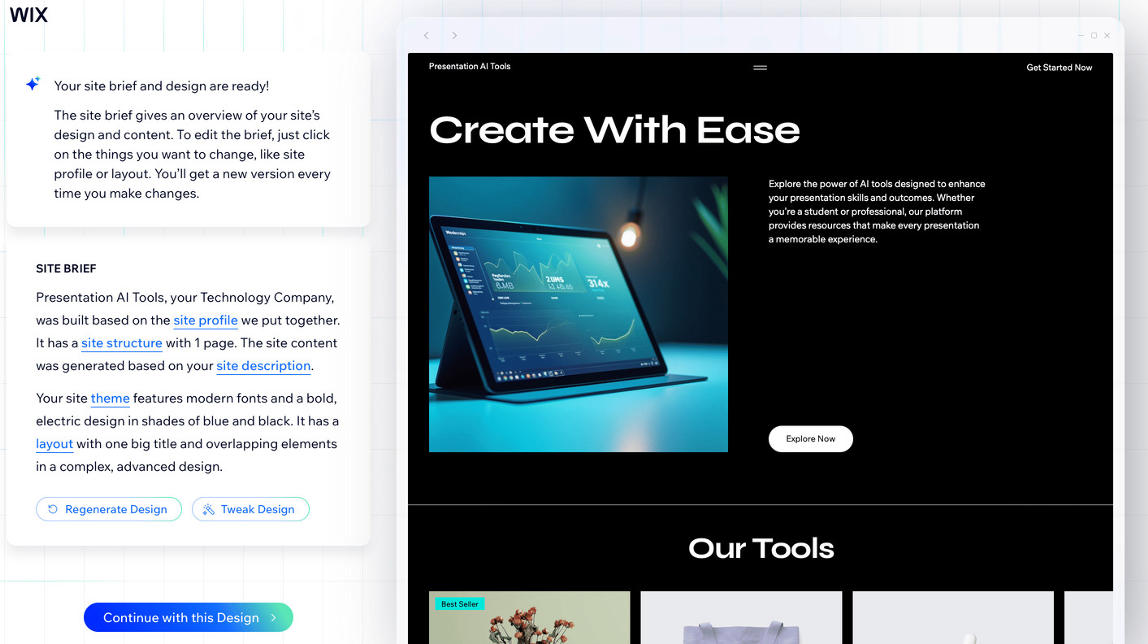
I started out building my new website with via the AI chat function - or at least that's what I thought I was doing. It turned out that the suggestions I received in the end were not so relevant. Next, I chose a design and started adjusting it for my requirements, which is fairly easy. I feel like this is how wix is: it looks great and easy, but there are small glitches here and there. It's a rather solid tool, but the AI capabilities are more annoying than trailblazing. For example it will create a meta title for you but then mark it as too long. I'll test it in a few months again, maybe then wix is truly ready for the AI era.

I'll admit it, Wordpress has always annoyed me. I never understood why I'm supposed to update plug-ins and assemble the basic website features myself instead of just buying it packaged. I have always rather payed 10 bucks per month to not have to think of those things. My very first company website was created with Wordpress just because I didn't know better. One time I wasn't able to even login because some plugin had busted my page. Sure, they've developed too, improved it here and there. But during my review I felt how I felt back then: Wordpress is just not intuitive. This website builder doesn't have its own AI capabilities, but you have to download plug ins for it. And nowadays, with amazing alternatives around, I just don't know why you would put yourself through this.

I already had a bolt.new account a while ago, when coding special widgets for websites was still a real obstacle. Back then I was super excited about what Bolt could add to my then Squarespace page and make it actually useful.
But all of a sudden the bot got stuck and all the love and admiration went down the drain.
New year, new luck, so I'm entering my usual prompt for testing AI website builders into bolt.new. The free credits are just enough to set up a rough plan, basically deciding what type of pages my website will need.
And even though Bolt.new gifts me 2 million tokens for signing up with my email address, I can't use them on the same day.
So I continue the next day and at first the bot in terminal has forgotten what our project is. I copy the plan from our chat back in, which by the way said that this is what we've built already. Today's chatbot tells me that that's just what's possible to build. Either way, we have a solid plan and bolt.new builds it out.
The result is a bit sad: the design is so ugly, and on the homepage it boasts about 50+ user reviews and 10K+ users. It frustrates me that it has gotten so normal or ok to lie about these metrics that website builders do it as a default.

The website you are looking at right now is a Squarespace page. This is the AI website builder I know best, and to be honest I wish I didn't build my page with it. The thing I hate the most about it is the stupid user journey they send people on if they want to sign up to a video course. Visitors have to create an account with password, name and email even before they went to checkout. That's completely illogical. So if you just want a one-pager with no shop and nothing that requires SEO, you can go with Squarespace. But if you want to sell products, give your button any colour you want or have an website with AI capabilities, rather go with Webflow.

Your content should be unique for anything where the website is part of the business model. Many of the AI website builders are capable of creating the full homepage for you, including the copy and website design. But if YOU are able to create it within 5 minutes (and that's literally possible with tools like Gamma, Lovable, Durable or 10Web) then your competitors will be able to do the same. Which page do you think will rank among search engines and LLMs now? The one that offers unique insights beyond what AI is able to generate, or the ones spreading AI slop?
You absolutely have to add your own insights and unique content to the website to improve its ranking. Also, as mentioned before, the SEO capabilities of the simple AI website builders are quite limited, which will again make it harder to gain visibility. With LLMs taking a larger share of traffic every day, you have to make sure your structured data/schema markup is detailed and includes a lot of information LLMs can digest.
> This is my number one advice to you: If you create a website using AI, add lots of unique insights to make it rank well.
How To Make Your Website Rank On LLMs