Brand Style Guide with AI: 5 Simple Steps (2026)



- A color palette with HEX, RGB, and CMYK values
- Heading and body fonts with sizes and weights
- Voice and tone guidelines with sample phrases
- Image style, icons, and graphic elements
- Full color on a light background
- Full color on a dark background
- Single color (black and white)
- A compact icon or monogram for social avatars and favicons
- Three tone words, such as friendly, clear, confident
- Words and phrases you use often
- Words and phrases you avoid
- One sample sentence written on brand and one written off brand


Design.com is the top choice for the imagery step. Describe the visual you want in plain language, and the AI image generator produces custom graphics for websites, social posts, and campaigns. You do not need photography, illustration, or graphic design experience, and there is no complicated software to learn, so anyone on your team can create on-brand visuals.
Your prompt controls the result. You can specify the subject, setting, background, style, mood, lighting, colors, and composition, and the more detail you give, the closer the image lands to your vision. The tool generates multiple interpretations of each prompt, which gives you different creative directions to compare.
What you can create with it:
- Abstract imagery, backgrounds, and imaginative artwork
- Social media content for Instagram, Facebook, TikTok, LinkedIn, YouTube, and other platforms
- Website banners, feature sections, landing page visuals, and blog images
- Flyers, posters, advertisements, and presentation graphics
With 1 million assets in total across Design.com, you will not run out of starting points for your brand visuals. The generator also supports a broad range of subjects and visual styles, so you can experiment with different aesthetics before committing to one. Once you settle on a look, record it in your guide, and every future image starts from the same rule.
BrandCrowd Logo Maker



BrandCrowd’s AI Logo Maker is the best fit for the logo step. Enter your business name and industry, browse AI-generated logo concepts, and customize colors, fonts, and layouts until the design fits your brand. The AI suggests logo styles relevant to your industry and branding goals, so you start with options that already suit your business instead of a blank canvas.
The results come from designer-made templates rather than fully auto-generated icons. BrandCrowd’s library holds more than 380,000 logo templates created by professional designers, which gives you far more variety and polish than a generic icon generator. You can generate and explore multiple logo styles from the same prompt, then save your favorites and keep refining until one feels right.
Once you pick a concept, the built-in editor lets you shape it to your brand:
- Move elements and adjust typography
- Refine the visual style until it matches your personality words
Use it to produce the full set of logo versions your guide needs, from the primary logo to a simplified icon. The colors and fonts you select here can carry straight into your palette and typography pages, so your logo and your guide stay in sync from the start.
Canva Brand Kit
Canva Brand Kit is best for storing your rules and laying out the finished guide. It keeps your logos, colors, fonts, photos, graphics, and icons in one place, so every new design starts on brand. Standout features include a Brand Kit Builder that pulls logos, colors, and public fonts from a website URL or a PDF
Adobe Express Brand Kit
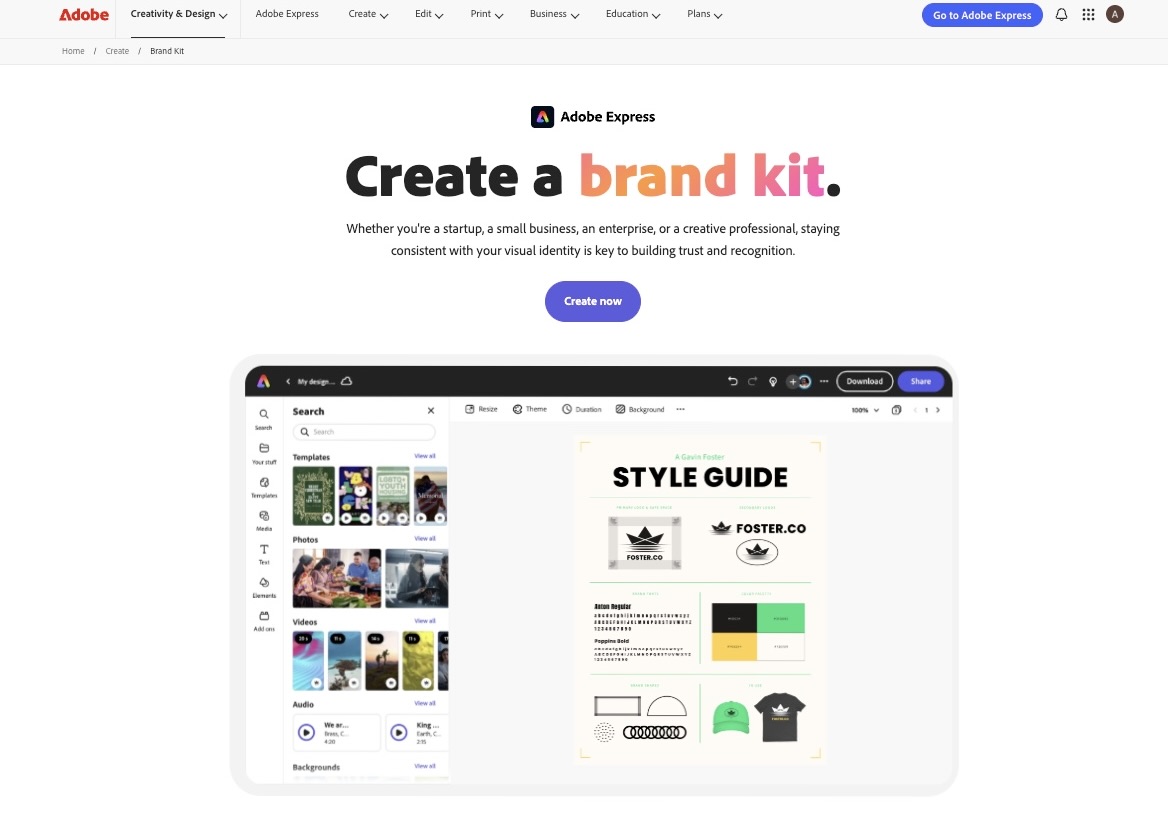
Adobe Express Brand Kit suits you if typography and print quality matter most. It stores your colors, fonts, logos, and graphics together, and a one-click option extracts brand colors, fonts, and logos from an existing image. If your team already works in Photoshop, Illustrator, or InDesign, shared Libraries keep those assets connected to your brand kit.
Wix Logo Maker
Wix Logo Maker is a good match when your website is your main brand touchpoint. It asks a few questions about your business, generates AI logo suggestions, and lets you edit fonts, colors, icons, and layouts in a visual editor. However, if you only need a logo and no website, the other tools above may fit better.
- Be specific in prompts, since “calm, minimalist coastal palette for a wellness brand” beats “nice colors”
- Generate several options before choosing, and compare them side by side
- Check AI-made assets for originality before committing to them
- Keep your guide short, visual, and easy to scan.
A brand style guide no longer needs a big budget or a long timeline. Define your foundation, create your logo, lock in colors, set your fonts and voice, then add imagery and assemble everything in one document. With the right AI tools handling the repetitive work, a consistent and professional brand is within reach in a single afternoon.
How many colors and fonts should my brand use?
Keep it simple. One primary color, one or two secondary colors, and a few neutrals work for most brands, paired with two fonts, one for headlines and one for body text. Fewer choices make your brand easier to recognize and easier for others to apply correctly.
How often should I update my brand style guide?
Review it at least once a year, and update it whenever your logo, colors, or messaging change. A guide that no longer matches how your brand actually appears will confuse your team more than it helps.
Do small businesses and solo creators need a brand style guide?
Yes. Even a one-page version helps you stay consistent across your website, social media, and printed materials. It also makes hiring a freelancer or designer much smoother, since they can follow your rules from day one.