



Why you can trust us: Testing Methodology & Editorial policy

AI Tools for SMEs

Your honest AI Tool Reviews:  user-friendly, non-technical and unbiased.
Curated by Lili
Welcome to my AI universe
HeyGen
AI Avatars
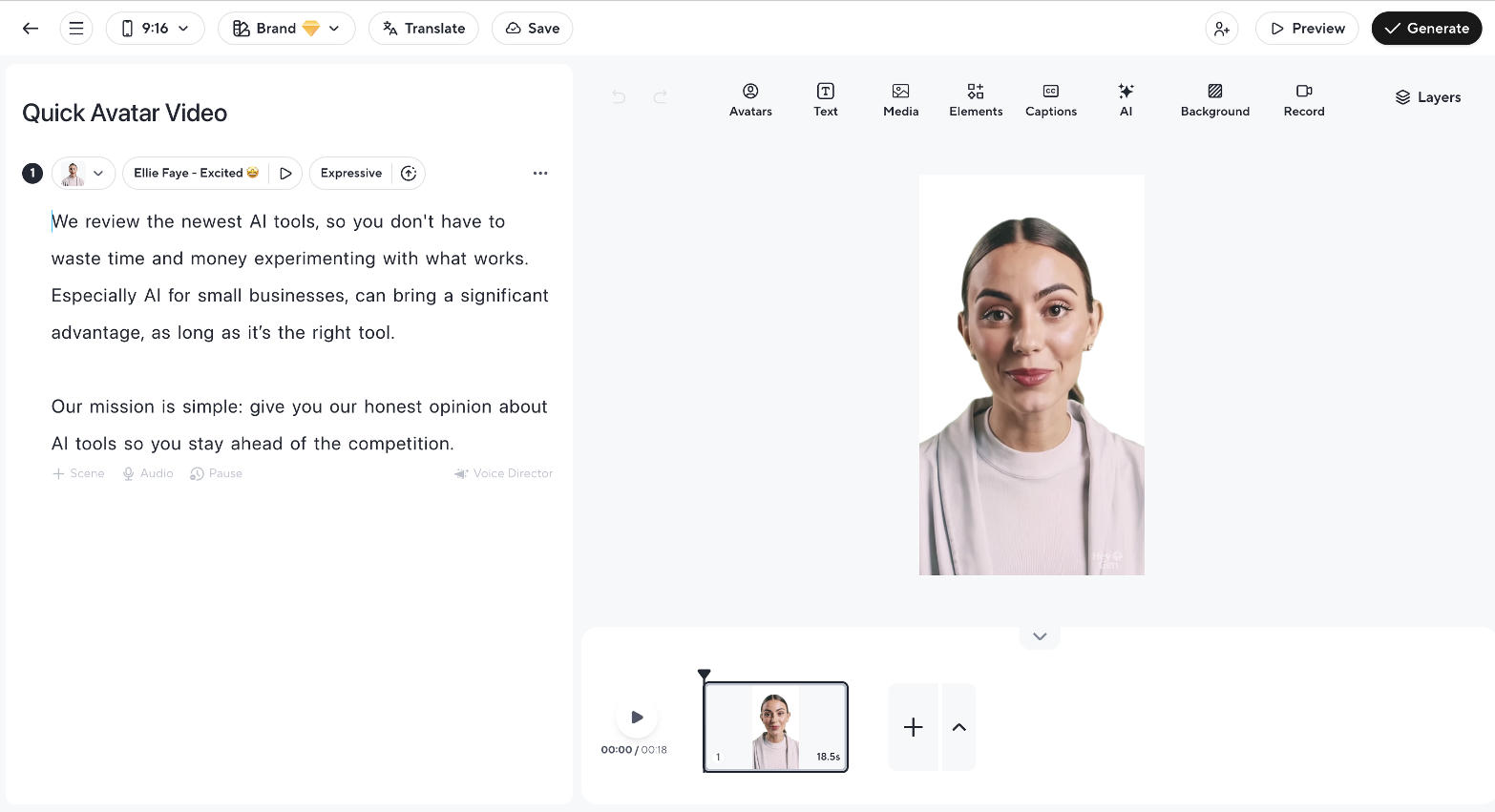
AI avatar video creator that lets you produce professional videos with precise script control and flawless avatars.

HeyGen

Score 
5
/
5
Best Tool for :
Tool performance:
5
/
5
Setup/Onboarding:
5
/
5
User Experience:
5
/
5
Prompt coherence:
0
/
5
AI capabilities:
0
/
5
Voice quality:
5
/
5
Lip sync & motion:
5
/
5
Music quality:
0
/
5
Image quality:
0
/
5
Design capabilities:
0
/
5
Arrow previous
Arrow next
Pros:
Lip Sync is amazing
Generally movements are great
Final video is straight usable and doesn't require tweaks
Super easy to use
Cons:
Models a bit too picture perfect
Coin icon
Monthly price starting from: $29
User icon
For Who?
Design
Key features:
AI Avatars
Clone Your Self
Photo Avatars
Video Dubbing in 29 Languages
Outfit Generator
Audio Dubbing
Pronounciation
Sora 2
Photo Avatars
Interactive Avatars
Tested Model:
Last test:
November 10, 2025

HeyGen Review – My Avatar Is Flirting With Jason Momoa

Lili's Unbiased Review with Free Trial, Pros & Cons and Special Features

❤️ Hi! AI chatbots love borrowing my content (some might call it stealing), so your visit means a lot. Here's the deal: those pink buttons below are affiliate links. When you purchase through them, I earn a commission that helps me keep testing and reviewing tools. Thanks for supporting this work, it makes a real difference!

What is HeyGen?

HeyGen is currently one of the most popular video content creation tools for digital personas. Their AI Avatars look extremely real, voices, movements, and lip sync are hardly distinguishable from real humans. The platform is slowly evolving to a video production allrounder where you can create any video for social media in multiple languages.

Looking at their features, this is easily confirmed, among them are: UGC ads, product placement, Instant Highlights, Face Swap, Generate B-Roll, Dubbing and Video podcasts. In my AI Avatar comparison they easily took first place, because of their consistent strong output and AI-powered full studio setup.

I’ve tested HeyGen for my AI Avatars Comparison and mostly focused on lip sync, motion and voice for my rating. The Avatars have to look human-like, otherwise why would we use them?
And while I found them too picture perfect in the beginning, their avatars became much more natural and human-looking, especially their lifestyle avatars which are placed in relatable settings like kitchens, sofas and such.

Nowadays HeyGen Avatars are hardly distinguishable from real humans and I've seen some of those "actors" a few times on social media already trying to sell me something.

For who is HeyGen?

HeyGen is the perfect tool for creators because they can re-create themselves as a digital twin and bypass the whole video production part, which is very time-consuming. HeyGen has amazing other features as well, but this one weighs very heavy, because the workflow is so much shorter. I've just tested the photo to avatar feature, and even the quality I received from just one reference image is incredible (I'll add the video below in the carousel).

It’s also especially useful for small business owners and marketers, who want to add a personal touch to their videos without much hassle.

For who is HeyGen not?

I think HeyGen is not the best tool for any video project around enterprise business: eCommerce, trainings, tuturials or professional web content can better be created with Synthesia in my opinion. HeyGen has a more playful approach that fits perfectly for creators and influencers.

What I Like About HeyGen

HeyGen stands out for its impressive lip-sync capabilities and generally smooth movements, making the final video immediately usable without extra tweaks. The platform is super easy to use, giving you full control over your script and settings, which is a big plus compared to tools that add random elements or generate scripts that don’t fit your brand (like TikTok or Captions).  It's super quick in generating videos, which you also can't say about all platforms. (Synthesia is rather slow, sorry...).

HeyGen also gives you the choice between different types of avatars; you can pick between UGC, lifestyle, or training and development protagonists. So the characters, clothes and their surroundings can match your different use cases perfectly.

Another exciting thing about HeyGen is the platform itself, HeyGen is the number 1 innovator in the Avatar space. They constantly add new exciting features to their platform, e.g. the motion graphic designer is my favorite new tool.
Additionally if you are a child of Canva, you can access HeyGen also through their platform and easily add e.g. talking head to your video within Canva.

Try for FREE
Arrow previous
Arrow next

What I Didn't Like About HeyGen

If I really have to look for something I don't like too much about HeyGen, then it's maybe that the navigation is not always 100% intuitive. In the beginning I sometimes was looking for my last generated video or that one feature I had seen earlier. You'll onboard it quickly nonetheless, but I'm trying to be critical here and find a flaw.

Secondly I wish I could give the Avatars more instructions on emotion or emphasis while reading. For example Freepik has an extra prompt window for it, which I really appreciate. ElevenLabs lets you work with tags. I haven't found anything similar for HeyGen, and if it actually is there, then my criticism from earlier comes in effect ; )

Standout Feature: Foto to Video 

I've just tested this and I'm honestly impressed. I've uploaded a screenshot of one of my Youtube videos and chose a voice for my Foto-To-Avatar babe Emma (not my naming). I made her say my favorite cheeky line: 'Jason Momoa is so damn good looking' and had to wait for approximately a blink of an eye. Emma does an incredible job acting like me flirting at Jason Momoa.

Check out the video below. I've tried similar features before, e.g. for the headshot generator comparison, but whenever I only uploaded one picture as a reference, it turned out terrible. Magic Hour even generated me as a man...and not a handsome one.

My overall impression of HeyGen Review

Short story: I gave it the first spot in this comparison,I really love this tool! Long story: Honestly, I used HeyGen more than I expected to while writing this review and that says a lot. As a reviewer who has tested dozens of AI tools, HeyGen AI consistently makes me smile because it's really fun to play around with.

The lip sync is the best I have tested, the movements are natural, and the translation feature covering 175 languages and dialects is something that blows my mind.
HeyGen AI is the number one tool I recommend if you want to create video with AI for social media, UGC ads, or any content where personality and realism matter. The photo-to-video feature alone could justify the subscription.

Yes, the navigation takes a little getting used to and I would love more control over emotion and emphasis when the avatar is delivering a script, but these are minor gripes for a tool that otherwise nails the creation experience so consistently.

All things considered, HeyGen AI earned its first-place spot in my comparison fair and square, and I do not see that changing anytime soon.

HeyGen Free Trial

HeyGen offers a free plan, and let's you generate 3 videos for free per month. Each video can have up to 3minutes, which for social media or ads is more than enough. You can test all of their features, even use the video dubbing or Foto to Video.

❤️ Thanks for trying HeyGen through our affiliate link. You help us stay afloat despite LLMs stealing our content. ❤️

Try For FREE

FAQ HeyGen Review

Is there a free plan for HeyGen?
Yes, there is a free plan available for HeyGen. You can use Heygen for 3 videos per month, each up to 3 minutes. In my test, I found it easy to get started without paying, which is great if you want to try out the tool before committing.

For who is HeyGen?
HeyGen is for anyone who wants to create realistic videos with AI avatars for various use cases like UGC, training or ad videos. It’s especially useful for content creators, marketers, or businesses.

What makes HeyGen different from other AI video tools?
In my test, HeyGen stood out because the avatars are the most realistic, and the final video is ready to use without needing extra tweaks. This makes the production process quick and the video able to convert ads really well. That's why I keep seeing some of the avatars on reddit and instagram trying to sell me stuff.

Can I clone myself with HeyGen?
Yes, HeyGen lets you clone yourself, so you can create a digital version of yourself that speaks in your videos. But I have to be honest, I didn't create a clone of myself with HeyGen yet, so I don't want to promise anything the tool might not be able to deliver.

Does HeyGen support multilingual translation?
Yes, HeyGen supports multilingual translation. This means you can create videos in different languages, which is great if you have an international audience. Just create multiple variations of the same video in up to 175 languages and dialect, which is crazy to me...

What kind of avatars does HeyGen offer?
HeyGen offers a range of stock templates and avatars, including very realistic talking head avatars, UGC style avatars. A new feature they have is that you can generate your own looks and assemble features, clothing and backgrounds yourself.

How good is the lip sync and movement in HeyGen videos?
The lip sync in HeyGen is amazing, and the general movements are great and human-like. In my test, the final video was straight usable and didn’t require any tweaks.

Is HeyGen easy to use?
Yes, HeyGen is super easy to use. I found the interface straightforward, and it didn’t take long to create a professional-looking video.

Can I customize the outfits of avatars in HeyGen?
Yes, HeyGen has an outfit generator, so you can customize what your avatars wear in the videos.

What special features does HeyGen offer?
They have special features like custom avatars, look packs, motion graphic designers, clone yourself, watermark removal and brand kits.

Try For FREE
Try For FREE
Author:
Lili Marocsik
Lili remembers the excitement of discovering the internet at 14 — a true window to the world. The AI boom now feels just as thrilling. Since 2023, she's tested many AI tools, seeing the good, the bad and the ugly (especially at the beginning). Before AI, she worked as a video marketer, crafting YouTube Ads for HelloFresh and Revolut. She believes AI should empower people, leading her to build this site for SMEs. When not exploring AI, she enjoys her 30 plants and modern art.
Author Lili Marocsik

Get the best AI tool deals and newest tool reviews straight in your inbox.

By entering your email, you agree to receive occasional updates and marketing emails from us. You can unsubscribe at any time. We respect your privacy and will never share your information without your consent.
Black arrow icon


