Best AI Virtual Assistants 2026
Let AI Do The Boring Work For You...Almost For Free!
Why you can trust me: Testing Methodology & Editorial policy




I'll refer to the new AI virtual assistants partly as AI note takers and inbox helpers, because that's what they do best. For me they are a non-negotiable tool for every small business that deals with lots of meetings or a busy inbox, simply because they work so well already and save so much time! Imagine not spending time after a call on writing down next steps or questions you still have to clarify with third parties, or not having to sort through hundreds of emails to find the ones that actually matter. A true AI lever!
AI Virtual assistants typically take over these tasks, of which many are related to note-taking, but not just:
- They transcribe the whole meeting
- Improve your notes during meetings and weave them into the rest
- Identify and label speakers correctly
- Some will record the meeting via video (Fathom)
- Send you a meeting recap afterwards
- Let you query the meeting notes with natural language and correctly answer
- Sort your Email Inbox (Sanebox)
- Usually a bot joins your meetings to transcribe it, with Granola it's different. Granola uses your device's audio (desktop or mobile) so there is no bot joining the meeting rooms.
- Fred from fireflies.ai, on the contrary, is a bot that will join your meeting and you can ask it questions about the meeting in real time. Just give it a few seconds to reply.
- HeyRosie answers your phone and writes down questions from your customers. She sounds so natural and even fakes background noise, so clients will a hard time identifying her as a bot.
For this comparison, we focused on AI virtual assistants that actually move the needle for a small business, whether they take over your meeting notes or sort your inbox. Alexa and Siri work very differently and didn't make it in, we want to introduce you to tools that don't cause headaches. All tools we've added offer a free trial or a free plan, with Granola being the most generous on the meeting side thanks to unlimited AI transcriptions.
You might be looking for AI agents instead of note taking apps, take a look here for our AI Agent comparison.



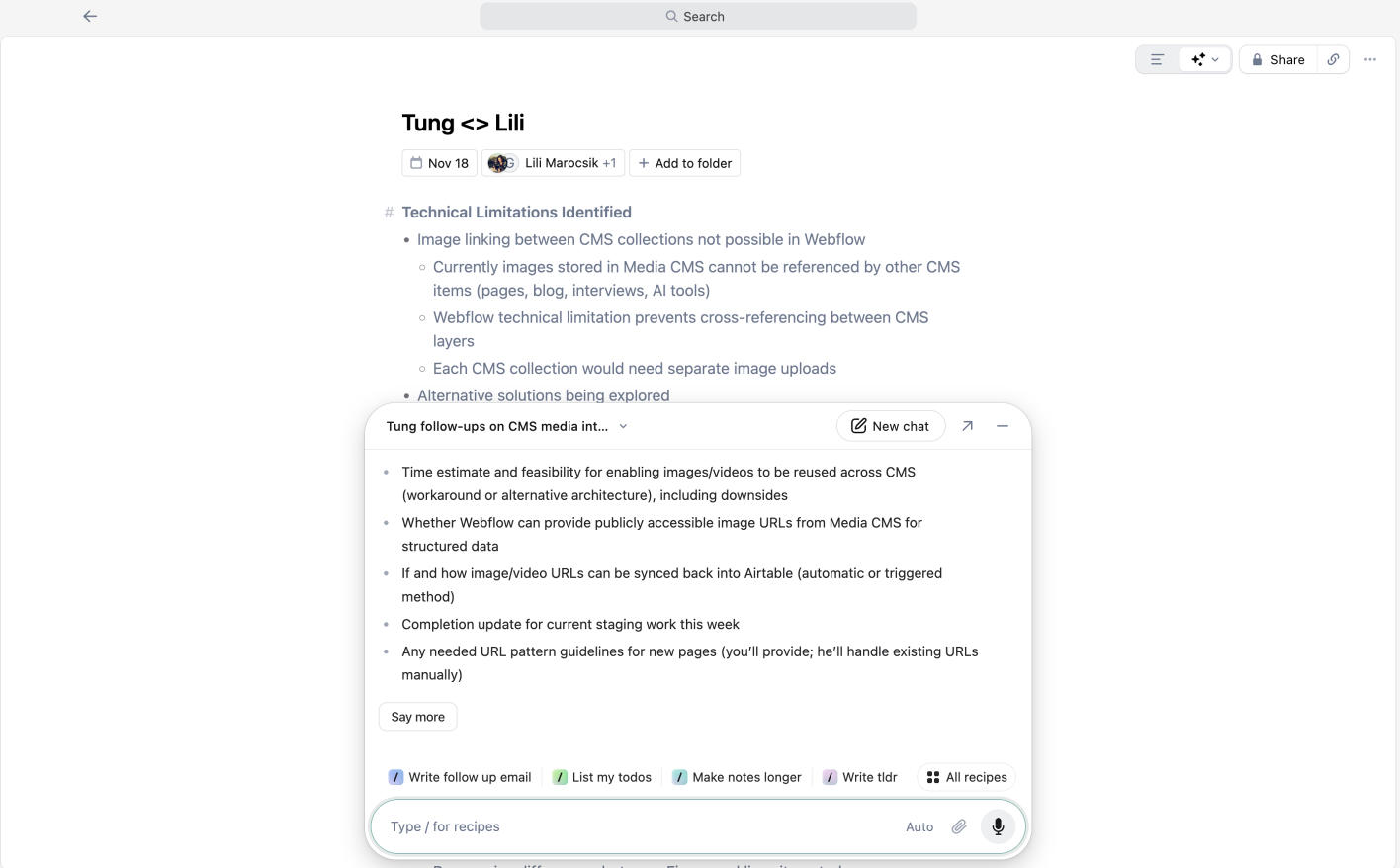


What Granola does:
I've used it in various meetings, some where quite complicated technical SEO meetings with various participants. Granola did a surprisingly amazing job in transcribing the meetings. If you want to understand later on what next steps were or which to dos you agreed to, instead of scrolling through your meeting notes, you just prompt the question in natural language. The answers are incredibly on point and easy to understand, I'm really in awe how well the AI works in Granola.
During the meeting I also took some notes and the AI turned it into relevant comments additional to the meeting transcript, so again later I can go back and revisit my insights.
Granola is such a time saver and the perfect AI tool for small businesses. It offers a generous free trial: you can use it for as many meetings as you want and access the notes for 29 days. If you want to access them longer and have many meetings, $14 per month on the business plan is reasonable. I really think this tool is a great lever for small businesses.
Plus, Granola transcribes the meetings using my devices audio, it's not a bot that actually has to join the meeting.


Fathom is super easy to setup and has more of a sales/marketing focus. It also records your meetings as a video, which can be quite helpful in some instances. I used it for a call where a sales manager tried to sell something to me and I love how on point the meeting summary is. If I choose the sales angle within the meeting summary, it will give me the deal information only and there are various sub sale angles such as SPICED, BANT etc. (I'm sure sales people understand these acronyms, I don't). This is a great short cut, you don't even have to prompt and query the meeting notes anymore and can export all meetings with a certain topic and compare them. This is so cool, I'm a fan and if I were in sales I'd totally get my hands on it.
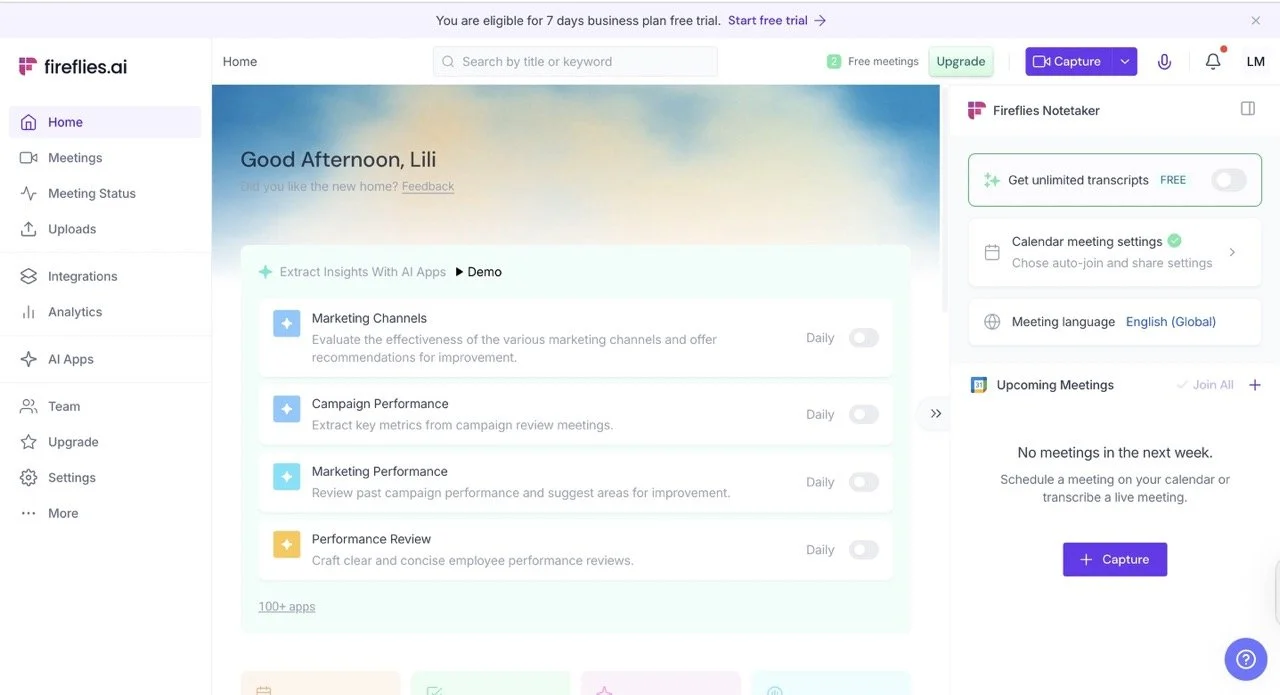
I've tested fireflies.ai about 2 years ago already and really liked it because the transcriptions were pretty good already and their free plan was really nice. So retesting it now with the new features was exciting. The biggest improvement are these two for me: Fred AI, a bot, can join the meeting and you can ask it questions. For example if you forgot what you agreed to in the beginning you can simply ask Fred AI in natural language and after a few seconds it will come up with the correct answer. That's so cool. The other strong innovation, but maybe not such a specialty among virtual assistants/note takers is that you can query your meeting transcription after meetings just like you would talk to ChatGPT.
Let me be upfront: most of the copy I write involves AI in some way. That's exactly why tools like Getsolved.ai catch my attention. Anything that can take a rough draft and turn it into something polished and professional is worth a closer look in my book.
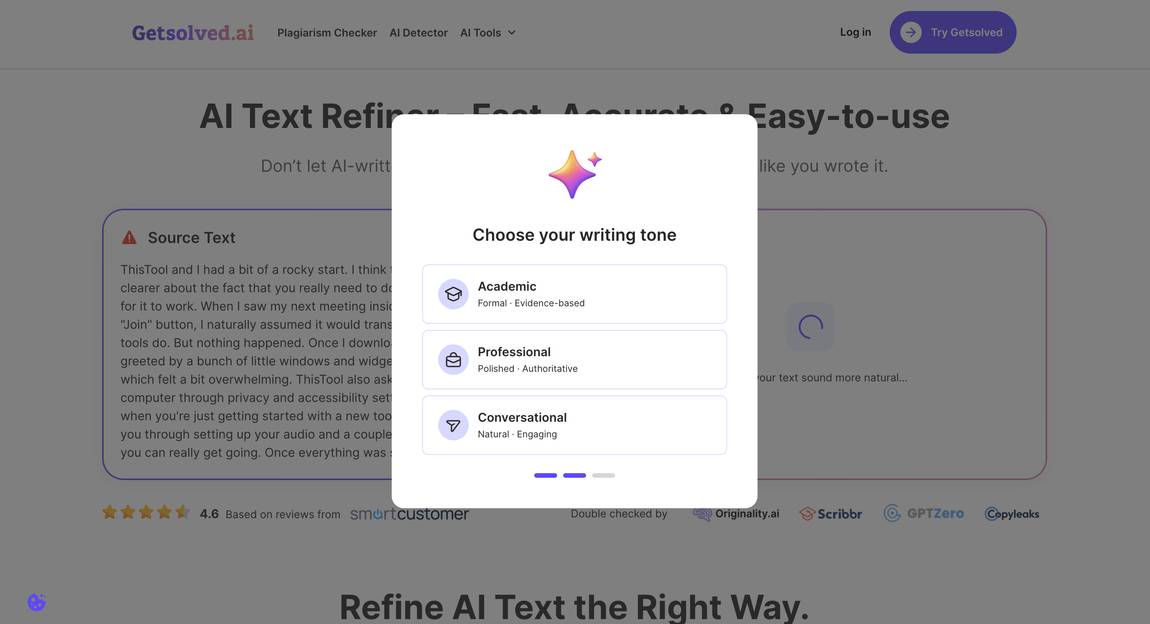
What stood out to me during testing was how intuitive the whole workflow is. Instead of dumping you into a blank editor and hoping for the best, Getsolved.ai guides you through a structured optimization process. You choose a primary goal for your text, set the writing tone you're going for, and decide how heavy-handed you want the refinements to be. It's a smart approach that gives you control without overcomplicating things. Here's how it looks in action, using my original review text as an example:
I'll admit it right away, most of the copy I write is written with the help of AI. So I definitely have a soft spot for tools like Getsolved.ai that make what I say smoother and sound more professional.
When I'm testing Getsolved.ai I really enjoy how simple it's to use and how the tool leads me through various optimization steps: asking for a primary goal, writing tone and refinement intensity. For my original review text I asked Getsolved.ai to improve readability, make the tone sound professional and intensity of changes is advanced.
What you just read was the result and this was the original text here.
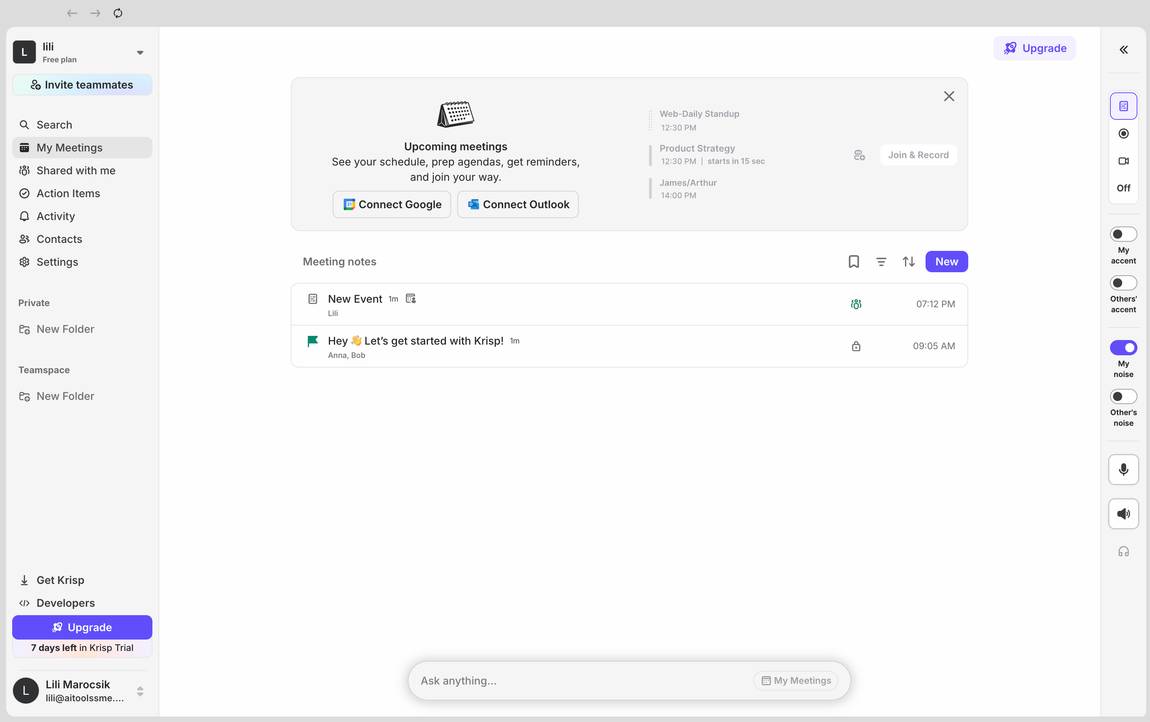
Krisp and I had a bit of a rocky start. I think the onboarding could be clearer about the fact that you really need to download the desktop app for it to work. When I saw my next meeting inside Krisp and hit the "Join" button, I naturally assumed it would transcribe the call, like most tools do. But nothing happened.
Once I downloaded the app, I was greeted by a bunch of little windows and widgets popping up: Krisp asks for access to your computer through privacy and accessibility settings. And of course it makes sense that it walks you through setting up your audio and a couple of other things before you get going.
Once everything was set up and I ran it in a test meeting, it worked really well. The transcription was flawless, and I liked that I could also record the audio if I wanted. The AI chat lets you easily interact and get instant answers, which is practical. And I like that I can also use Krisp for in-person meetings, like for brainstorming sessions e.g.. The meeting notes, key points and action items were available right after the meeting, also really handy!
You can even invite a little AI Agent to join and ask it to do stuff, but honestly I didn't make it to that point and couldn't test that.

SaneBox is an AI email assistant that sits on top of your existing inbox and sorts your messages into folders automatically. It works with Gmail, Outlook, iCloud, Yahoo and any IMAP account, so you don't have to switch email clients to use it.
I tested SaneBox again recently because I get a lot of backlink and guest posting requests, and it's the kind of email communication that's a pain to keep track of. I don't want to log every back and forth in Airtable when most of these requests go nowhere anyway. SaneBox is technically able to handle that mess for me. The main features: SaneLater automatically filters non-urgent emails so my inbox only shows what matters, and SaneNoReplies gives me a folder of emails I sent that didn't get a reply, which is great for following up. SaneBlackHole lets you drop an email in there, and you never hear from that sender again, without marking them as spam and hurting their sender reputation.
The Deep Clean is my favorite feature and a crazy time saver: SaneBox shows you the senders flooding your inbox the most so you can clean out old contacts in bulk.
SaneBox isn't a full virtual assistant in the traditional sense, it only handles email. But for anyone managing client communication without a CRM, it takes a lot of manual sorting off your plate.

This virtual assistant works a bit differently from the other tools we've reviewed so far. It's a call-answering service with voice and brains powered by AI. So if clients call you and you can't pick up the phone, HeyRosie will jump in and take the call for you.
First, I had to give it either my Google Business Profile link or my website. Then it would go and take all infos from there and use it for answering the calls. The system lets you add a few more details like additional questions to the caller or business times.
It also gives you the chance to call Rosie and test how well she does her job. I was really positively surprised because the AI voice is really good (there is even background noise like in a real call center) and Rosie reacted really well to my requests. She will immediately stop talking if I interrupt her, just like a real person would.
I was quite hard on her and requested very specific information from my website, which she still managed to answer about 50% correctly.
You can get notified via email or SMS is a call came in and also add specific questions you would like for Rosie to ask the caller.
HeyRosie is the future, I don't think handymen will have to arrange dates with you anymore.

Otter.AI is a solid note taker, very similar to fireflies.ai. I personally prefer the latter, simply because of Fred AI who can join meetings and can be queried during the meeting.
But Otter.AI also has all features you'd expect from an AI notetaker: meeting transcripts, follow up questions, next steps, and you can ask Otter.AI questions after your meeting in natural language. The answers are not as natual and simple sounding as the ones from Granola though, you can hear the more complicated AI language.
A plus: the setup is extra easy.