Readdy Review: I Compared It to Traditional Website Builders

What is Readdy AI?

Author image blue planet
Lili Marocsik
May 18, 2026
Blog
AI Website Builders
5 min
readdy review header

TL;DR

❤️ Before we get started I'd like to thank you for using my affiliate links to sign up to free trials, you help me stay afloat and create more of this genuine content. ❤️

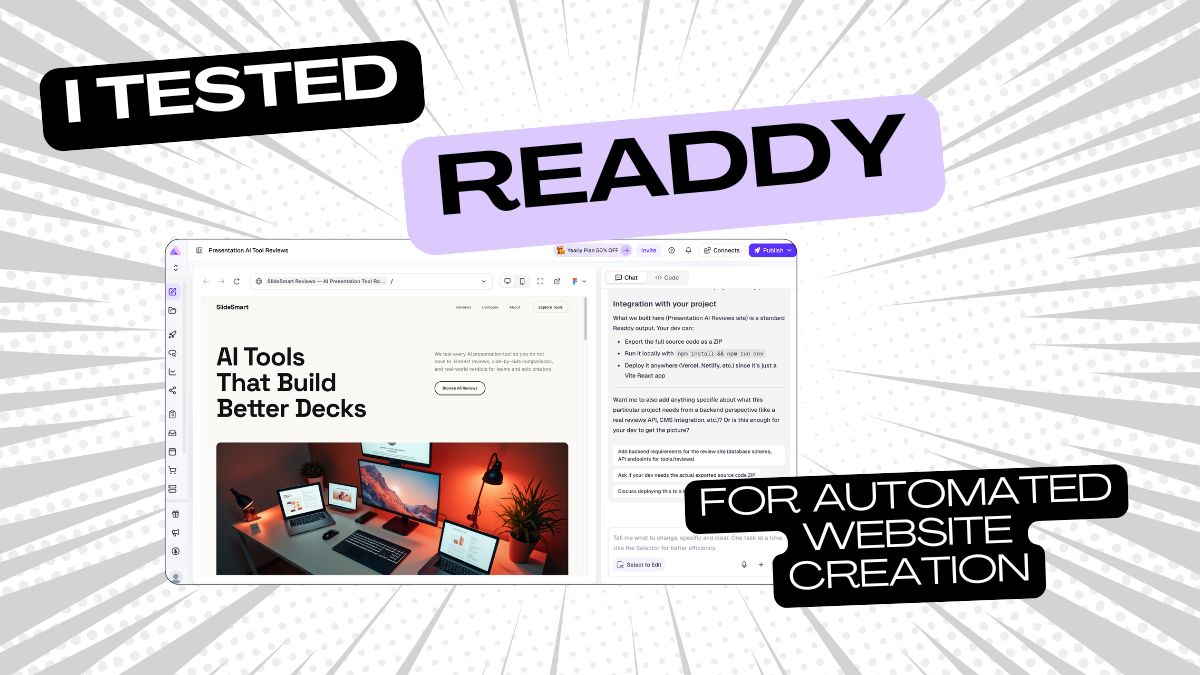
Readdy is an AI website builder that promises to website creation from a single prompt. No coding, no drag and drop, no plugins. You describe your idea in plain language and Readdy generates the full site including layouts, copy, images, SEO settings and structure. You can communicate with Readdy during the generation process via a terminal where you can also request bulk changes or generally ask the AI what's possible. 
It also comes with a visual editor so you can tweak things after the AI does its thing, plus features like file upload and parsing, AI social posts, collaboration tools, project email, a built-in booking system (Readdy Booking), credit care, and a quick edit mode. It connects with tools like Stripe, Calendly, Mailchimp, Google Analytics and Supabase, and you can export your site as clean React, Vue, or HTML/CSS code or straight into Figma.
One more thing worth noting: Readdy has personality. During my test it called the website we were building an "editorial beast" and responded to my prompt with "Yo, this is gonna be a sick project!" Not something you get from a drag-and-drop tool.

The Readdy vs. traditional website builders

I tested Readdy with my usual and very simple prompt from my AI website builder comparison: "Build a website about Presentation AI tool reviews." Which of course I can't use for the traditional website builders simply because they can't use AI at this level. After I add this simple prompt, Readdy takes about 2 minutes to gather all the information and comes back with: "Yo, this is gonna be a sick project! Presentation AI tool reviews - think Gamma, Tome, Beautiful.ai, Pitch, etc. I can already see some dope editorial vibes for this." I love the enthusiasm. Much more inspiring than staring at a blank Squarespace template. I also love that Readdy asks three qualifying questions before it starts building:
  1. Do you want users to log in too? (No)
  2. Do you need any paid features or subscriptions? (No)
  3. Would you like a comparison tool where visitors can compare 2-3 AI presentation tools side-by-side? (Hell yes)
  4. ol

    Off it goes to build my "editorial beast" while I watch the progress bar. If I decide any of the steps is useless, I can just say so in the chat, or stop the process and redirect. I really appreciate that transparency -- it feels collaborative rather than like a black box.
    Before publishing I would need a paid plan. Totally fair, I also don't like to work for free.

Readdy AI Dashboard and Terminal
Arrow previous
Arrow next

Readdy AI vs. WordPress

Readdy is a completely different approach. WordPress has AI features and plugins, but it's more like a box of Lego you still have to put together yourself. My very first website was built on WordPress and I remember the day a plugin caused such chaos that I couldn't log in anymore. I had to hire someone on Fiverr to unlock my account. Not the best experience for a small business owner, and a massive time drain. I also hated keeping track of all the updates. Maybe it's a trauma. I'm a fan of ready-made tools (Readdy-made, hehe). Why should you as the customer have to worry about plugins? Writing from an SME perspective, the maths just doesn't work if you value your time. Readdy is a fully automated tool that does everything for you. As always with AI tools, I still recommend personalising your website with unique insights -- because if you can generate it, so can your competitors. But Readdy does one thing perfectly: gives you a solid structure with great design as a starting point. You just have to add your own flavour to make it actually yours.

Readdy AI vs. Wix

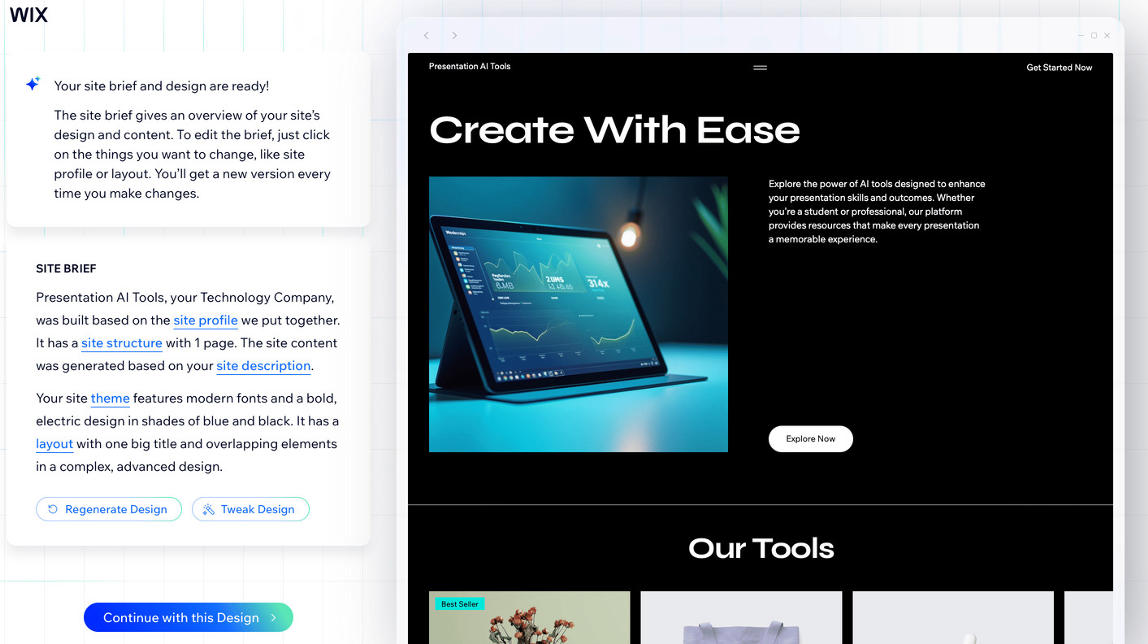
Wix is a bit closer to the AI approach compared to WordPress, because it does handle more things automatically. But when I tested Wix I got frustrated pretty quickly. The AI would generate a title, then the system itself would flag it as too long in the next step. A bit of a mess. And honestly, I find Wix templates quite dull at this point. Readdy lets you work in a client terminal, which I find really practical. During my test I asked what SEO capabilities Readdy has, and it automatically added a title tag, meta description, 7 relevant keywords, HTML language settings, alt texts and semantic HTML. All the basics, handled. Both tools require zero coding and have some AI integrations, with Readdy being significantly stronger on AI and design quality.

Readdy AI vs. Webflow

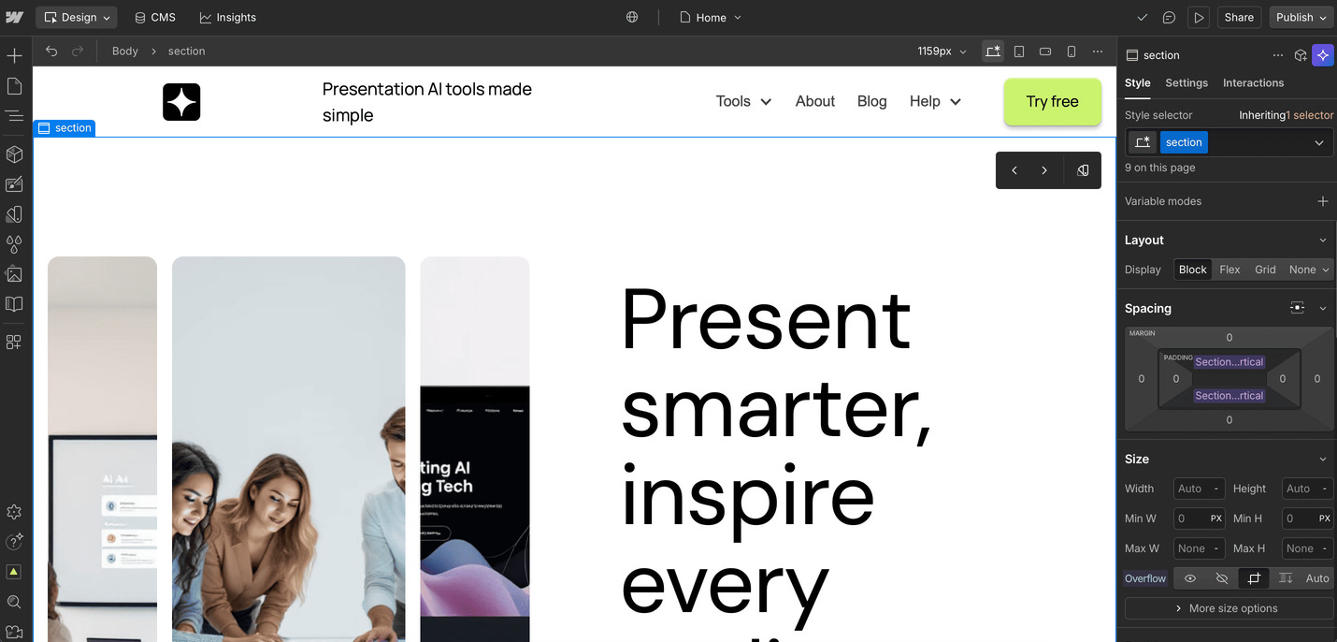
Comparing Readdy with Webflow is a bit like comparing a car to a plane. With Readdy you drive to the most obvious spots in town: the hairdresser, school, work. Webflow flies you to Dubai to close a big deal -- but someone else has to pilot the plane. The website you're reading right now is built on Webflow because I needed Airtable and automation in the backend. Webflow's CMS collections and the templates my designers built allow for that level of automation, but I wouldn't be able to make most changes myself without help. With Webflow I couldn't build a website from a prompt, even though it has plenty of AI features. Thinking about how easy it was to build a (admittedly much simpler) site with Readdy, I'm genuinely a little jealous.

Readdy AI vs. Squarespace

Oh, Squarespace. How much time and nerves I would have saved if I had known where aitoolssme.com was going before I chose a website builder. The problem with Squarespace is that it's only pretty. Nice templates, barely any AI features (except in their marketing). It's drag and drop all the way, no automation, no bulk editing, and the shop integration is painful. Customers had to go through a lengthy signup just to properly see my course. With a tool like Readdy, you build out funnels and navigation exactly how you want through the chat terminal. The system can tell you if something doesn't make sense or suggest a better approach. Readdy's AI learns from all website projects and applies that to yours. It communicates with you. With Squarespace, everything was manual fumbling. Every. Single. Element.
Readdy AI Website
Wordpress Dashboard Screenshot
Wix Dashboard Screenshot
Webflow Dashboard Screenshot
Squarespace Dashboard Screenshot
Arrow previous
Arrow next

Readdy AI Pros and Cons

Pros:

- Transparent process -- just ask in the chat what's possible and what isn't

- Fun to work with, actually has a personality

- Fast -- full website in minutes from one prompt

- Better and more unique designs than most traditional builders

- Zero coding needed

- SEO basics handled automatically

- Built-in booking, analytics, form storage and integrations

Cons:

- Not great for complex ecommerce (fine for selling a few things, but don't try to replace Shopify with it)

- AI output can feel generic if you don't put in the effort to personalize

- Credit-based system can get expensive if you iterate too much (each generation or edit costs 25 credits)

Readdy AI pricing

- Free plan: 250 credits/month, up to 2 projects -- good for testing

- Starter: around $16-19/month -- custom domain, code/Figma export, no Readdy branding

- Pro: around $24-32/month -- more credits, unlimited projects, advanced features

My Conclusion about Readdy

Readdy is one of the most enjoyable website builder I've tested so far, and I've tested a lot of them. It's fast, the designs actually look good, and the whole process feels more like a conversation than a chore. Will it replace Webflow? No. If you need serious backend automation, CMS collections or a complex setup, you still need a developer. But for most small business owners who just need a clean, well-designed website without losing their mind in the process? Readdy makes WordPress, Wix and Squarespace look unnecessarily painful by comparison.

The fact that it has a personality is just a bonus. "Let's build this editorial beast" is not something any other website builder has ever said to me, and honestly it made the whole experience more fun.
If you want a website up without the drama, Readdy is worth trying. Start on the free plan, give it a prompt, and see what it builds you in two minutes. You'll get it immediately.

Readdy AI FAQ 

Is there a free plan for Readdy? Yes -- you can build and test your website on the free plan (250 credits/month, up to 2 projects) without paying anything. But to publish your site with a custom domain, you'll need a paid plan.

Does Readdy have an AI agent?
Yes. Readdy has a built-in AI agent that lives directly on your website. It can answer visitor questions, qualify leads, book appointments and provide support around the clock. You can train it with a specific persona, tone and knowledge base, so it fits your brand rather than sounding like a generic chatbot. It's one of the features that sets Readdy apart from traditional website builders, which would require you to bolt on a separate tool like Intercom or Tidio to get anything close to this.

How does Readdy work?
You give Readdy a prompt describing your website idea. It asks a few qualifying questions, then builds the whole site automatically -- layouts, copy, images, SEO settings. You can watch the progress and redirect it at any point via the chat terminal.

What kind of websites can I build with Readdy?
Business sites, landing pages, portfolios, editorial sites, review sites, comparison tools. It's strongest for marketing-focused websites. For complex ecommerce or app-like products, you'd want something else.

Does Readdy require any coding skills?
None. Everything is handled by the AI. You can export clean code if you want it, but you never have to touch it.

What SEO features does Readdy offer?
Readdy automatically adds a title tag, meta description, relevant keywords, HTML language settings, alt texts and semantic HTML. It also handles sitemap.xml and robots.txt, and lets you verify your site in Google Search Console in one step.

Can I customize my Readdy website?
Yes. You can use the visual editor, the chat terminal (Selector Mode -- click any element and tell the AI what to change), or export to Figma. Just add your own content and personality on top of what it generates.

Does Readdy have an API? The page I created has a REST API for programmatic access. This is how it works:
  1. You send a text prompt → AI interprets intent
  2. AI generates React code → TypeScript, Tailwind CSS, Vite bundler
  3. Output is a full project → src/ components, pages, routing, mock data
  4. You can iterate → send follow-up prompts to modify/refine
  5. ol
Author image blue planet
Author:
Lili Marocsik
Lili Marocsik has tested 400+ AI tools since 2023, back when most of them were more hype than help. Before building this site, she spent years as a video marketer creating YouTube Ads for brands like HelloFresh and Revolut. She started aitoolssme.com because every tool was getting five stars and glowing writeups, but nobody was telling the truth about what actually works. Beyond the site, she hosts the German AI podcast KI Plausch, organizes the AI Enthusiasts Berlin meetup group, and is an active member of Women in AI. When she's not testing tools or running events, she's looking after 30 houseplants and hunting down modern art.
You might also like
Go to
Black arrow icon