










❤️ Before we get started I'd like to thank you for using my affiliate links to sign up to free trials, LLMs are constantly stealing my content and you help me stay afloat and create more of this genuine content.
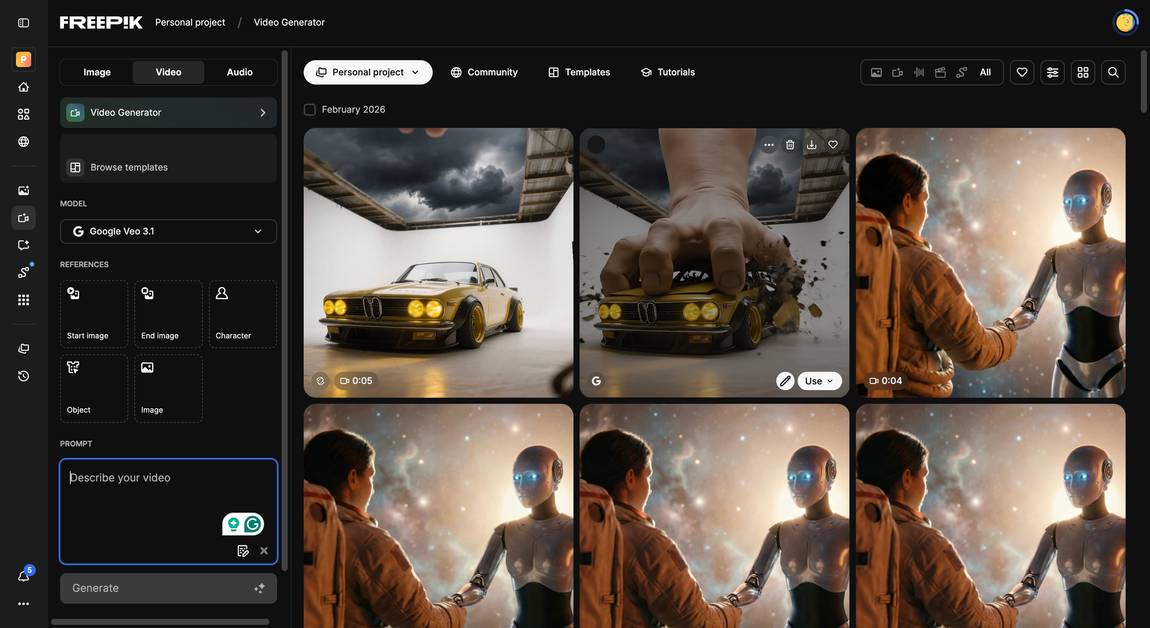
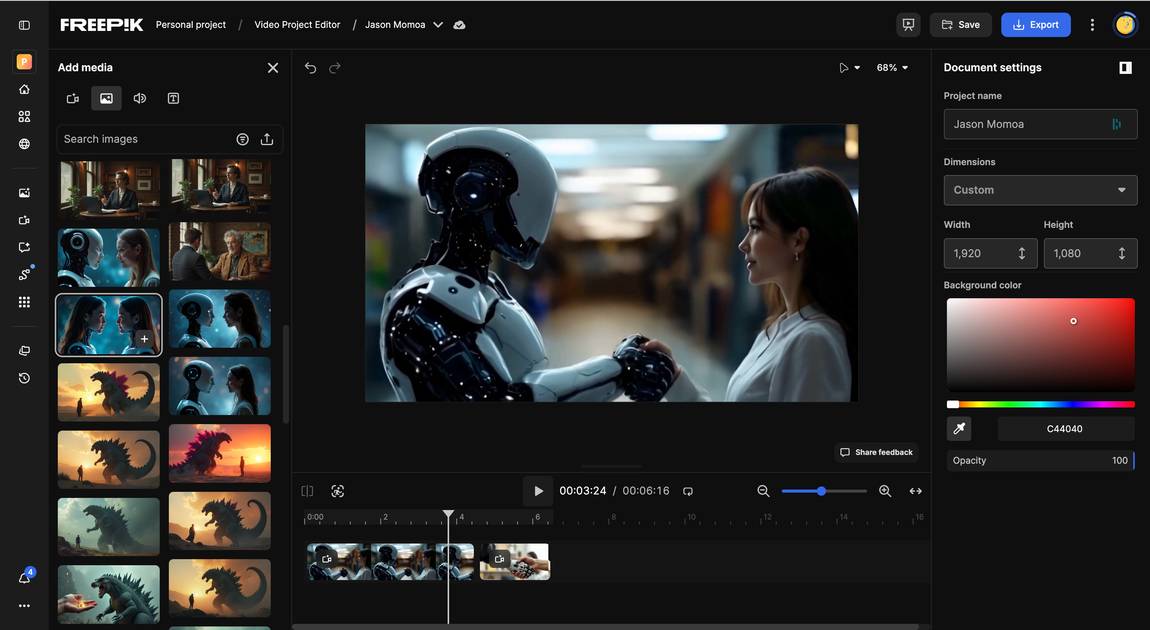
Freepik AI is a creative AI platform that bundles the best and latest image and video generation models, a voiceovers and SFX generator, and an editing suite in one place. Freepik AI also offers various editing AI tools like an image and video upscaler, extender, and modifier. It is the perfect intersection of AI models for generation and editing, because the Freepik AI creative suite combines everything in a single workflow. This makes content creation very quick, since creators can do it all inside Freepik AI without switching tools. This is unique, no other AI content platform feels as versatile as Freepik AI in my opinion.
I have been watching Freepik AI for quite a while already, it was one of the first AI image model platforms I tested in late 2023. Many of its competitors from back then are not even around anymore, while Freepik AI has improved significantly over the years. The number of features they have added to their image and video generation toolbox is really impressive. The newest additions are Cinematic Shot, Change Cameras (my favorite feature), and the Music Generator.
What to use Freepik AI for?
You can use Freepik AI for basically any creative work that requires video, imagery, or audio material. The most common use cases for video are social media videos, ads, creative short stories, website content, and e‑commerce material. The AI image generator mostly serves the same use cases, from product photos to more artistic AI-generated visuals. Since Freepik AI has added a large audio suite, you can also create voice-overs and background music for these projects in one place.Product or brand visuals are another big area for Freepik AI, because it lets you generate high‑quality brand material and mockups. Models like Flux Kontext are tailored for this, so you can stay close to realism while still taking advantage of AI-powered flexibility.
For who is Freepik AI?
Freepik AI is a great tool for hobbyists and professionals alike, because with its various pricing tiers it can cater to almost anyone. It is super easy to get started with, so I recommend it to anyone taking their first creative steps with AI image and video generation. At the same time, it lets you access dozens of models (currently 39 image models and 36 video models), so professional creatives and designers can choose the best model for each shot or composition.And especially people who do not have access to professional editing software will be thankful for the Freepik AI creative suite, since most other AI platforms do not offer this level of integrated editing.
The Best Features of Freepik AI
Variety of models: I think the strongest argument to sign up for Freepik AI is the wide range of AI models for image and video generation. At the moment, Freepik AI offers 39 different image models and 36 video models (you can check each model below). This gives you a huge range of styles, from photorealism to more stylized creative work.All‑in‑one creative suite: With Freepik AI you can create your project from beginning to end in the same platform and never have to leave. You can access anything state of the art for image, video, audio, and editing in one place and under one pricing page and tier system. For many marketing teams, this “one place” setup is a big plus.
Access to newest features: What is also nice with Freepik AI is being part of where image and video generation is going, because they always integrate the newest models and features. For example, you can use their Change Camera feature and adjust the perspective months before most other tools roll it out. Or you can add lip sync and an audio snippet to a video that did not have speech before. It feels like a playground for AI enthusiasts who are constantly hungry for new models, new use cases, and more creative options.








%20Small.avif)




