Why you can trust us: Testing Methodology & Editorial policy

AI Tools for SMEs

Your honest AI Tool Reviews:  user-friendly, non-technical and unbiased.
Author Lili Marocsik
Curated by Lili
Welcome to my AI universe
Artlist (Image Gen)
Image Generators
AI image creator that lets you generate and manipulate visuals with strong perspective control and style options.

PISCART

Score 
2.75
/
5
Best Tool for :
Tool performance:
0
/
5
Setup/Onboarding:
4
/
5
User Experience:
3
/
5
Prompt coherence:
3
/
5
AI capabilities:
0
/
5
Voice quality:
0
/
5
Lip sync & motion:
0
/
5
Music quality:
0
/
5
Image quality:
1
/
5
Design capabilities:
0
/
5
Arrow previous
Arrow next
Pros:
Palette of tools for further editing
Cons:
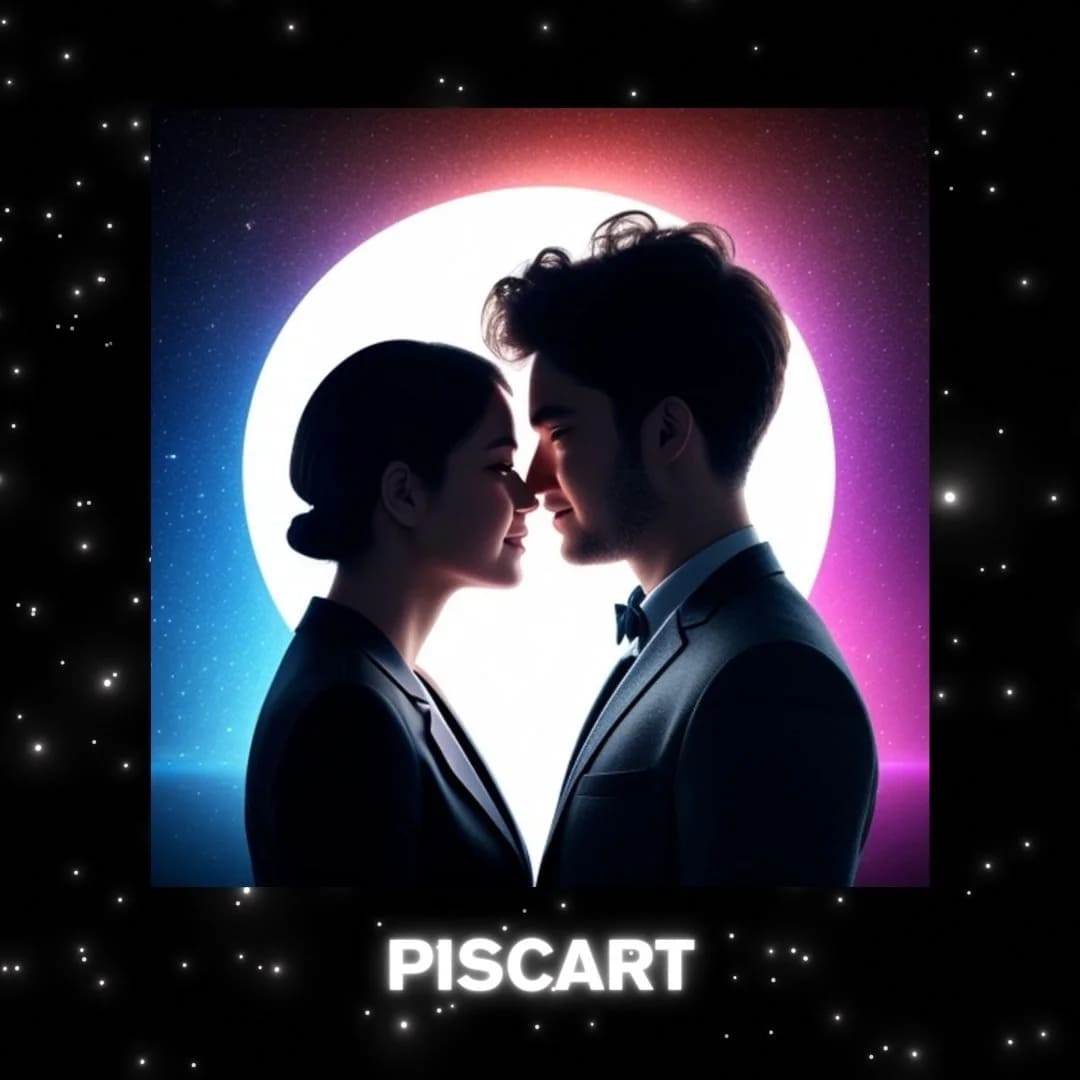
Didn't follow prompt, instead of robot, it added a man
Coin icon
Monthly price starting from: $13
User icon
For Who?
Design
Key features:
Photo Editor
AI Logo Generator
Background Changer
AI Enhance
Remove Object
Batch Editor
Text Editor
Collage Maker
Tested Model:
Last test:
November 19, 2025

PISCART Review - More Toolbox Than Image Generator, But Misses the Mark

Lili's Honest and Unbiased Review

Piscart is like a basic version of Canva, but it’s more than just an image generator. It’s a full set of tools for editing photos, making logos, changing backgrounds, and more. But here’s the thing: when I asked it to make a robot, it totally missed the point. Instead, it gave me a picture of a couple flirting. I can almost hear its logic: “A woman needs a man.” Sorry, Piscart, but in 2024, what we really need is an AI tool that listens to what we ask.

\### Piscart Review: What Can It Do?

Piscart comes with a lot of features. You get a photo editor, an AI logo generator, a background changer, and an AI enhancer. There’s also a tool to remove objects from photos, a batch editor for working on many images at once, a text editor, and a collage maker. It’s a lot in one place, which is nice if you want to do everything without switching apps.

\### Where Piscart Review Falls Short

But even with all these tools, Piscart doesn’t always get things right. If you ask for something specific, like a robot, you might get something totally different. It feels like the AI is stuck in old ideas, not really paying attention to what you want. That’s a big problem if you need your images to match your instructions.

\### Final Thoughts

Piscart has a lot of tools, but it needs to get better at following directions. The features are useful, but if the AI can’t understand what you’re asking for, it’s not going to be very helpful. In this Piscart Review, I’d say it’s good for simple edits, but don’t expect it to always get things right.

\###

Try Tool
Arrow previous
Arrow next
Try Tool
Try Tool
Try Tool
Author:
Lili Marocsik
Lili remembers the excitement of discovering the internet at 14 — a true window to the world. The AI boom now feels just as thrilling. Since 2023, she's tested many AI tools, seeing the good, the bad and the ugly (especially at the beginning). Before AI, she worked as a video marketer, crafting YouTube Ads for HelloFresh and Revolut. She believes AI should empower people, leading her to build this site for SMEs. When not exploring AI, she enjoys her 30 plants and modern art.
Author Lili Marocsik

Get the best AI tool deals and newest tool reviews straight in your inbox.

By entering your email, you agree to receive occasional updates and marketing emails from us. You can unsubscribe at any time. We respect your privacy and will never share your information without your consent.
Black arrow icon